Brand: PHILIPS
Category: Electronics
Document Type: Manual
Language: EN
Brand: PHILIPS
Category: Electronics
Document Type: Manual
Language: EN
Uploaded: Nov. 21, 2025, 7:04 p.m.
No specific warranty period is mentioned in the provided pages.
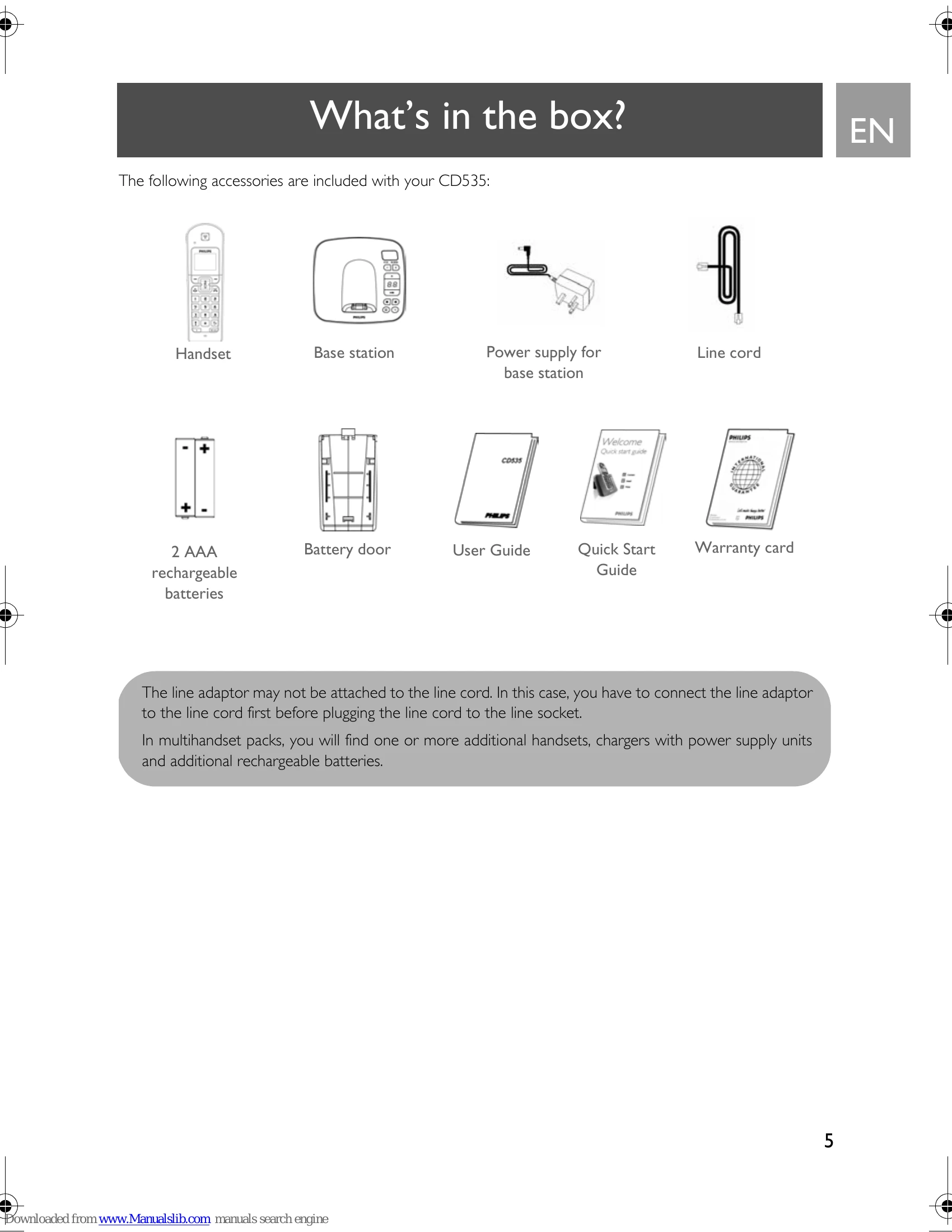
Slide out the battery cover, place the 2 AAA rechargeable batteries as indicated, and replace the cover.
Place the handset on the charging cradle. A beep confirms correct placement. A charging animation will appear on the handset. Charge for at least 24 hours before first use.
After charging, the WELCOME screen appears. Press any key to see the country list. Scroll to your country, press SELECT. Scroll to your operator (if necessary), press SELECT. Default line settings and menu language are configured automatically.
Press MENU, scroll to Clock & Alarm, press SELECT. Press SELECT again to enter Set Date/Time. Enter current time (HH:MM) and date (DD/MM/YY), press SELECT.
Enter the phone number (max 24 digits) and press the TALK key, or press OR to take the line, then enter the phone number.
Press the TALK key to answer a call. Press the HANG-UP key to end a call.
Press and hold the HANG-UP key for 5 seconds to switch off. Short press the TALK key to switch on.
Press and hold the KEYPAD LOCK key for 2 seconds to lock/unlock.
Press the PAGING key on the base until the handset rings. Press HANG-UP to end paging.
The answering machine records unanswered calls. It can store up to 99 messages. Use base station keys to play, delete, or manage messages. Access settings via MENU on the handset.
| Problem | Causes | Solution |
|---|---|---|
| The icon is not blinking when the handset is placed on the base | Bad battery contact Dirty contact |
Move the handset slightly Clean the battery contact with a cloth moistened with alcohol |
| No dialling tone | Battery is full No power Batteries are empty |
No need to charge Check the connections. Reset the phone: unplug and plug back in the mains Charge the batteries for at least 24 hours |
| Poor audio quality | You are too far from the base station Wrong line cable Line adaptor (when needed) is not connected to the line cord |
Move closer to the base station Use the line cable provided Connect the line adaptor (when needed) to the line cord |
| The icon is blinking | Handset is not registered to the base station The handset is too far from the base station |
Register the handset to the base station Move closer to the base station |
| The handset displays "not available" | The procedure to add a handset has failed Maximum number of handsets (5) has been reached Base station is already busy with another handset |
Try again by disconnecting and connecting the base station power supply and follow the procedure to register a handset (see page 43) Remove and place back the handset batteries Unregister a handset so as to register the new handset Wait until it is available |
| Noise interference on your radio or television | Your CD535 base station or mains power pack are too close to electrical appliances | Move the power pack or base station as far away as possible |
| Caller Line Identification (CLI) service does not work | The service is not activated | Check your subscription with your network operator |
| No ring tone | The ring tone is deactivated | Increase the volume |
| A phonebook entry cannot be stored | The phonebook is full | Delete an entry to free memory |
| Cannot receive new SMS | SMS storage space is full Wrong SMS settings The outgoing or incoming SMS center numbers are not set or are wrong You have no subscription Another SMS-enabled phone is also on your line There is a problem of compatibility between operators The identity is withheld |
Delete old SMS Check your SMS settings (see page 31) Refer to "SMS settings" on page 31 Contact your provider for more information Deactivate the SMS reception mode on one of the device Contact your provider for more information Show identity (see "Withhold ID" on page 49) |
| Cannot send or receive new SMS | (See above for Cannot receive new SMS) | (See above for Cannot receive new SMS) |
| The answering machine does not record messages | Memory is full The ANSWER ONLY mode has been activated |
Delete old messages Activate Answ. & Record mode (see "Answering machine mode" on page 53) |
| Remote control access does not work | Remote control access has not been activated | Activate Remote control access (see "Remote control access" on page 55) |
| Cannot record outgoing message | Memory is full | Delete old messages |
| The CD535 hangs up during remote access | You have entered the wrong access code You have not changed your Master PIN code You have taken more than 4 seconds to enter the Master PIN code |
Enter the correct access code To prevent unauthorised access to your answering machine, your Master PIN code must be changed. To change PIN code, see page 44 Enter the Master PIN code within 4 seconds |
| The answering machine stops automatically | Memory is full Message exceeds 3 minutes |
Play and delete old messages Messages must not exceed 3 minutes |