Brand: PHILIPS
Category: Electronics
Document Type: Manual
Language: EN
Brand: PHILIPS
Category: Electronics
Document Type: Manual
Language: EN
Uploaded: Nov. 21, 2025, 7:56 p.m.
Manual Publish Date: 2004
This manual does not contain specific warranty information.
| PROBLEMS | CAUSES | SOLUTIONS |
|---|---|---|
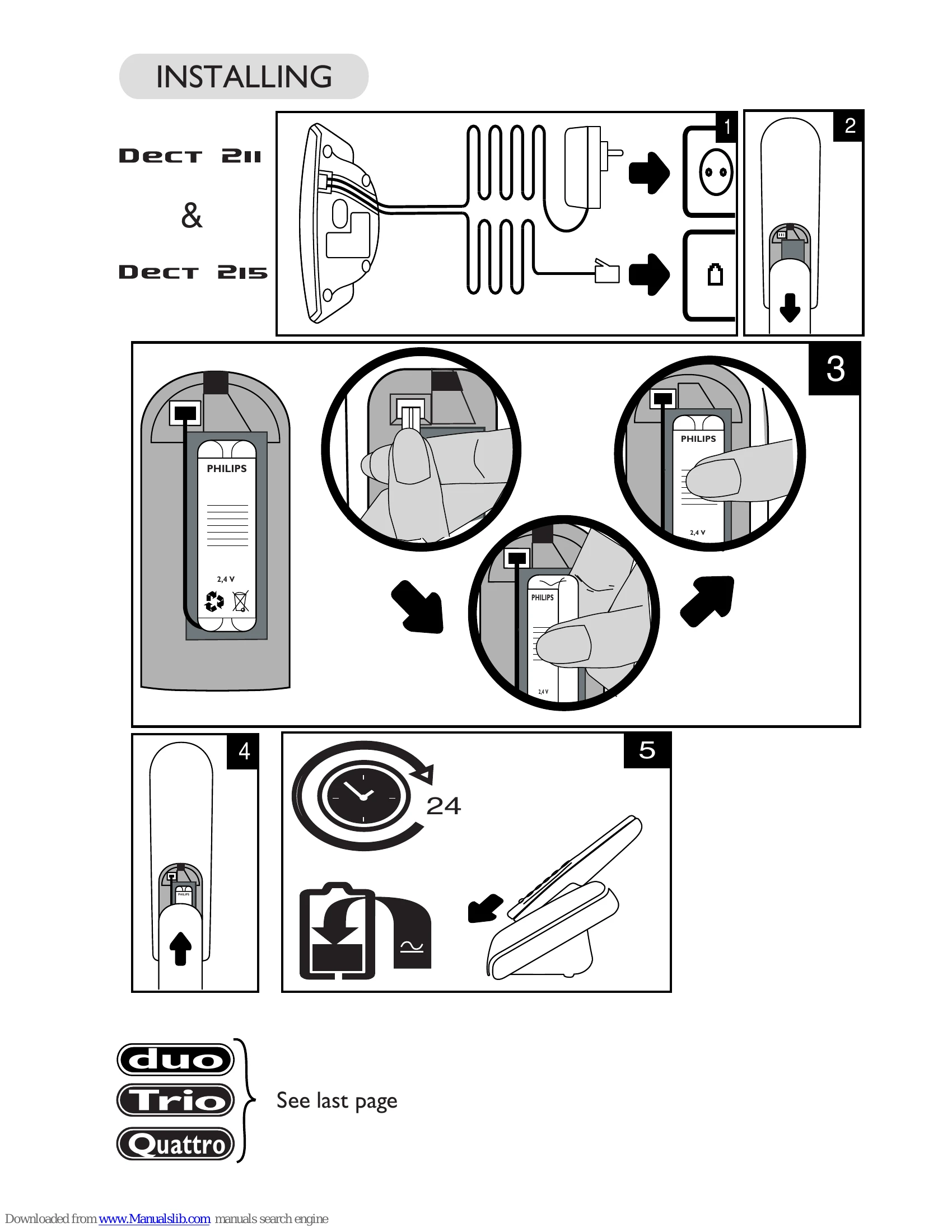
| - No dialling tone when pressing | The base station is not properly connected to electricity or to the telephone sockets. Too far from the base station Battery pack is low (low battery icon is displayed). | Check the connections. (inside cover). Move closer to the base Charge battery pack. (inside cover). |
| Y icon is blinking. | The handset is not registered. The handset is out of range. | Register the handset to the base station. (p 14) Move closer to the base station. |
| - When the handset is placed on the charging unit, no beep is heard. | The handset is not placed correctly on the base station charging unit. Charging contacts are dirty. | Take the handset off the base station and put it back again. Clean them with a clean and dry cloth. |
| Battery icon remains empty although the handset has charged for 24 hours. | Handset battery pack is defective. | Please contact your PHILIPS dealer in order to purchase new rechargeable battery pack. |
| No symbol on the display. | Battery pack is uncharged. The product is not properly connected | Charge battery pack. (inside cover). Make sure your product is plugged in. (inside cover). |
| A phonebook entry has not been memorised. | The phonebook you wish to use is full. | Delete some entries to free memory space. |
| Bad audio quality (crackles, muted, echo, etc.). | Interference from nearby electrical appliance. Base station installed in a room with thick walls. - You are using the handset too far from the base station. | - Try to plug the base station in elsewhere. Install the base station in a different room. Move closer to the base station. |
| Caller display does not work. | Service not activated, wrong operator or wrong setting. | Check your subscription with your operator. |
| - Answerphone icon is blinking on the display. | The answerphone memory is full | Consult and delete messages to free sufficient memory. (p 9) |
| - The answerphone has not recorded your outgoing message. | The answerphone memory is full. | Consult and delete messages to free sufficient memory. (p 9) |
| - The answerphone has stopped. | The answerphone memory is full. | Consult and delete messages to free sufficient memory. (p 9) |