Manual for Keychain Digital Camera

Manual for Keychain Digital Camera

Brand: PHILIPS

Category: Electronics

Document Type: Manual

Language: EN
Uploaded: Nov. 21, 2025, 7:01 p.m.

Warranty Information

One-year limited warranty covering defects in material, workmanship, and assembly under normal use.

Getting Started

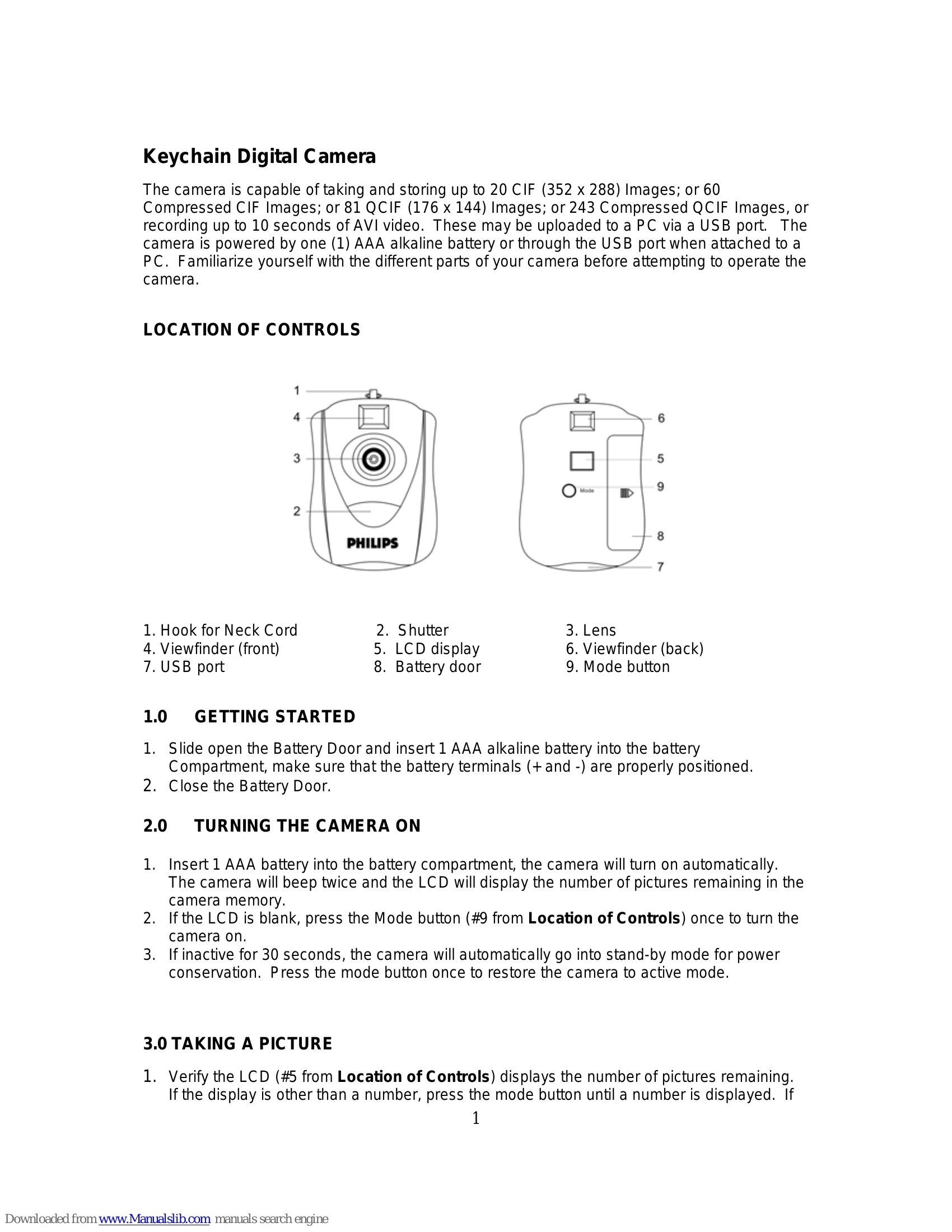
  1. Insert AAA battery and close door.
  2. Press Mode button if LCD is blank to turn on.

Taking a Picture

  1. Verify LCD shows picture count.
  2. Look through viewfinder, press Shutter button.
  3. LCD count decrements.

Additional Features

Press Mode button to cycle through features (Self-Timer, Continuous Shooting, etc.) and Shutter to activate.

Uploading Pictures

  1. Install software from CD.
  2. Connect camera via USB.
  3. Open MyCam CIF application and download images.

Troubleshooting and error codes

Problem Solution
The camera does not work:
  • Ensure battery inserted with correct polarity.
  • Check battery power; replace if low.
"No New Hardware Found" message appears:
  • Ensure camera and PC are connected properly.
  • Check Device Manager for "Imaging Device" or "CIF Dual Mode Camera".
  • Unplug and reconnect camera. If listed, disable other cameras and ensure this one is enabled.
"Camera not connected” or “Device cannot be detected" message appears:
  • Remove previous driver and reinstall software.
  • Uninstall "CIF Dual Mode Camera" from Device Manager and "Camera Driver" from Control Panel. Reinstall driver.
After installing software, camera is not detected: Ensure USB port mode is enabled in system CMOS setup.
Privacy Policy