Brand: PHILIPS
Category: Electronics
Document Type: Manual
Language: EN
Brand: PHILIPS
Category: Electronics
Document Type: Manual
Language: EN
Uploaded: Nov. 21, 2025, 9:25 p.m.
Manual Publish Date: 2015-09-22
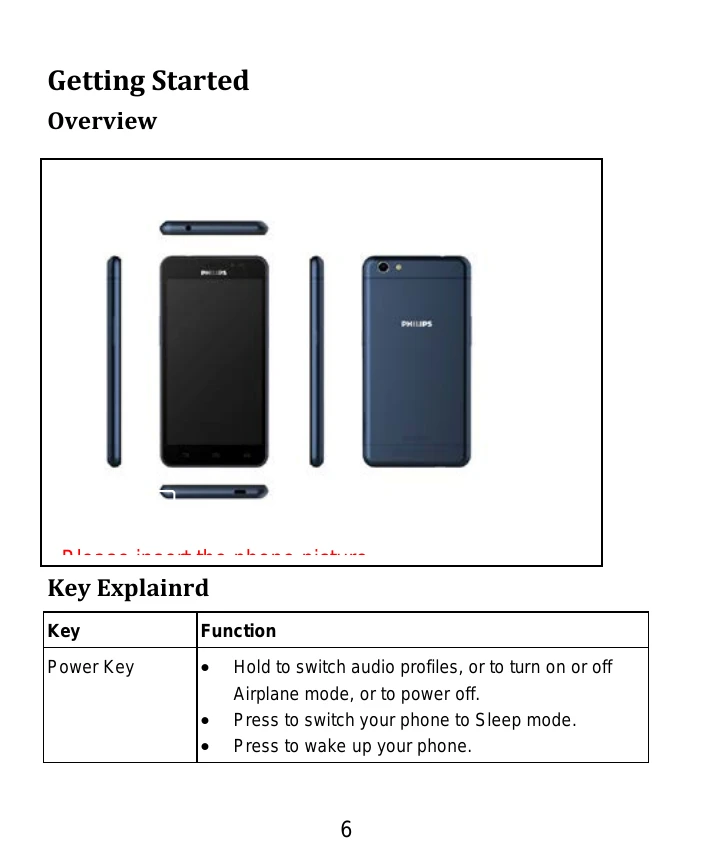
Power Key: Hold to switch audio profiles, turn on/off Airplane mode, or power off. Press to switch to Sleep mode or wake up the phone.
Home Key: Press to return to the Home Screen or hold to see recently used applications.
Menu Key: Press to get options for the current screen.
Back Key: Press to go to the previous screen.
Volume Keys: Press or hold to turn the volume up or down.
Calling from Phone: Press Home key > Phone, enter number, tap dial icon.
Calling from Contacts: Press Home key > People, scroll and tap contact, click number.
Receiving Calls: Tap and drag to answer or reject.
Sending a Message: Press Home key > Messaging > New Message, enter recipient, type message, tap send.
Wi-Fi: Press Home key > Settings > Wi-Fi to connect.
Browser: Press Home key > Browser to surf the internet.
Camera: Press Home key > Camera to take pictures.
Music: Press Home Key > Music to play audio files.
Gallery: Press Home Key > Gallery to view pictures and play videos.
| The faults | possible reasons |
|---|---|
| Can't turn on |
1、Whether there is electricity in the battery; 2、Battery is correct. |
| SIM is wrong |
1、SIM is dirty and clean it; 2、install the SIM again; 3、SIM is wrong, replace it. |
| Bad signal | Check the signal display in the stutas bar. |
| The phone can't call | May have a strong jamming signal around the environment. |
| Can't charge | May be the battery discharge. Need to wait for a few minutes. |
| Taking pictures is not clear | Please make sure that both sides of the camera lens cleaning. |