Brand: PHILIPS
Category: Electronics
Document Type: Manual
Language: EN
Brand: PHILIPS
Category: Electronics
Document Type: Manual
Language: EN
Uploaded: Nov. 21, 2025, 8:48 p.m.
Manual Publish Date: 2021-01-29
This product comes with a one-year warranty.
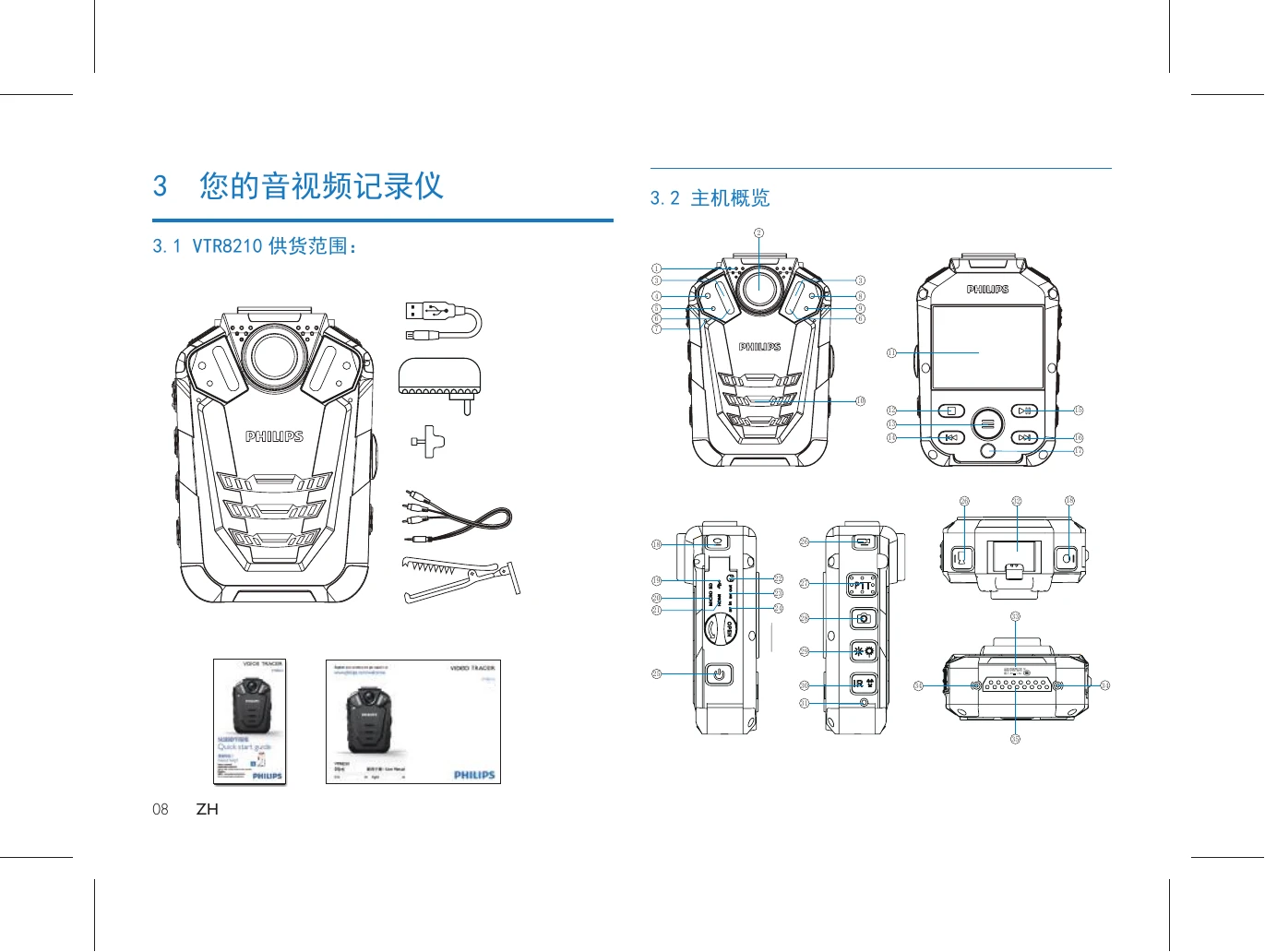
This manual details the operation of the Philips VTR8210 video tracer. Key functions include:
| Problem | Solution |
|---|---|
| My Video Tracer cannot power on: | The battery is out of power, please recharge promptly. |
| Incorrect time/date: | Please set the time/date in the menu if the recording time is incorrect. |
| Blurred photo/video: | If the camera lens are unclean, please clean up the lens with a piece of flannelette. |
| My Video Tracer does not record anything: | The Video Tracer's memory is full, and the loop record is off. Please delete some recordings or move them to other storage devices. |
| My Video Tracer does not play recordings: | The battery is out of power, please recharge. |
| My Video Tracer crashes: | If the device cannot start, display a black screen or fails to function, resetting the device provides the most common solution. Under the "IR" button, there is a reset hole, which can be clicked with the same size as the reset bump. |