Brand: PIONEER
Category: Audio Player
Document Type: Manual
Language: EN
Brand: PIONEER
Category: Audio Player
Document Type: Manual
Language: EN
Uploaded: Nov. 21, 2025, 7:57 p.m.
This manual does not specify a warranty period, and repairs should be referred to qualified personnel.
To listen in order from the first track:
To stop play: Press the Stop button (■).
To pause play: Press the Play/Pause button (/II) or (II). Press again to resume.
To skip to another track: Tap the fast forward/reverse buttons (►►►► or ◄◄◄◄) briefly.
To fast forward/reverse: Hold down the fast forward/reverse buttons (►►►► or ◄◄◄◄).
To select the disc and track: Use the digit buttons to select the disc, then press DISC SET. Then use the digit buttons to select the track, and press TRACK SET.
To select a play mode: Press MODE during play or stop mode. Press several times to choose ALL, SINGLE, or CUSTOM play mode.
| Symptom | Cause | Remedy |
|---|---|---|
| No sound | Output cables are connected incorrectly or loosely. Incorrect operation of stereo amplifier. Pin plugs and/or amplifier terminals are dirty. | Connect properly. Check the settings of amplifier switches and sound volume controls. Clean away dirt. |
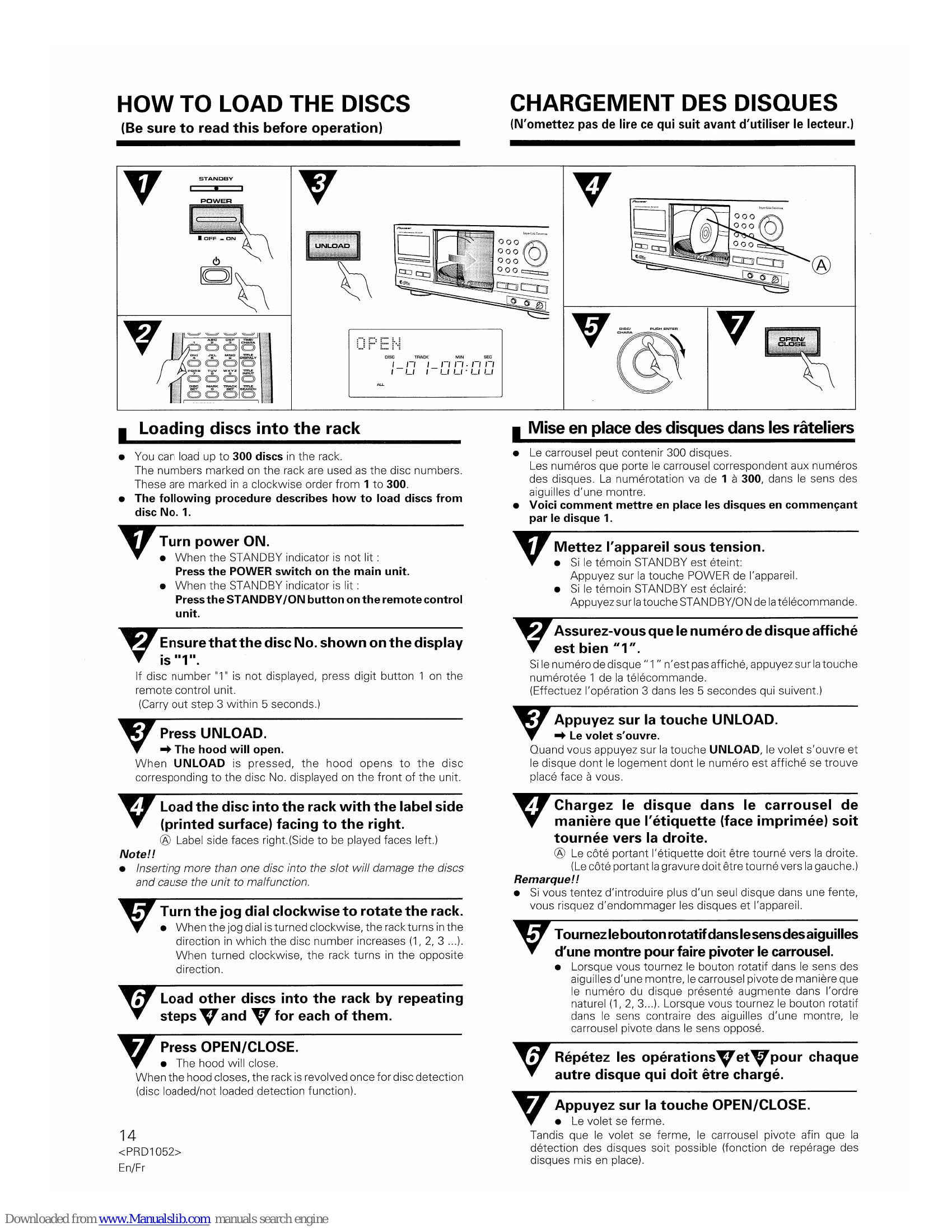
| When playback is started, it stops immediately. Pauses or stops during playback. | Player is in pause mode. The disc is loaded with the label side leftward. Disc is inserted in the wrong way. Smudges, etc., on the disc. | Press or II. Reload the disc with the label side rightward. Insert the disc correctly with the label side leftward. Clean the smudges from the disc and then play it again. |
| Remote control will not function. | Dead batteries. Obstruction between player and remote control unit. | Replace batteries. Relocate remote control unit or remove obstruction. |
| SLAVE unit does not operate when 2 units are connected. | Incorrect connection. | Refer to "Connecting another PD-F1007" on page 9,10 and reconnect the 2 units. |