Brand: PIONEER
Category: Audio Player
Document Type: Manual
Language: EN
Brand: PIONEER
Category: Audio Player
Document Type: Manual
Language: EN
Uploaded: Nov. 21, 2025, 6:33 p.m.
None
1. Initial Setup: Before powering on, set the DYNAMIC EXPANSION control to 10, INPUT LEVEL control to MIN, TAPE MONITOR switch to OFF (upper position), and PROCESSOR switch to OFF (lower position). Then, set the POWER switch to ON.
2. Bypass Check: Set the stereo amplifier's TAPE MONITOR to ON. With the RG-1's PROCESSOR switch OFF, check the volume and tone of the playback sound to hear the unprocessed signal.
3. Processor Activation: Set the RG-1's PROCESSOR switch to ON (upper position). Advance the INPUT LEVEL control until the meters read 9 to 10dB on loud passages (around 2 o'clock is a good starting point for records).
4. Volume Adjustment: Adjust the stereo amplifier's VOLUME control for desired listening level.
5. Expansion Selection: Operate the DYNAMIC EXPANSION switch and select a position (6, 8, 10, 12, or 14dB) for the desired expansion effect.
6. Final Tone/Volume: Adjust the stereo amplifier's VOLUME, BASS, and TREBLE controls for optimal sound quality and volume.
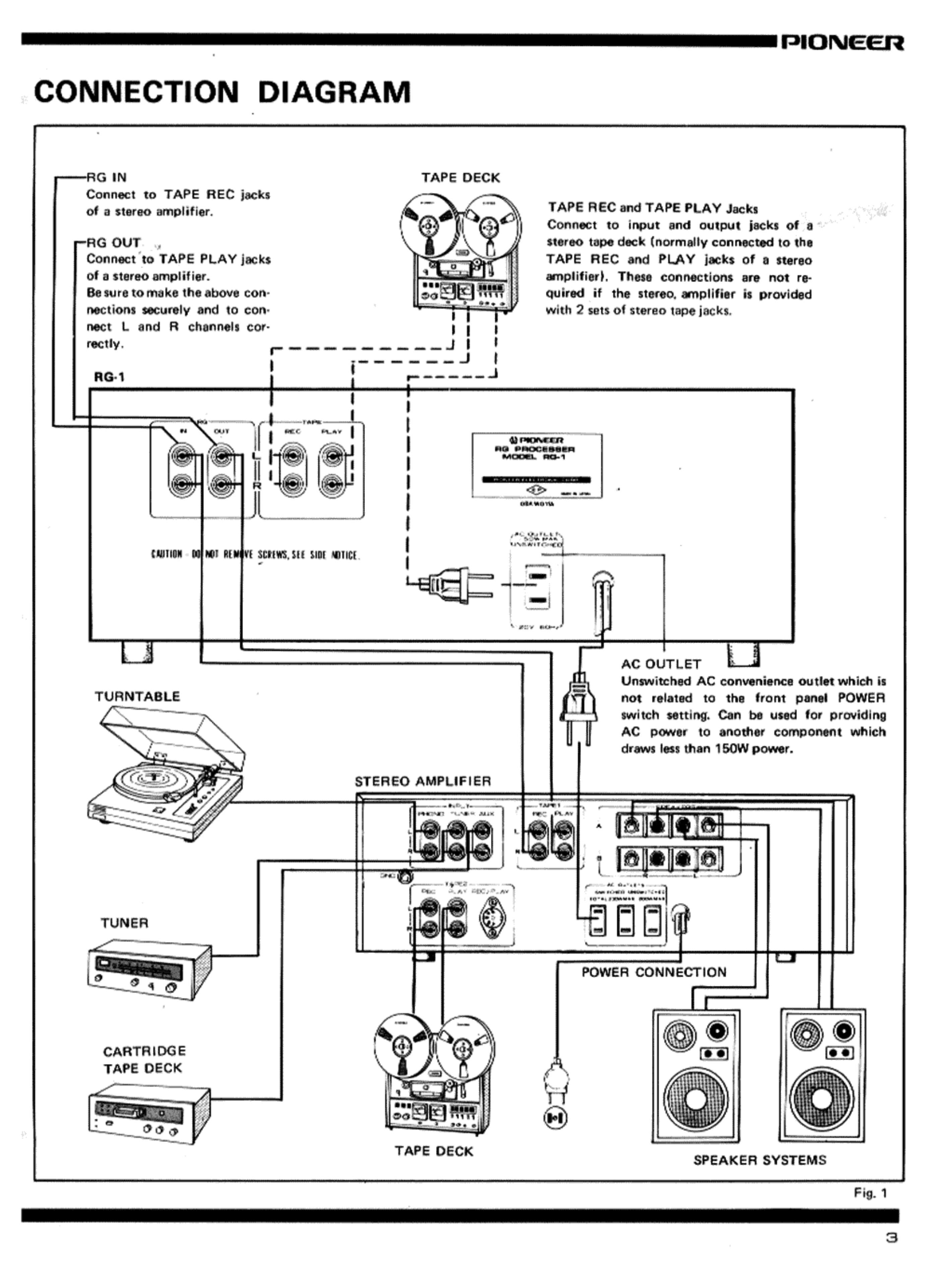
Note on Tape Decks: If your stereo amplifier has only one set of tape jacks, connect the tape deck's input/output jacks to the RG-1's TAPE REC and TAPE PLAY jacks. The RG-1's TAPE MONITOR switch can then be used instead of the amplifier's.