Brand: PIONEER
Category: Home Entertainment System
Document Type: Manual
Language: EN
Brand: PIONEER
Category: Home Entertainment System
Document Type: Manual
Language: EN
Uploaded: Nov. 21, 2025, 7:05 p.m.
Manual Publish Date: 2004
This manual contains important safety and operational information. Refer to the provided legal agreements for warranty details.
Starting the System:
1. Start the engine. The navigation opening screen will appear. If the disc is not set, insert it.
2. Insert the Pioneer DVD map disc.
3. Press the NAVI/AV button to switch to the navigation map screen.
4. Touch "OK" to dismiss any cautionary messages. The map of your surroundings will be displayed.
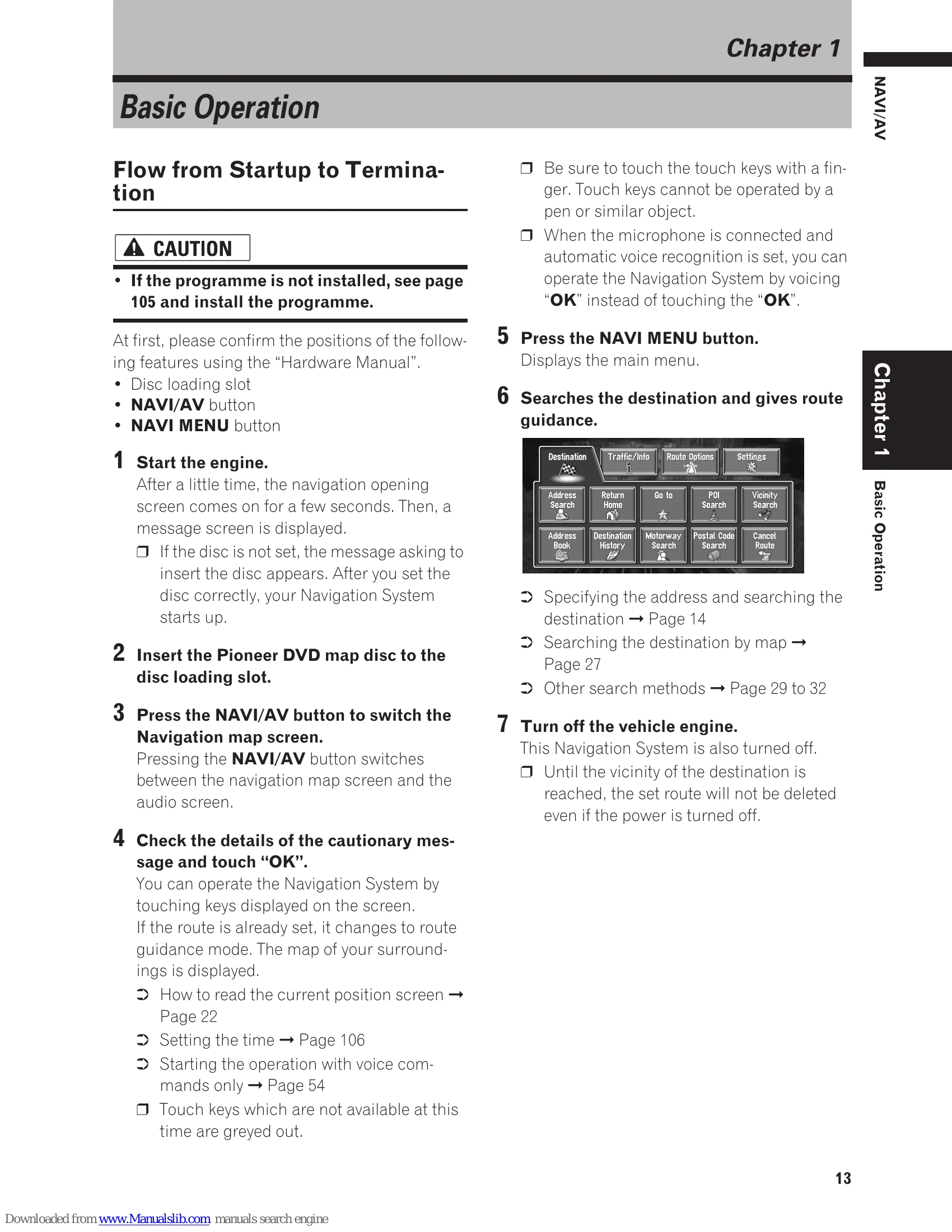
5. Press the NAVI MENU button to access the main menu.
6. Select "Destination" and then choose your preferred search method (e.g., Address Search) to set a route.
7. Turn off the engine. The system will also turn off.
Basic Navigation Flow:
1. Park your vehicle safely and apply the handbrake.
2. Insert the Pioneer DVD map disc.
3. Press the NAVI MENU button.
4. Select "Destination".
5. Choose your search method.
6. Enter destination information.
7. The system sets the route and displays the map.
8. Release the handbrake and drive, following navigation information and safety instructions.
| Problem | Possible Cause | Solution |
|---|---|---|
| Navigation system fails to operate properly. | System error. | Contact your dealer or nearest authorised Pioneer Service Station. |
| Touch keys are greyed out and inoperable. | Handbrake is not engaged (for certain functions). | Stop in a safe place and apply the handbrake. |
| DVD/TV display is not available while driving. | Safety feature enabled. | Park your vehicle in a safe place and apply the handbrake to enable viewing. |
| Memory navi mode icon disappears. | Memory navi mode is ready. | You can now remove the map disc and use the memory navi mode function. |
| Memory navi mode indicator is red. | Operated in memory navi mode, but distance for guidance is 20 km or less. | Reinsert the map disc if guidance may suddenly fail. |
| Memory navi mode indicator is flashing green. | Reading the data. | Wait for data reading to complete. |