Quick Start Guide for CESTUS 500

Quick Start Guide for CESTUS 500

Brand: Predator

Category: Gaming Peripherals

Document Type: Quick Start Guide

Language: EN

Available Languages: EN , ES
Uploaded: April 20, 2026, 7:40 p.m.

Warranty Information

Visit www.acer.com/predator for warranty information.

Getting started:
  1. Connect the USB cable of the mouse to your computer.
  2. Download and install the Predator Quartermaster software from http://go.acer.com/quartermaster for optional features.
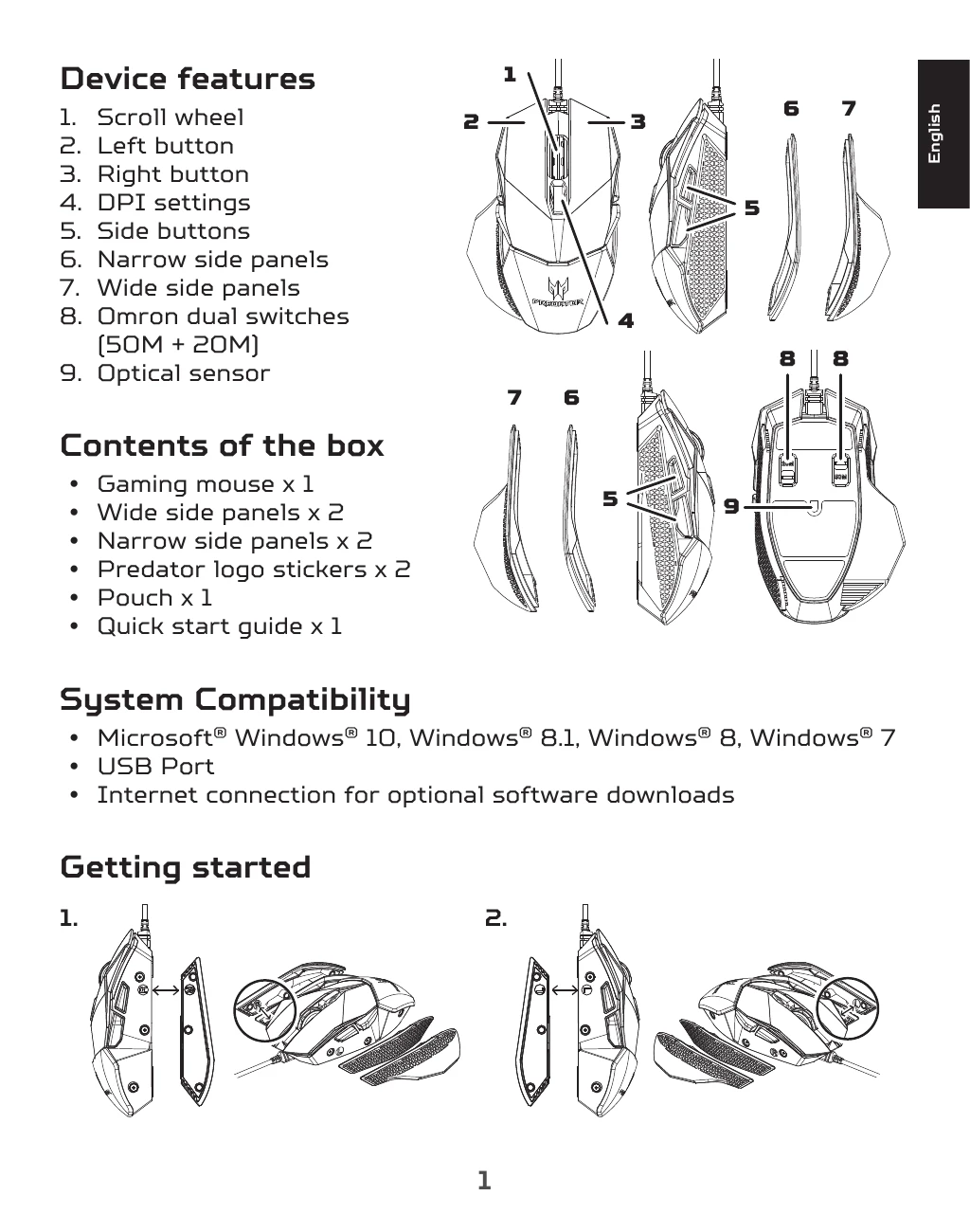
Device Features:
  • Scroll wheel
  • Left button
  • Right button
  • DPI settings
  • Side buttons
  • Customizable side panels (narrow and wide)
  • Omron dual switches (50M + 20M)
  • Optical sensor
Privacy Policy