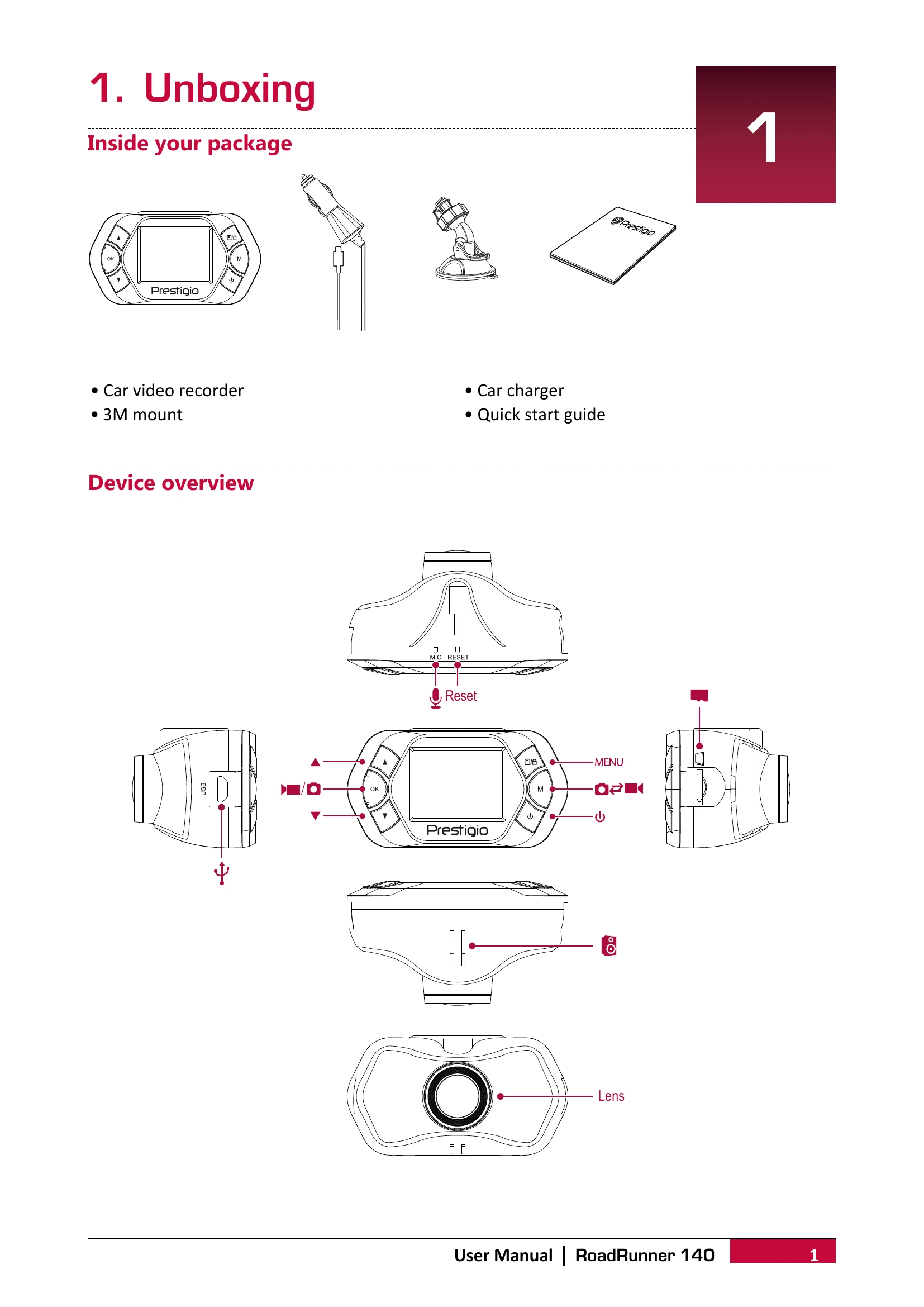
Unboxing: Identify all items in the package, including the car video recorder, car charger, 3M mount, and quick start guide.
Getting Started: Insert a microSD card, mount the device to the windshield, and charge the battery before first use.
Settings: Configure video resolution, date stamp, motion detection, loop recording, picture size, format memory card, language, power off options, frequency, and date/time.
Recording: The device can automatically record when the car engine starts and stop when it turns off. Manual recording and sound recording are also available. Videos can be locked during recording.
File Management: Browse, delete, lock, and unlock recorded videos and pictures.
Playback: Play videos directly on the DVR or by removing the memory card and inserting it into a computer's card reader.