Brand: Prestigio
Category: Car Video Recorder
Document Type: Manual
Language: EN
Brand: Prestigio
Category: Car Video Recorder
Document Type: Manual
Language: EN
Uploaded: Aug. 10, 2025, 12:47 a.m.
The manufacturer guarantees the product is free from defects for two years under normal use.
Charging the battery: Fully charge the battery using the car charger or a USB port before first use. Red LED indicates charging, green LED indicates a full charge.
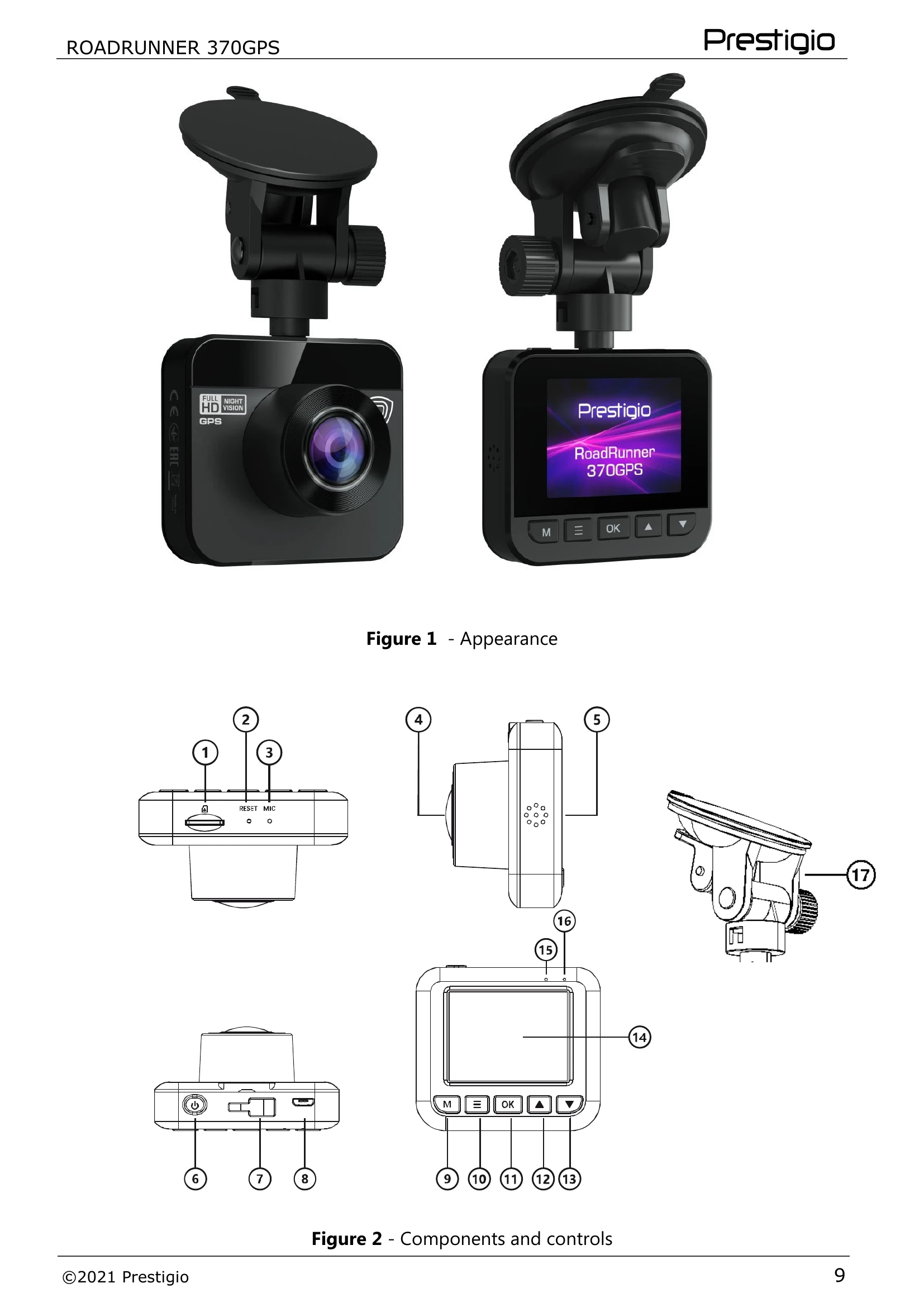
Device installation: Mount the device on the windshield using the suction cup holder. Route the cable to avoid obstructing the driver's view or airbags.
Installing memory card: Insert a micro-SD card (8-32GB, Class 10) into the slot. Format the card to FAT32 for first-time use.
Starting the DVR: Connect the charger to the car's power source. The DVR turns on and starts recording automatically. Press [OK] to stop/continue recording, and the Power button to turn off.
Configuring the DVR: Access the settings menu by pressing [=] while stopped. Use [▲]/[V] to navigate and [OK] to confirm. Settings include Resolution, Cyclic recording, Motion sensor, Audio recording, Date/Time, etc.
GPS Module: Automatically connects to satellites. Provides camera warnings, traffic speed data, and current coordinates.
| Nº | Problem | Possible causes | Solution |
|---|---|---|---|
| 1 | The device does not turn on | The battery is discharged | Fully charge the battery. When using for the first time, it is recommended to charge the battery for at least 1.5 hours from a car power supply or at least 3 hours from the USB port of your personal computer (laptop) |
| 2 | Unable to take a photo or video | There is no free space on the memory card | Check for free space on the memory card and free it if necessary |
| 3 | Photos and videos cannot be viewed | The card is faulty. The speed and/or capacity of the memory card does not meet the minimum requirements of the device | Check the memory card to make sure it is in good condition. Use a memory card with a read/write speed of at least 10 MB/s and a capacity of 8 to 32 GB |
| 4 | When playing back a video or photo, "File Error" appears | The card is faulty | Delete the file because it was corrupted in the recording process. If none of the recorded files are playable, format the micro-SD card (read open sources on how to do this) |
| 5 | MOV video format does not play on PC, audio lags behind video or only audio or only video is played | Lack of necessary codecs on PC | Install the required codecs or VLC player |
| 6 | The resulting image is fuzzy | The camera lens is dirty | Check that the camera lens is clean. If the lens is dirty, clean it. Make sure that the maximum video resolution is set in the settings |
| 7 | Device does not respond to controls | The operating system of the device malfunctioned | Reboot the device by pressing the reboot button. If the operation of the device is not restored, contact a specialized service center |
| 8 | GPS does not work correctly. | Check that there is no interference with the device. Check the location and angle of the device. *GPS may not work correctly in confined spaces, such as a tunnel, or indoors | device. If the problem persists, please contact customer service |
| 1. | The saved date and time are different from the actual date and time | If the problem is not solved or if you have other questions, contact support. The contacts are in the warranty card and www.prestigio.com/use. | |
| 2. | Speed is not displayed during video playback |