Configure video and picture settings like resolution, loop recording, HDR, white balance, motion detection, audio recording, date stamp, G-sensor, and parking mode.
Adjust general settings such as date/time, auto power off, beep sound, language, frequency, lamp setting, shutdown backlight, exposure, anti-shaking, delay shutdown, format SD, and default settings.
Recording
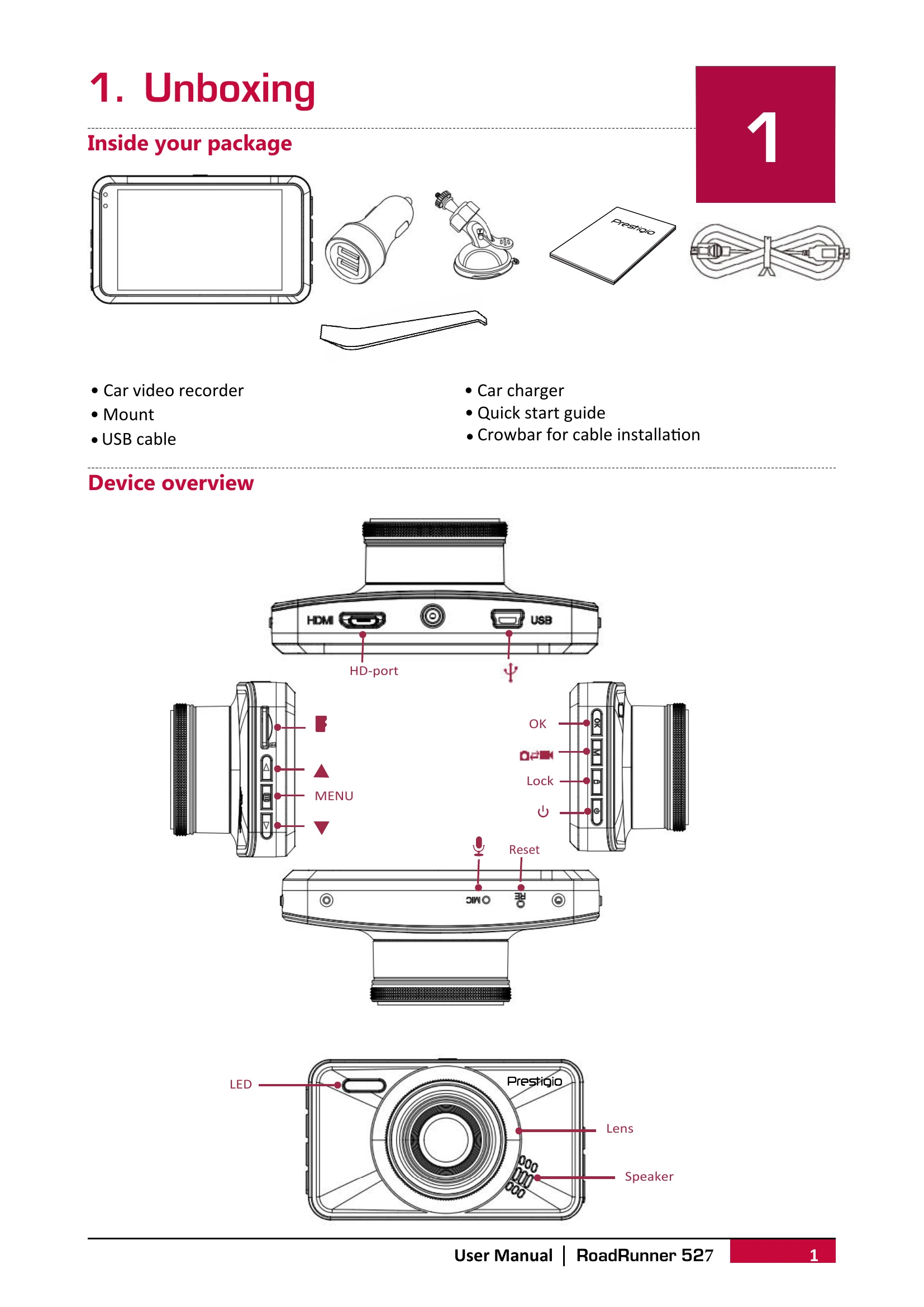
Auto video recording starts when the car engine starts.
Manual video recording can be started/stopped with the OK button.
Sound can be turned on/off with the ▲ button.
Videos can be locked during recording with the [] button.
Pictures can be taken by selecting picture mode with [MODE] and pressing [OK].
File Management
Browse files in playback mode by pressing [MODE] twice and using [▲]/[▼].
Delete files using [MENU] and [OK]. Protected files need to be unlocked first.
Lock and unlock files using [MENU].
Playback
Play videos on the DVR by scrolling with [▲]/[▼], starting/pausing with [OK], and stopping with [MODE]. Exit playback with [MENU].
Playback on PC by removing the memory card and inserting it into a card reader.