Brand: Rollei
Category: Camera
Document Type: Manual
Language: EN
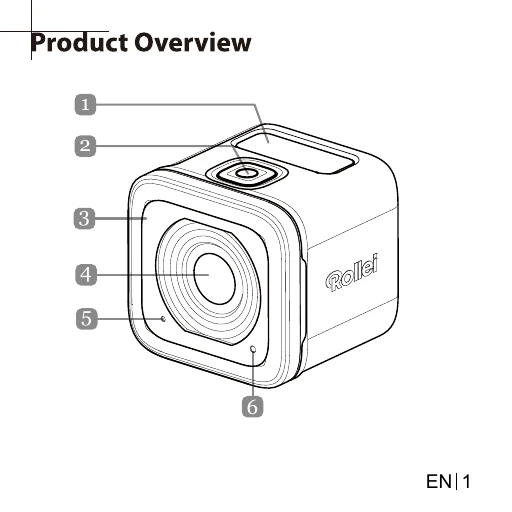
Brand: Rollei
Category: Camera
Document Type: Manual
Language: EN
Uploaded: Aug. 10, 2025, 12:32 a.m.
Turning On: Press and hold the Power button for 2 seconds.
Recording Videos: By default, the camera is in Video mode. Press the Shutter button to start and stop recording.
Capturing Photos: Press the Power button to switch to Photo mode. Press the Shutter button to take a photo.
Switching Modes: Repeatedly press the Power button to cycle through Video, Photo, Photo Burst, Time Lapse, and Settings modes.
Changing Settings: Navigate through menus using the Power and Shutter buttons to adjust various camera settings.
Connecting to External Display: Use an HDMI cable to connect to a TV. Use Power and Shutter buttons to navigate playback options.
Connecting to Computer: Use a USB cable to transfer files or use as a webcam. Select 'PC' or 'PC CAMERA' mode.
Connecting to Mobile Device: Connect via Wi-Fi using the default SSID 'actioncamera' and password '12345678'. Download the 'Rollei Actioncam 500 Sunrise' app.