Manual for Action one

Manual for Action one

Brand: Rollei

Category: Cameras

Document Type: Manual

Language: EN
Uploaded: Aug. 10, 2025, 12:33 a.m.

Warranty Information

Refer to warranty information for details.

Getting Started

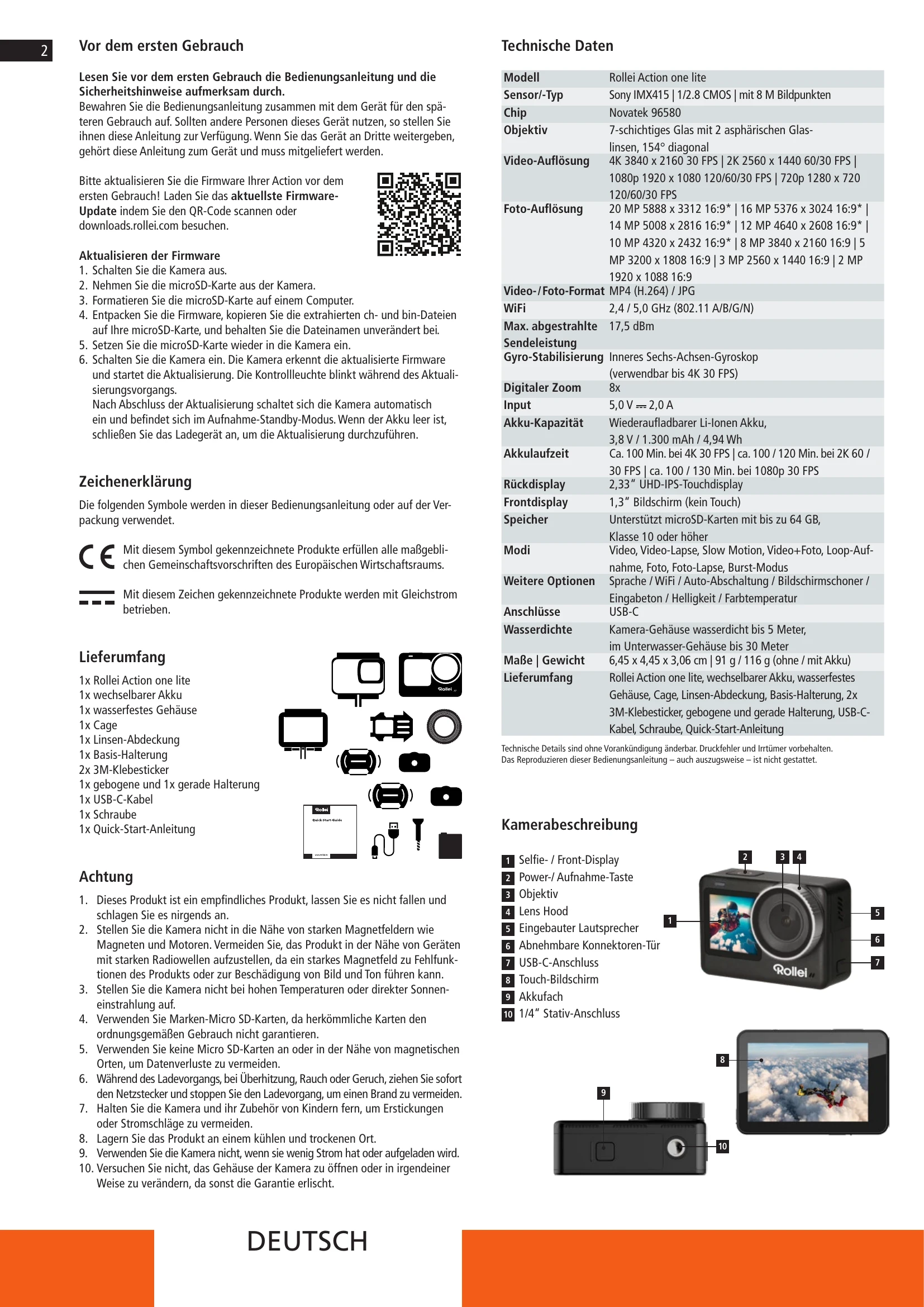
  • Turn On: Press and hold the Power / Record button for 3 seconds.
  • Turn Off: Press and hold the Power / Record button for 3 seconds.

Modes of the Camera

  • Video mode: Record a single video at normal speed.
  • Loop recording: Oldest recording is overwritten when memory card is full.
  • Video lapse: Takes individual pictures at predefined intervals and stitches them into a video.
  • SlowMotion video mode: Records a sequence and plays it back in slow motion.
  • "Single" / single frame mode: Take a single picture.
  • "Burst" / continuous shooting mode: Allows multiple shots in quick succession.
  • Photo Lapse: Takes a picture at set intervals.
  • Long exposure: Adjust shutter speed for longer exposures.
  • Time stamp: Add a watermark with date or date and time.

Touch Function

  • Swipe left/right to switch between video and photo modes.
  • Tap icons to access playback or settings.
  • Swipe up to access the mode menu.
  • Swipe down for shortcuts (WiFi, screen lock, etc.).

Settings

Access settings via the cogwheel icon. Options include Language, WiFi, Auto Power Off, LCD switch-off time, Indicator lights, Button sound, Rotate, Brightness, Colour temperature, Date/Time, Frequency, Default setting, Display ISO, User interface, and Version.

Playback of Videos and Photos

Tap the bin icon to delete photos or videos.

Selfie Mode / Switching to the Front Display

Press the Power/Record button twice quickly or tap the touch display twice quickly (dual screen function must be activated in settings).

Remote Control (not included)

Operate the camera from a distance with a separate remote control. Follow instructions to connect.

Storage / Micro Cards

Supports Micro SD and Micro SDXC cards up to 64 GB (Class 10 U3 recommended). Format card in the camera before use.

Privacy Policy