Manual for WB350F/WB351F/WB352F

Manual for WB350F/WB351F/WB352F

Brand: SAMSUNG

Category: Camera

Document Type: Manual

Language: EN
Uploaded: Nov. 21, 2025, 8:14 p.m.

Warranty Information

Please refer to the warranty that came with your product or visit samsung.com for after-sales service.

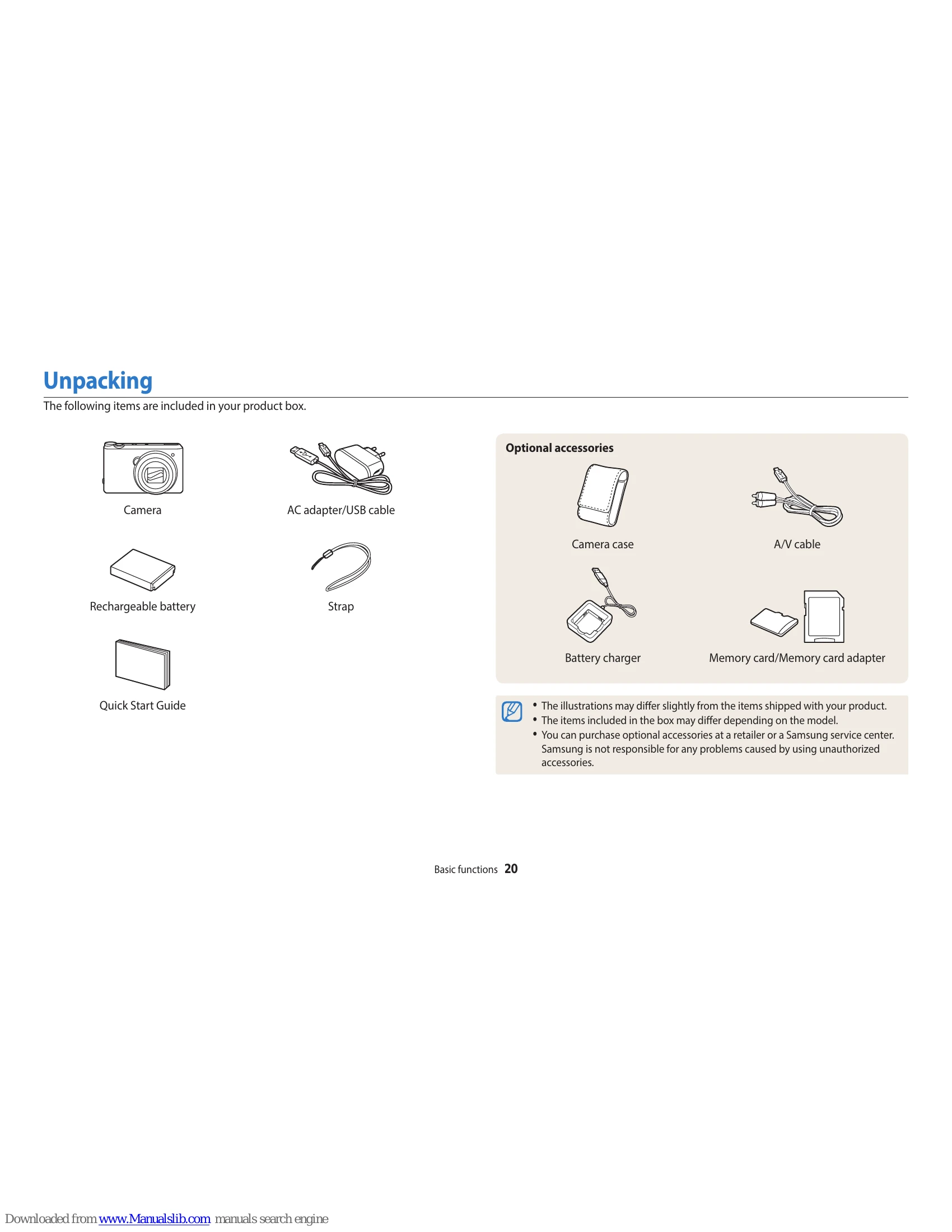
  • Basic functions: Unpacking, camera layout, buttons, battery and memory card insertion, charging, turning on, initial setup, icons, modes, selecting options, display and sound settings, capturing photos, zooming, reducing camera shake, and tips for clearer photos.
  • Extended functions: Using various shooting modes like Smart Auto, Program, Aperture/Shutter Priority, Manual, Smart modes, Magic Plus modes, and recording videos with Smart Scene Detection.
  • Shooting options: Adjusting resolution, quality, shooting in dark, flash settings, ISO sensitivity, changing focus, and adjusting brightness/color.
  • Playback/Editing: Viewing and editing photos and videos, transferring files to computer or TV.
  • Wireless network: Connecting to WLAN, using NFC, saving files to smart phone, using smart phone as remote shutter, and Auto Backup.

Troubleshooting and error codes

Problem Solution
The subject's eyes appear red.
  • Set the flash option to Red-eye or Red-eye Fix. (p. 69)
  • If the photo has already been captured, select Red-eye Fix in the edit menu. (p. 102)
Photos have dust spots.
  • Turn off the flash or avoid capturing photos in a dusty place.
  • Set ISO sensitivity options. (p. 72)
Photos are blurred.
  • Use the OIS function or half-press [Shutter] to ensure the subject is in focus. (p. 41)
Photos are blurred when shooting at night.
  • Select Low Light Shot in Smart Mode. (p. 51)
  • Turn on the flash. (p. 70)
  • Set ISO sensitivity options. (p. 72)
  • Use a tripod to prevent your camera from shaking.
Subjects come out too dark because of backlighting.
  • Avoid shooting toward the sun.
  • Set the flash option to Fill in. (p. 70)
  • Adjust the exposure. (p. 80)
  • Set the Auto Contrast Balance (ACB) option. (p. 81)
  • Set the metering option to Spot if a subject is in the center of the frame. (p. 81)
Privacy Policy