Brand: SAMSUNG
Category: Computer
Document Type: Manual
Language: EN
Brand: SAMSUNG
Category: Computer
Document Type: Manual
Language: EN
Uploaded: Nov. 21, 2025, 8:43 p.m.
Manual Publish Date: 2023-11-01
Refer to the warranty or contact the retailer for service center information.
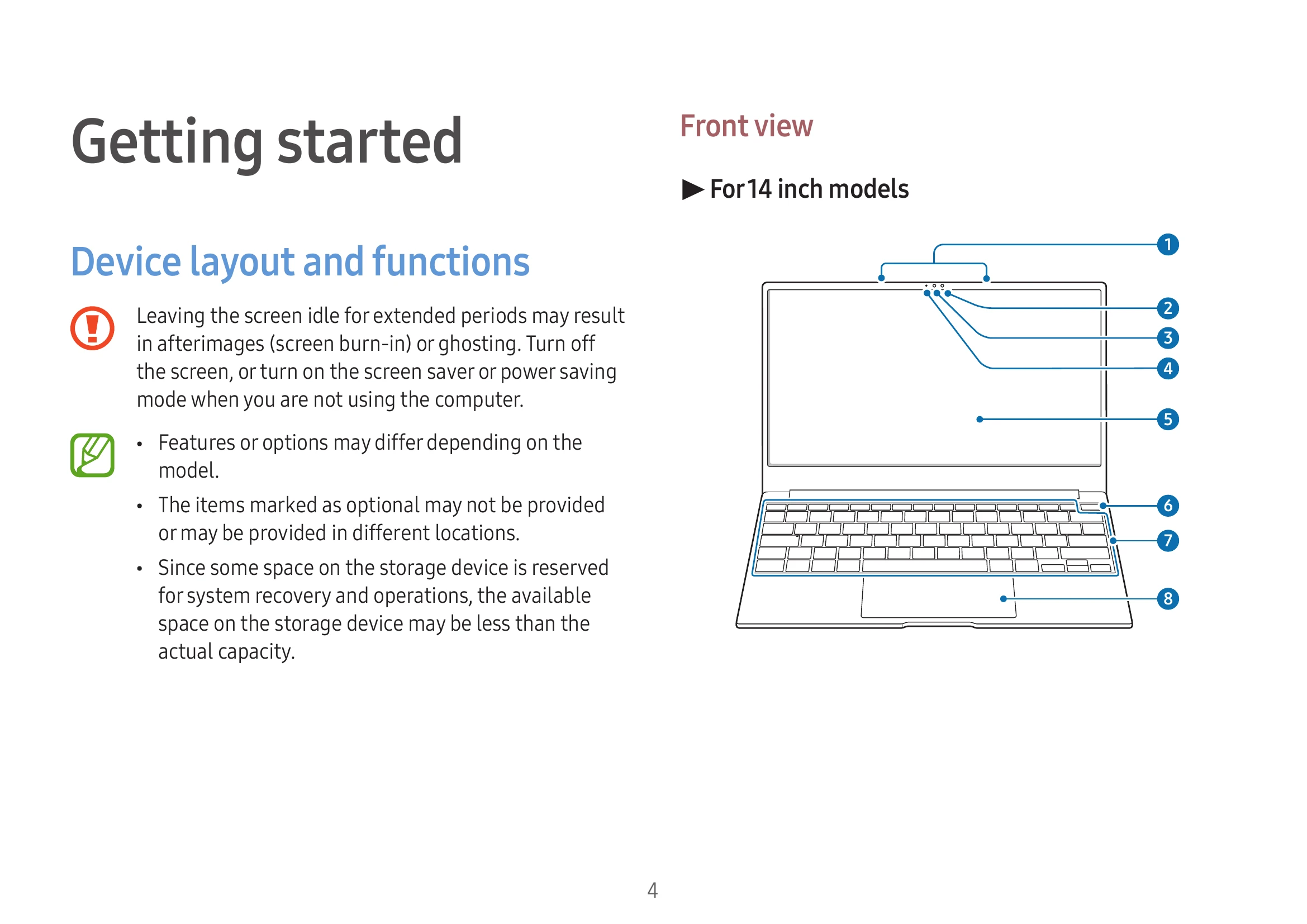
Familiarize yourself with your device's layout, including ports and buttons. Learn how to turn the computer on and off, and unlock the screen.
Understand the core functionalities: touch screen gestures, keyboard shortcuts (hot keys), and touchpad operations like moving, clicking, and scrolling.
Explore pre-installed applications and features such as Samsung Account, Samsung Notes, Quick Share, and more.
Customize your device by adjusting display brightness, volume, and battery settings. Learn about BIOS setup utility.
Find solutions for common issues, including recovery options and Q&A.
Review important precautions for using the device safely, ergonomic tips, and safety precautions. Access product specifications, compliance statements, and manufacturer information.
| Problem | Solution |
|---|---|
| Computer does not turn on | Ensure the battery is charged. Press the Power button. |
| Touch screen not responding | Ensure the screen is clean and dry. Avoid foreign substances and severe impacts. |
| Hot keys not working | Install the Samsung Settings app. |
| No sound | Check if the audio is muted or adjust the volume. |
| Wi-Fi not connecting | Check Wi-Fi settings and ensure the adapter is enabled. |