Brand: SAMSUNG
Category: MOBILE PHONE
Document Type: Manual
Language: EN
Brand: SAMSUNG
Category: MOBILE PHONE
Document Type: Manual
Language: EN
Uploaded: Nov. 21, 2025, 7:52 p.m.
Refer to the manual for specific warranty details as it is not explicitly stated.
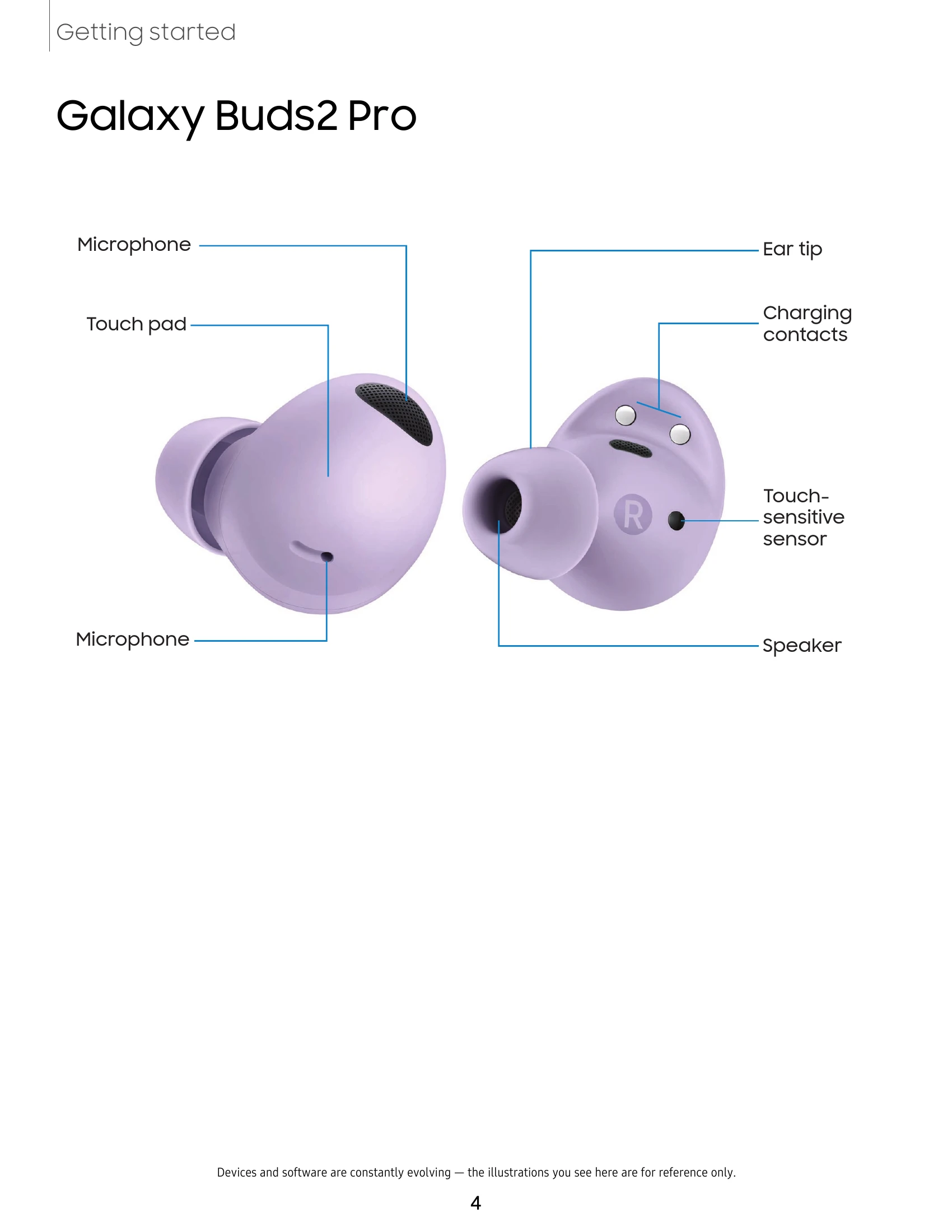
Device Layout: Familiarize yourself with the physical components of your Galaxy Buds2 Pro.
Set Up Your Device: Learn how to charge your earbuds and case, and understand water/dust resistance.
Start Using Your Device: Connect your earbuds to your phone, use touch controls for music and calls, and explore advanced features.
Galaxy Wearable AppBattery Level: Monitor the battery status of your earbuds.
Noise Controls: Manage Active Noise Canceling, Ambient Sound, and Voice Detect for an optimized listening experience.
360 Audio: Immerse yourself in vivid, directional sound.
Touch Controls: Customize tap and hold actions for music playback, call management, and other shortcuts.
Earbuds Settings: Adjust equalizer, fit, notifications, Bixby, and more.
Find My Earbuds: Locate misplaced earbuds using sound alerts.
Tips and User Manual: Access helpful tips and the full user manual.
Learn MoreExplore videos, tips, Samsung Care, and contact support.
| Problem | Solution |
|---|---|
| Charging error (Flashing Red light) | Reconnect the case and earbuds. If the error persists, contact Samsung Service Center. |
| Difficulty connecting earbuds to phone | Ensure Bluetooth is on, open the charging case, and follow the prompts in the Galaxy Wearable app. Try re-pairing if necessary. |
| No sound from earbuds | Check battery level, ensure earbuds are connected, and verify volume settings on your phone. |
| Poor sound quality | Check earbud fit, clean earbuds, and adjust equalizer settings in the Galaxy Wearable app. |
| Touch controls not working | Ensure touch controls are enabled in the Galaxy Wearable app and that the touch pads are clean. |