Brand: SAMSUNG
Category: MOBILE PHONE
Document Type: Manual
Language: EN
Brand: SAMSUNG
Category: MOBILE PHONE
Document Type: Manual
Language: EN
Uploaded: Nov. 21, 2025, 8:40 p.m.
Manual Publish Date: 2003-11-01
None
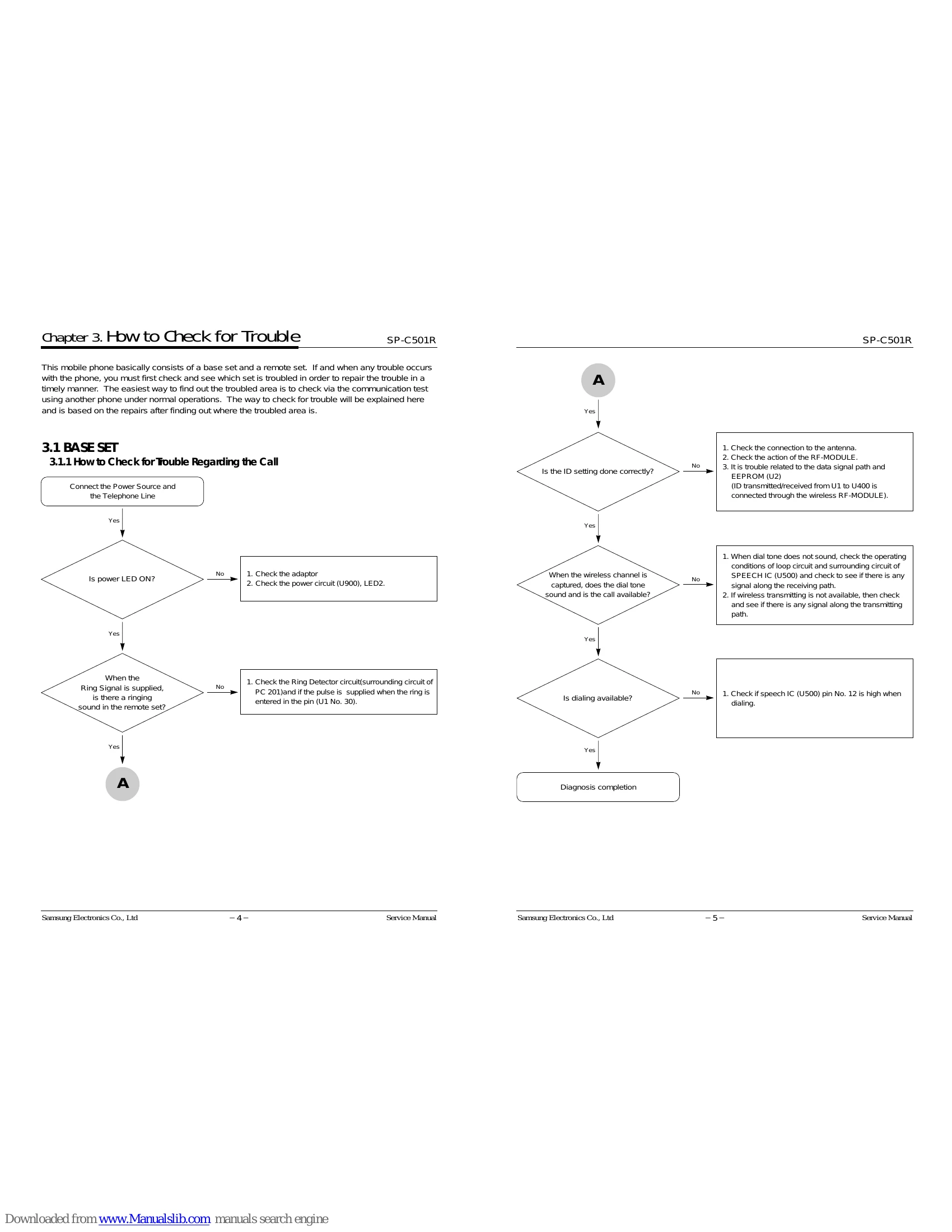
| Troubles | Causes | Troubleshooting |
|---|---|---|
| Not operable at all |
1. Defective power source (base) 2. Battery is discharged (Remote) |
• Check the voltage of each end. Charge and/or replace the battery. |
| Channel is not captured |
1. ID discord 2. Defective transmitting/receiving data |
Check the ID setting. Check the transmitting/receiving data path |
| Communication distance is too short |
1. Antenna is open 2. Defective transmitting power adjustment |
• Remove the cause of the trouble. Readjust the PWR adjustable resistance |
| Call path is not formed | Defective SPEECH IC(U500) | Check the speech IC (U500) and surrounding circuits |
| Dialing is not available |
Defective SPEECH IC(U500) Defective ring detector Circuit (PC201) |
• Check the DTMF path Check the ring detecting circuit and surrounding circuits |
| Ring tone does not sound |
1. Defective MIC 2. Defective transmitting path |
Replace the MIC • Check the transmitting path |
| Transmitting is not normal (Remote set) |
1. Defective receiving unit 2. Defective receiving path |
Replace the receiving unit • Check the receiving path |
| Receiving is not normal (Remote set) |
1. Defective battery 2. Defective contact terminal |
Replace the battery • Check the contact terminal |
| Is not chargeable |
1. Defective power source (base) 2. Battery is discharged (Remote) |
• Check the voltage of each end. Charge and/or replace the battery. |