Brand: SAMSUNG
Category: MOBILE PHONE
Document Type: Manual
Language: EN
Brand: SAMSUNG
Category: MOBILE PHONE
Document Type: Manual
Language: EN
Uploaded: Nov. 21, 2025, 6:09 p.m.
Manual Publish Date: 2007-03
The battery life has a 6-month warranty.
Main Functions:
Battery Life: The battery has a 6-month warranty. Power capacity reduces over time.
| Problem | Troubleshooting Steps |
|---|---|
| The phone does not work at all. | • Check installation (page 9). • Check power connection (page 9). • Check battery insertion (page 10). • Check battery charge (page 10). • Check if power is on (page 9). • Press reset switch on base set (page 48). |
| Intercom function and transferring calls do not work. | • Check installation (page 9). • Check if remote set is registered (page 51). • Check if additional remote sets are registered (page 51). |
| I cannot hear the tone when I press the button. | • Check phone connection (page 9). • Check power connection (page 9). • Check speakerphone volume (page 7). |
| The base set or the remote set does not ring. | • Check battery insertion (page 10). • Check battery charge (page 10). • Check if remote set power is on (page 9). • Check if remote set is registered (page 51). • Check ringing melody is not set to silence (page 23). |
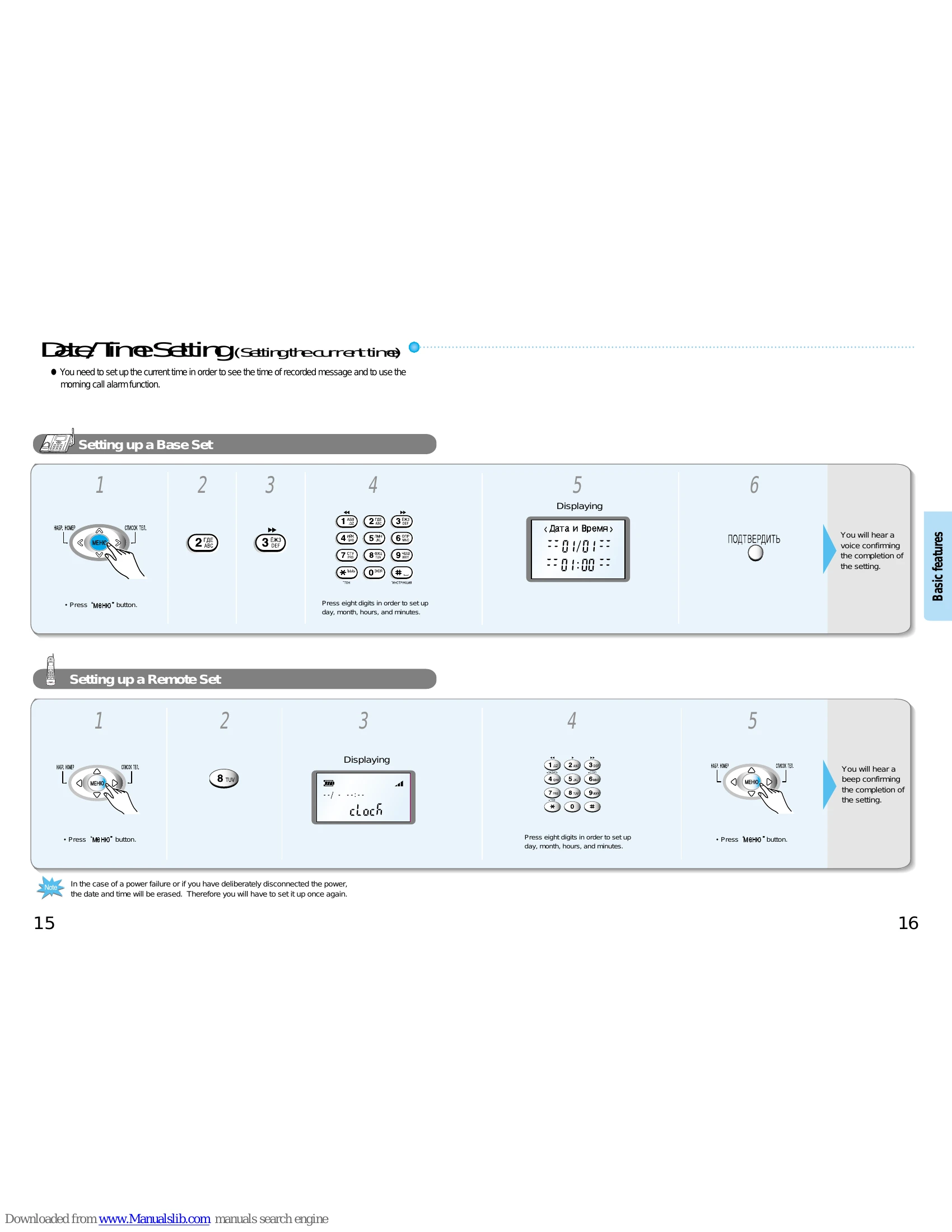
| The morning call (alarm) does not work. | • Check if current time is accurately set (page 15). • Check if morning call time is set (page 17). • Check if morning call function is set (page 17). |
| I cannot recharge a remote set. | • Check if charging connector is clean (page 55). • Check if power voltage is appropriate (page 9). • Contact service center or purchase new batteries (page 10). |
| Even though the auto answering has been turned on, messages are not recorded. | • Delete old messages (page 36). |
| The AUTO ANSWER button keeps blinking. | • There is a recorded message. Press to check (page 35). |
| I hear beeping warning sounds in a remote set. | • Check if base set is in use. Try again later. • Check distance from base set (page 49). • Check for low battery warning mark and charge remote set (page 49). |
| I have purchased an additional remote set but it does not work. | • Check installation (page 9). • Check battery charge (page 10). • Check if remote set is registered (page 51). • Check if remote set power is on (page 9). |
| I hear many noise while using a remote set. | • Press button to reduce noise (page 49). • Check distance from base set (page 49). • Try installing the base set at a different location. |