Brand: SAMSUNG
Category: Other
Document Type: Manual
Language: EN
Brand: SAMSUNG
Category: Other
Document Type: Manual
Language: EN
Uploaded: Nov. 21, 2025, 6:21 p.m.
Manual Publish Date: 2022-08-01
None
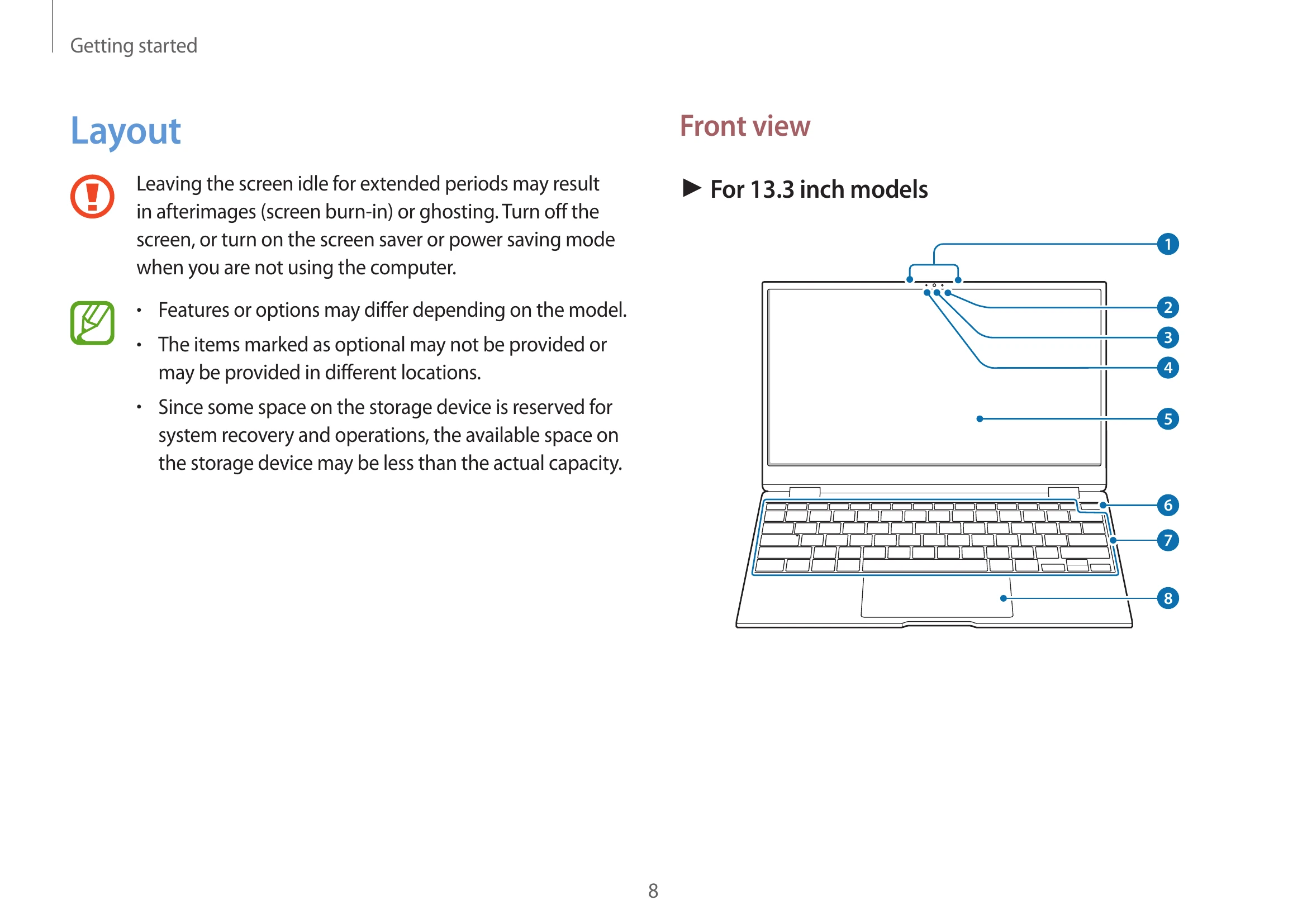
| Number/Name | Description |
|---|---|
| 1 Microphone | You can use the built-in microphone. |
| 2 Ambient light sensor | Recognizes the brightness of the environment where you use the computer. |
| When the surroundings become dark, the keyboard backlight turns on. | |
| When the surroundings become bright, the keyboard backlight turns off. | |
 Do not cover the ambient light sensor. Do not cover the ambient light sensor. |
|
| 3 Camera | Using this camera, you can take still pictures and record video. |
| 4 Camera indicator light | This indicates the camera operating status. |
| 5 Display/Touch screen | The screen's images are displayed here. |
| Recognizes touch interactions. | |
| 6 Power button/Fingerprint recognition sensor | Turns the computer on and off. |
| The fingerprint recognition sensor recognizes fingerprints. Scans a fingerprint to sign in to Windows, apps, and services. | |
| 7 Keyboard | Enter text or control computer functions. |
| 8 Touchpad | Moves the cursor and selects options. |
| Functions as a mouse. |