Brand: SAMSUNG
Category: Other
Document Type: Manual
Language: EN
Brand: SAMSUNG
Category: Other
Document Type: Manual
Language: EN
Uploaded: Nov. 21, 2025, 6:58 p.m.
Manual Publish Date: 2000-03-01
Offers a 12-month return-to-base warranty for express repair or advanced replacement.
| Symptom | Check |
|---|---|
| No operation | • Check that the power adapter is properly connected. • Check that the telephone line cord is properly connected. • Check that the handset is fully charged. • Check that the handset batteries are installed properly. |
| No dial tone | • Check that the telephone line cord is properly connected. • Check that the power adapter is properly connected. |
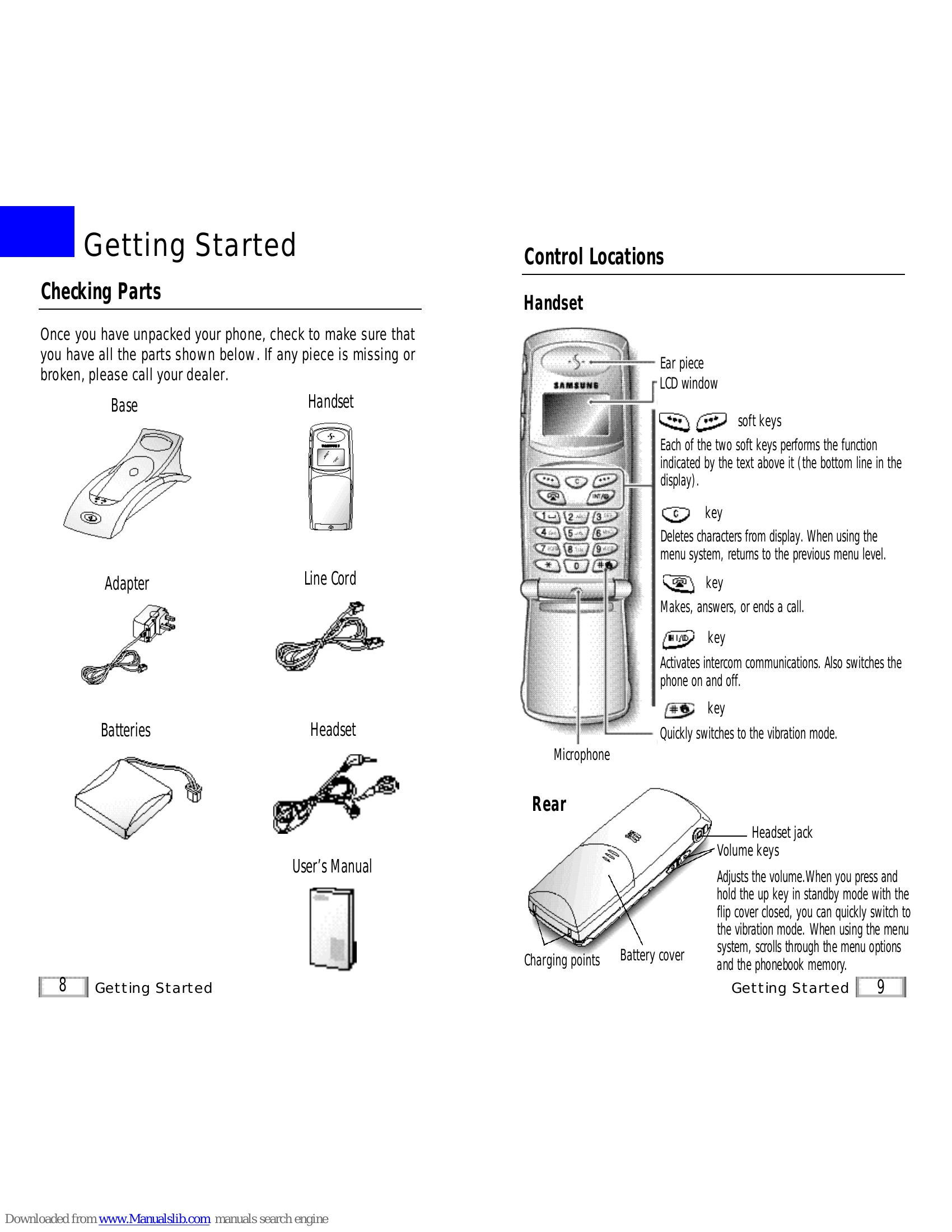
| The handset seems to have very short battery life. | • Clean the charging points. • Consistently short battery life may indicate that replacement of the batteries is necessary. |
| Warning beep occurs when making a call | • Check that the handset batteries are not in low status |