Brand: SAMSUNG
Category: Other
Document Type: Manual
Language: EN
Brand: SAMSUNG
Category: Other
Document Type: Manual
Language: EN
Uploaded: Nov. 21, 2025, 6:23 p.m.
The manual does not explicitly state a warranty period or summary.
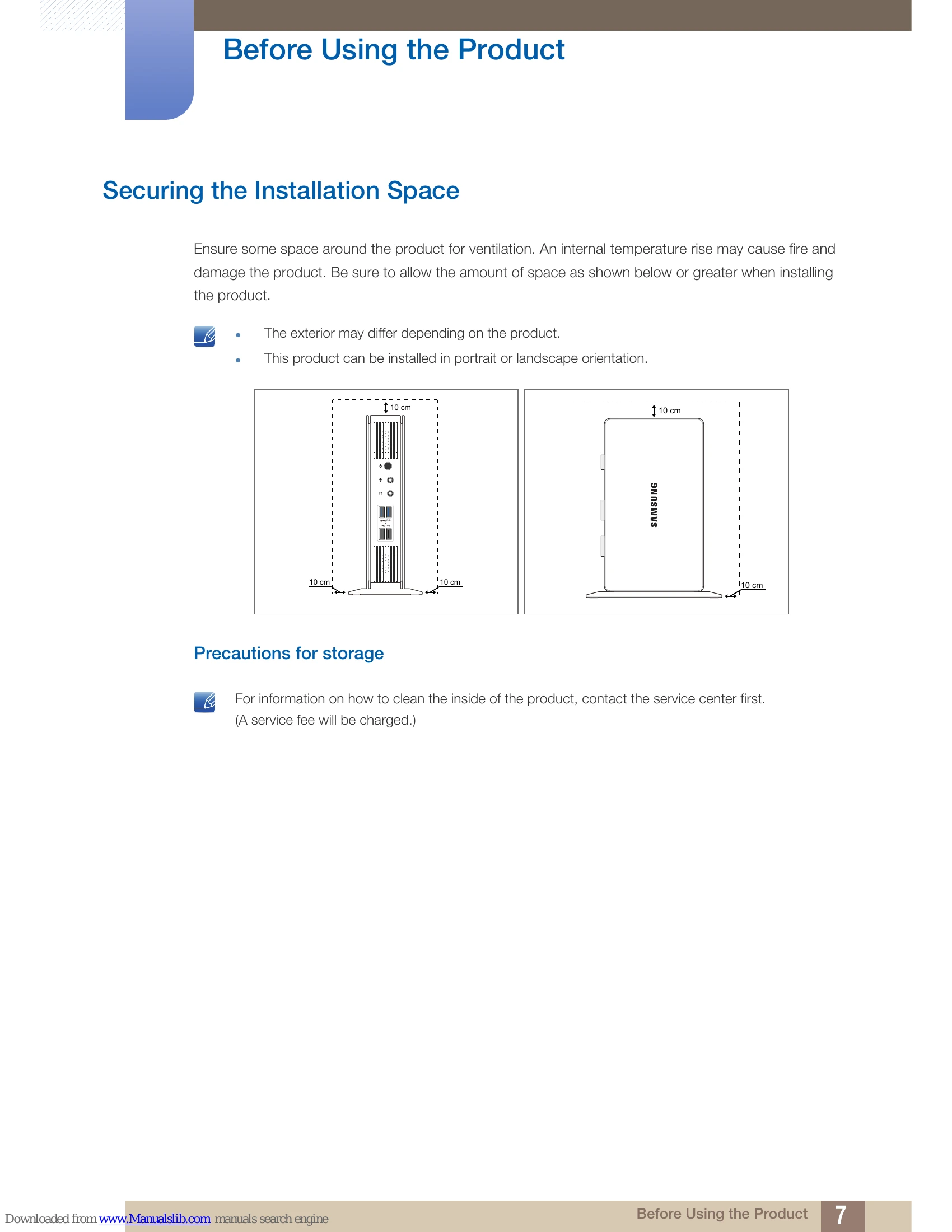
Ensure adequate space around the product for ventilation to prevent overheating and damage. Allow at least 10 cm of space on all sides. The product can be installed in portrait or landscape orientation.
For cleaning the inside of the product, contact the service center.
| Issue | Troubleshooting Steps |
|---|---|
| The product cannot power on. | Check that the power cable is connected properly. (Refer to "2.2.7 Connecting the Power") |
| There is no sound. | Check the connection of the audio cable or adjust the volume. |
| The volume is too low. | Check the volume. Adjust the volume. If the volume is still low after turning it up to the maximum level, adjust the volume in the audio settings program. |