Brand: SAMSUNG
Category: TV
Document Type: Manual
Language: EN
Brand: SAMSUNG
Category: TV
Document Type: Manual
Language: EN
Uploaded: Nov. 21, 2025, 8:47 p.m.
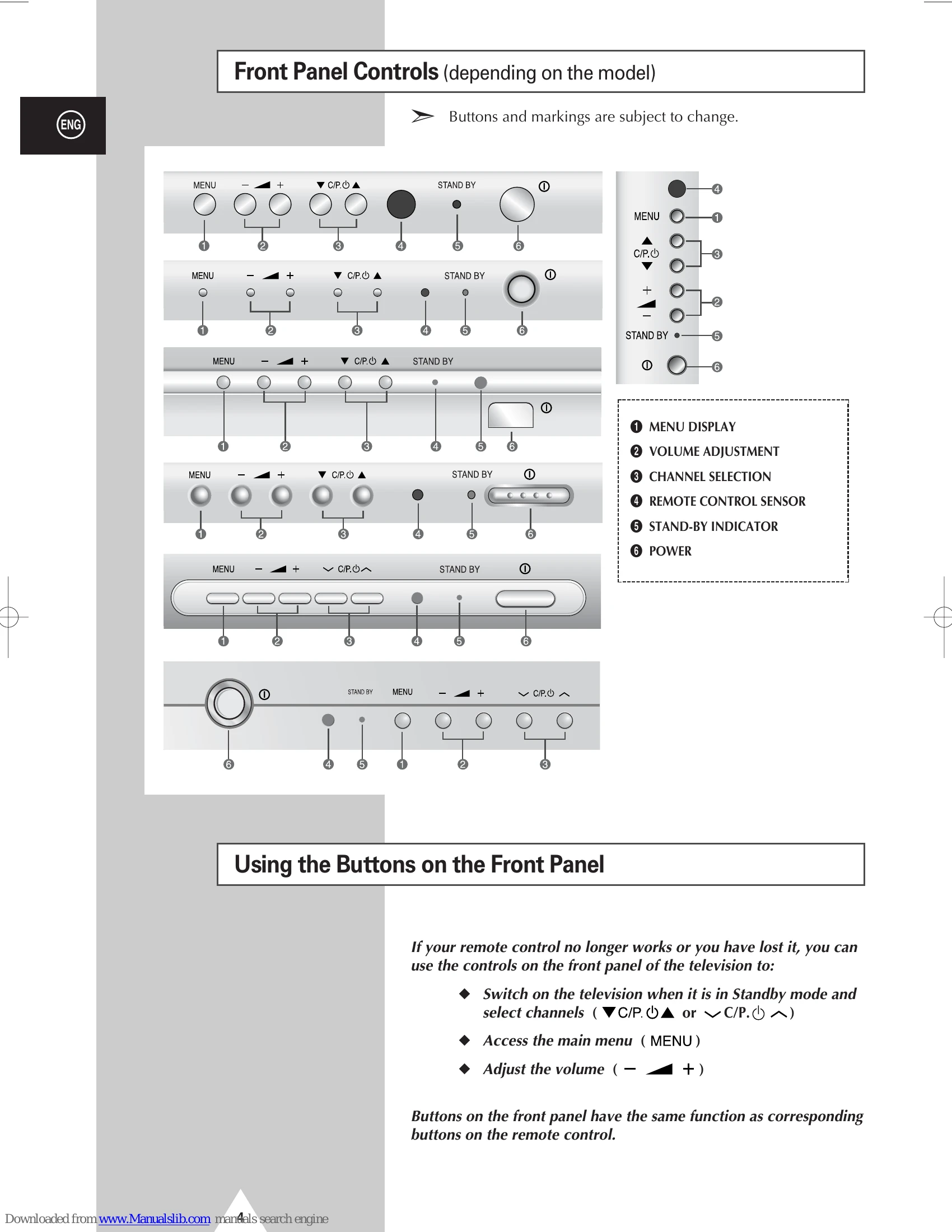
Safety Instructions, Front Panel Controls, Using Buttons, Connection Panels, Infrared Remote Control, Inserting Batteries, Connecting Aerial/Cable, Switching On/Off, Standby Mode, Plug & Play, Choosing Language.
Storing Channels Automatically/Manually, Selecting Channels, Fine-tuning, Sorting.
Picture Settings (Standard, Format, Adjust), Sound Settings (Standard, Adjust, Volume, Extra, Mode), Sleep Timer, Clock, Auto On/Off, Child Lock, Blue Screen, LNA feature.
Teletext Decoder, Displaying Information, Selecting Pages, Storing Pages.
Viewing External Sources, Audio/Video Connections, Degaussing, Troubleshooting, Plug Wiring.
| No sound or picture |
|
| Normal picture but no sound |
|
| No picture or black and white picture |
|
| Sound and picture interference |
|
| Blurred or snowy picture, distorted sound |
|
| Remote control malfunctions |
|