Brand: SANYO
Category: Camcorder
Document Type: Manual
Language: EN
Brand: SANYO
Category: Camcorder
Document Type: Manual
Language: EN
Uploaded: Nov. 21, 2025, 7:07 p.m.
None
| Problem | No Picture/Sound | Connections | Ensure all cables are securely connected. Verify TV/VCR switch is set correctly. |
|---|---|---|---|
| Poor Picture/Sound Quality | Dirty Heads | Clean video heads with a dry-type cleaner. (See page 14) | |
| Condensation | Allow the camcorder to acclimatize to room temperature before use. (See page 5) | ||
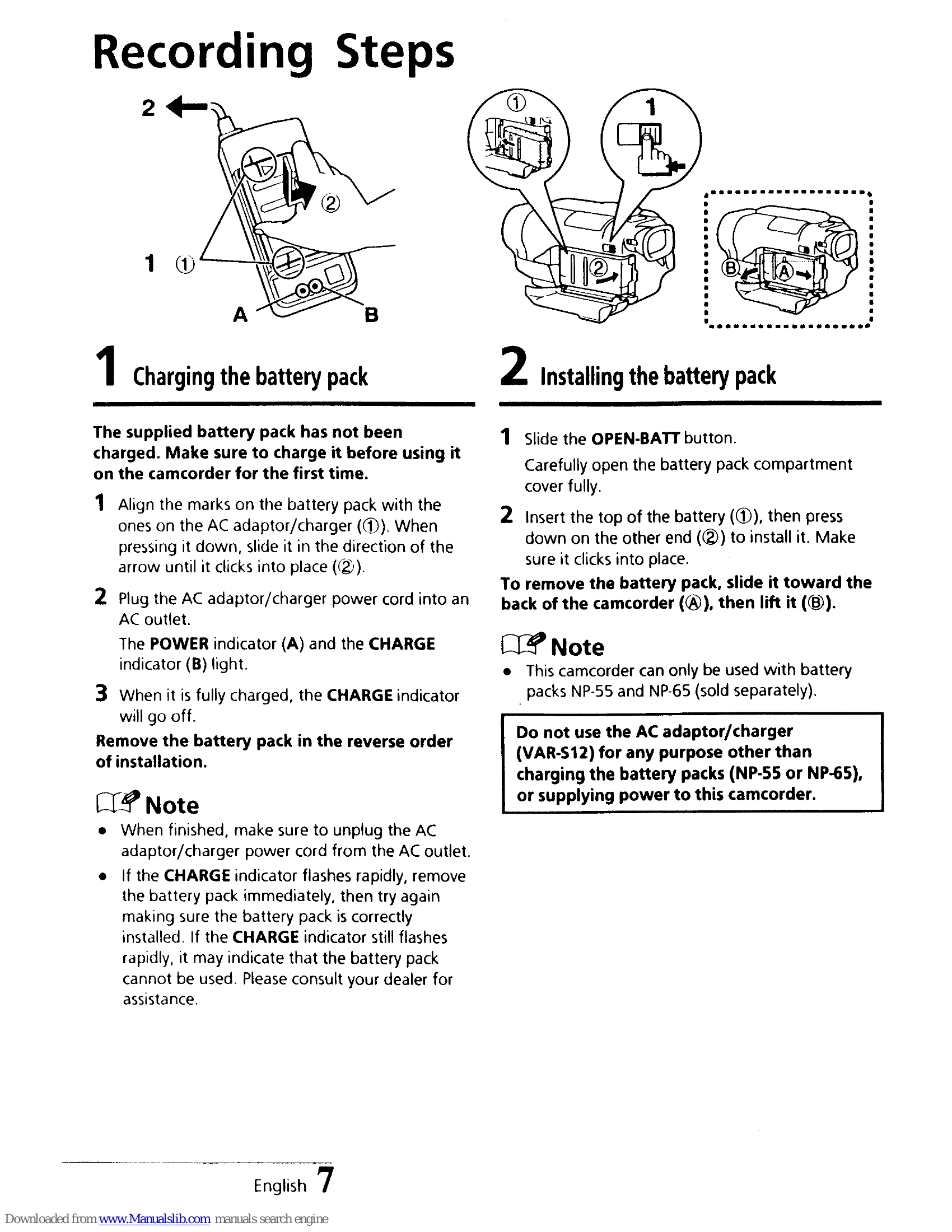
| Battery Not Charging | Incorrect Installation | Ensure battery pack is correctly installed in the AC adaptor/charger. | |
| Battery Faulty | Consult dealer if CHARGE indicator flashes rapidly. | ||
| Warning Indicator Flashing | Various Issues | Refer to page 5 for explanations of warning indicators (e.g., low battery, tape end, condensation, dirty heads). |