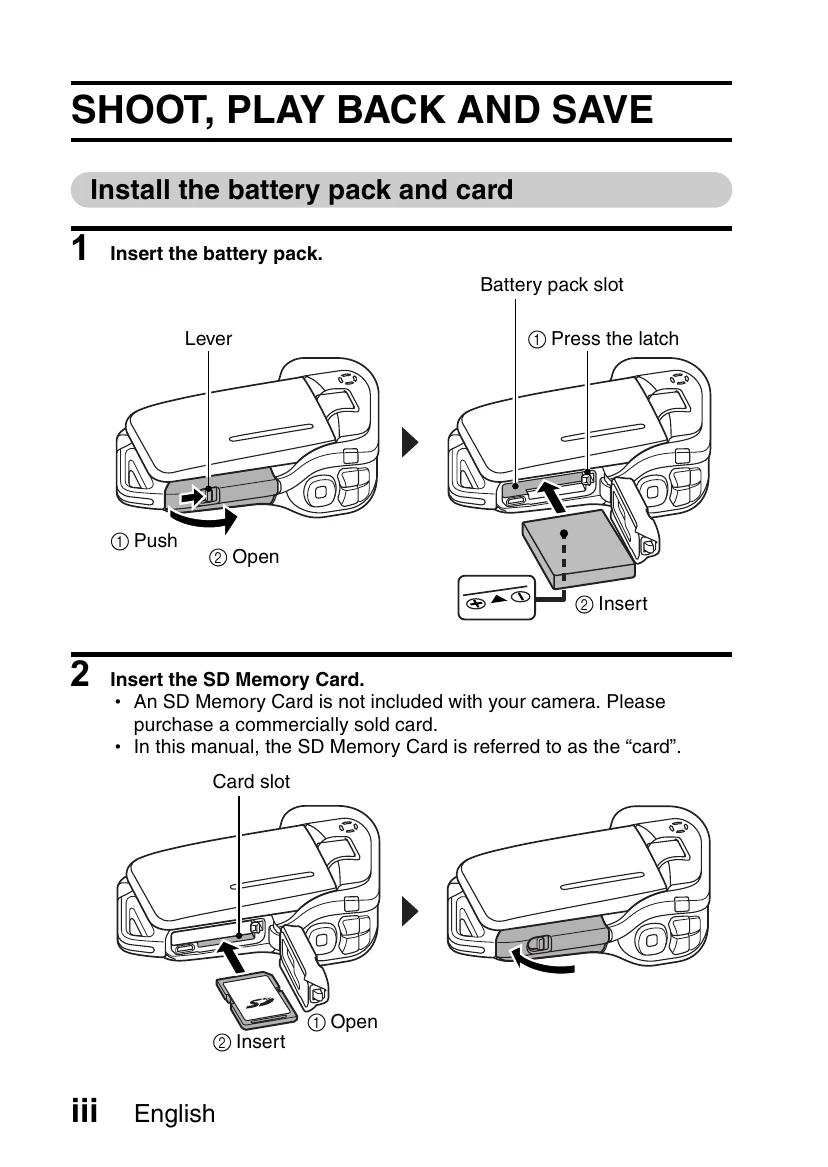
Install Battery and Card: Insert battery pack and SD memory card.
Shooting: Open monitor, press ON/OFF button for 1 sec. Press record button for video, snapshot button for still images.
Playback: Press REC/PLAY button. Use arrow buttons to select clips/images, press SET to play.
DVD Burning: Install provided software. Insert DVD-ROM, follow on-screen instructions to install programs. Connect camera to computer via USB, copy data. Use Premiere Elements to burn videos to DVD.
Waterproof Cautions: Ensure compartment covers are sealed. Do not immerse beyond 1.5m or for longer than 60 minutes. Avoid high-pressure water and temperatures above 40°C.