Quick Start Guide for VPC-CG10EX

Quick Start Guide for VPC-CG10EX

Brand: SANYO

Category: Camcorder

Document Type: Quick Start Guide

Language: EN
Uploaded: Nov. 21, 2025, 8:17 p.m.

Warranty Information

Refer to the warranty card for details.

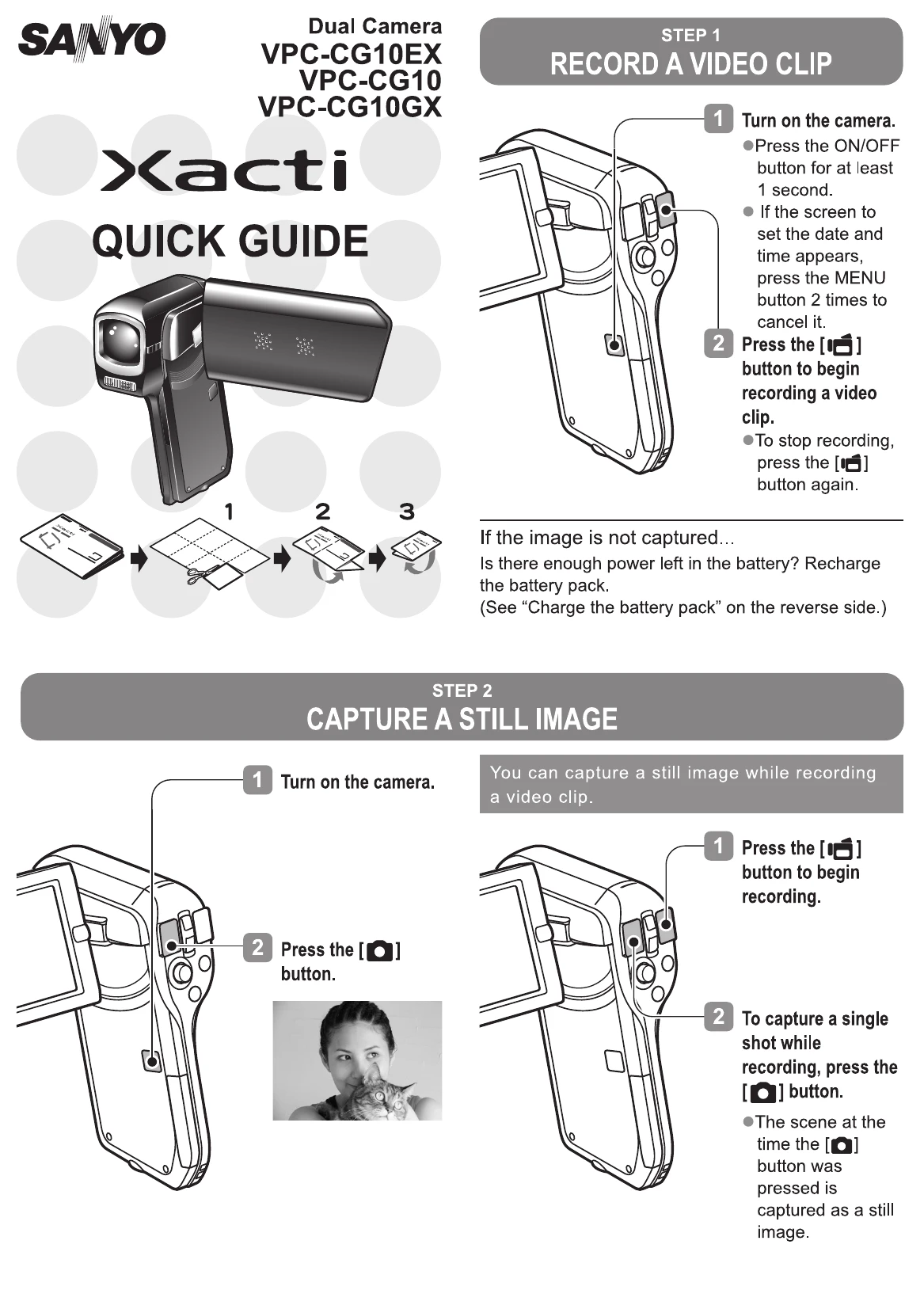
STEP 1: RECORD A VIDEO CLIP

  1. Turn on the camera by pressing the ON/OFF button for at least 1 second. Cancel date/time setup if it appears.
  2. Press the [REC] button to start recording. Press it again to stop.

STEP 2: CAPTURE A STILL IMAGE

  1. Turn on the camera.
  2. Press the [SNAP] button to capture a still image. A still image can be captured even while recording video.

STEP 3: VIEWING IMAGES

  1. Press the REC/PLAY button.
  2. Use the SET button (left/right/up/down) to select the desired image.
  3. Press the SET button to display the selected image full screen. Playback begins for video clips.

STEP 4: DELETING IMAGES

  1. Display the image you want to delete.
  2. Toggle the SET button up to bring up the Confirm Delete screen.
  3. Select "DELETE" and press the SET button to confirm deletion.

Troubleshooting and error codes

Problem Solution
If the image is not captured... Is there enough power left in the battery? Recharge the battery pack.
Privacy Policy