Brand: SANYO
Category: Camcorder
Document Type: Manual
Language: EN
Brand: SANYO
Category: Camcorder
Document Type: Manual
Language: EN
Uploaded: Aug. 10, 2025, 12:13 a.m.
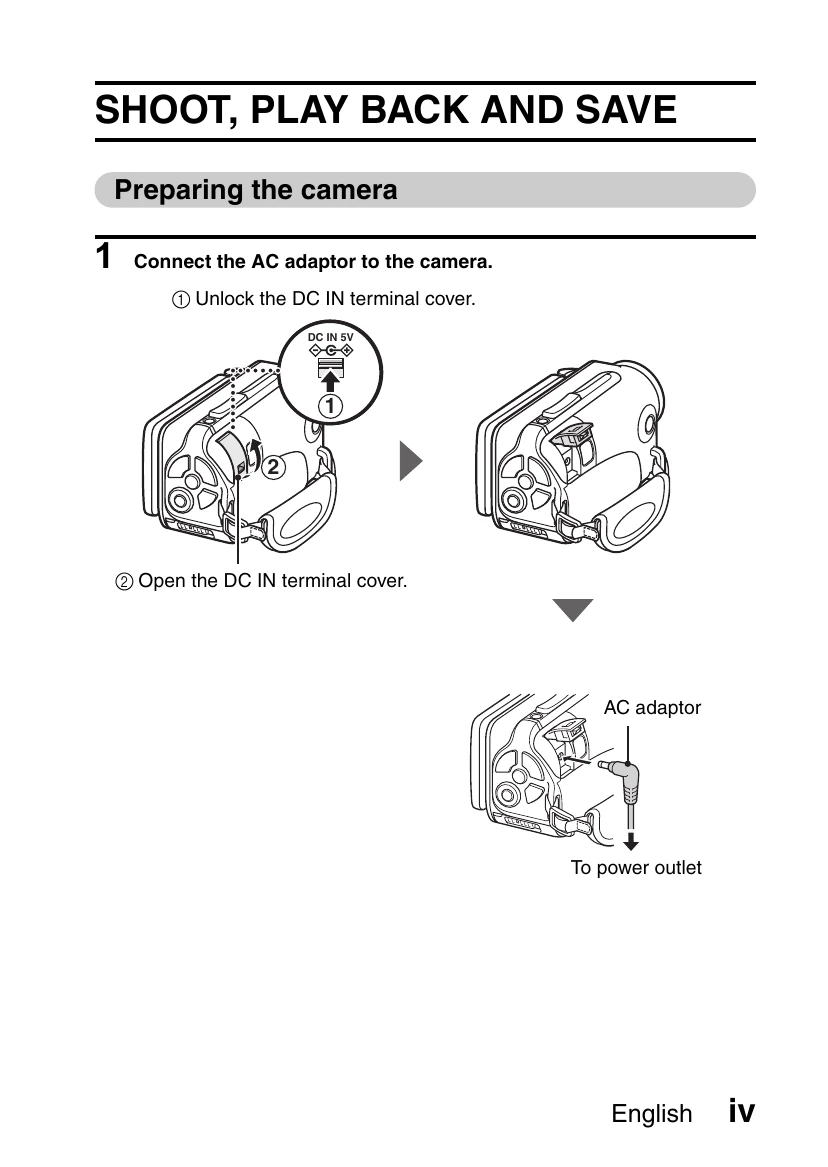
Preparing the Camera:
Shooting:
Playback:
Turning Off: Press the ON/OFF button for at least 1 second.
| CAUTION | Does the window requesting confirmation to enable the MPEG-2 Codec appear? When using TotalMedia Extreme for the first time, a window requesting you to confirm activation of the MPEG-2 Codec appears during the procedure. The MPEG-2 Codec must be activated in order to burn files to a DVD. Complete the following procedure to activate the MPEG-2 Codec. Note that your computer must be connected to the Internet in order to complete this procedure. Please confirm that your computer is connected to the Internet. |
| ① When the window requesting confirmation to activate the MPEG-2 Codec appears, click the [Yes] button. The ArcSoft website appears. | |
| ② Click on [Special downloads]. The window appears for you to enter your email address, name, license ID, etc. Enter the correct information. | |
| ③ Click the [Submit] button. Soon thereafter, the URL for the download to activate the MPEG-2 Codec will be sent to the email address you entered in step ②. | |
| ④ Click the download URL link. The program will be downloaded to your computer. | |
| ⑤ Double-click the icon for the downloaded program. Follow the instructions to activate the MPEG-2 Codec. DVD burning via the TotalMedia Extreme program is now enabled. When the procedure above has been completed, continue to the procedure to burn to DVD. |