Brand: SANYO
Category: Microwave Oven
Document Type: Manual
Language: EN
Brand: SANYO
Category: Microwave Oven
Document Type: Manual
Language: EN
Uploaded: Nov. 21, 2025, 8:28 p.m.
Sanyo warrants this microwave oven for ONE YEAR against manufacturing defects from the date of purchase.
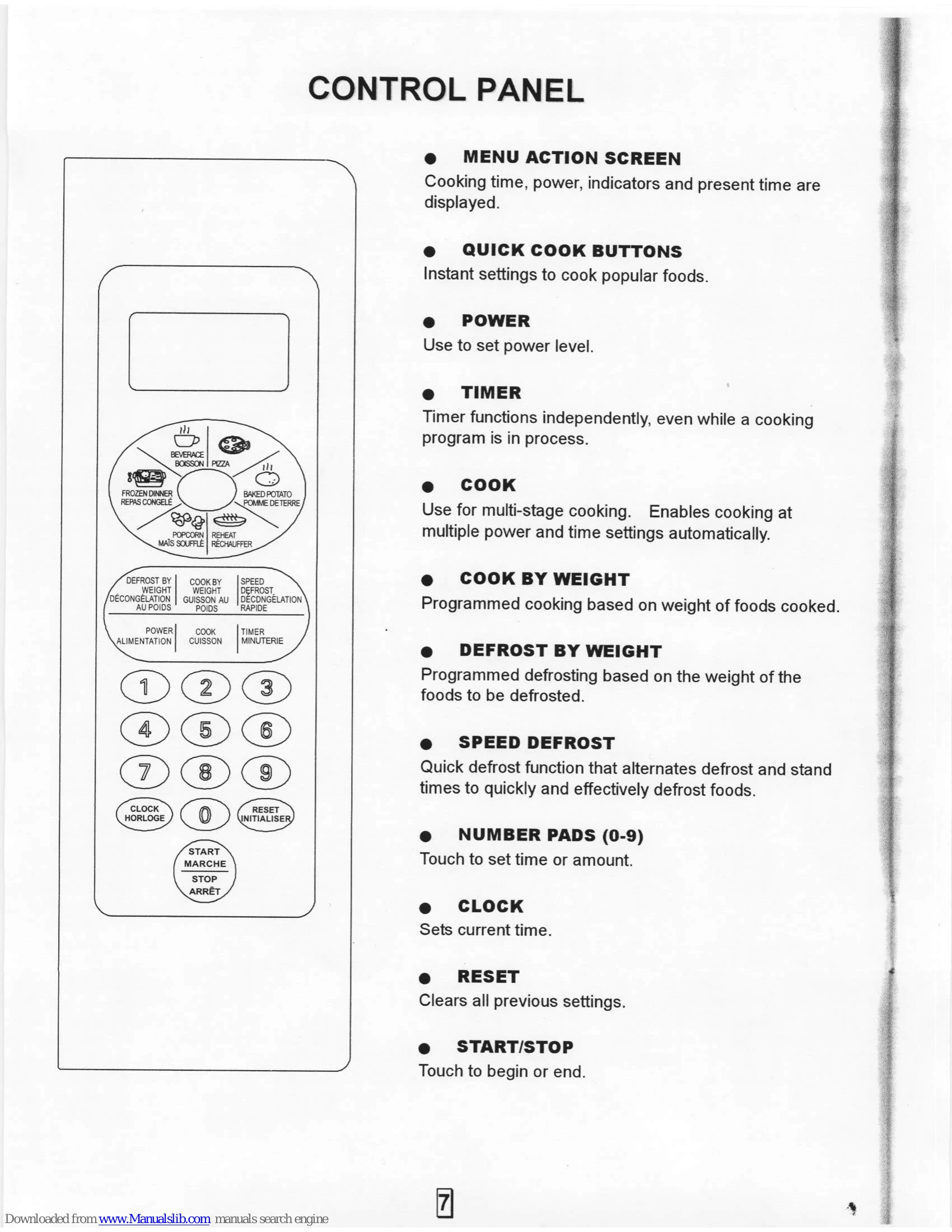
Touch CLOCK, enter time using number pads (min. 3 digits), touch CLOCK again. Operates on a 12-hour cycle.
Touch TIMER, enter time (minutes and seconds), touch START/STOP.
One-stage Cooking: Set time using number pads, optionally set power level (1-9) using POWER pad, then touch START/STOP.
Two-stage Cooking: Set Stage 1 (time/power), then set Stage 2 (time/power), touch START/STOP.
Touch SPEED DEFROST, enter time, touch START/STOP. Can be programmed for one or two-stage cooking.
Touch COOK BY WEIGHT, enter code for food type, enter weight, touch START/STOP.
Touch DEFROST BY WEIGHT, enter weight, touch START/STOP.
Touch the desired Quick Cook pad (POPCORN, BAKED POTATO, PIZZA, BEVERAGE, FROZEN DINNER, REHEAT). Follow on-screen prompts for portion size or specific settings.
| IF THE OVEN FAILS TO OPERATE | CHECKS TO PERFORM |
|---|---|
| Oven not operating |
1. Check if oven is plugged in securely. Unplug, wait 10 seconds, plug in again. 2. Check for blown circuit fuse or tripped breaker. Test outlet with another appliance. 3. Ensure control panel is programmed correctly and timer is set. 4. Ensure door is securely closed, engaging safety lock. |