Brand: SANYO
Category: Mobile Phone
Document Type: Manual
Language: EN
Brand: SANYO
Category: Mobile Phone
Document Type: Manual
Language: EN
Uploaded: Nov. 21, 2025, 8:25 p.m.
Insert the AC adapter into the charging holder and the wall outlet. Place the phone in the holder. The charging light will turn red. It turns green when fully charged. Charging takes approximately 100 minutes.
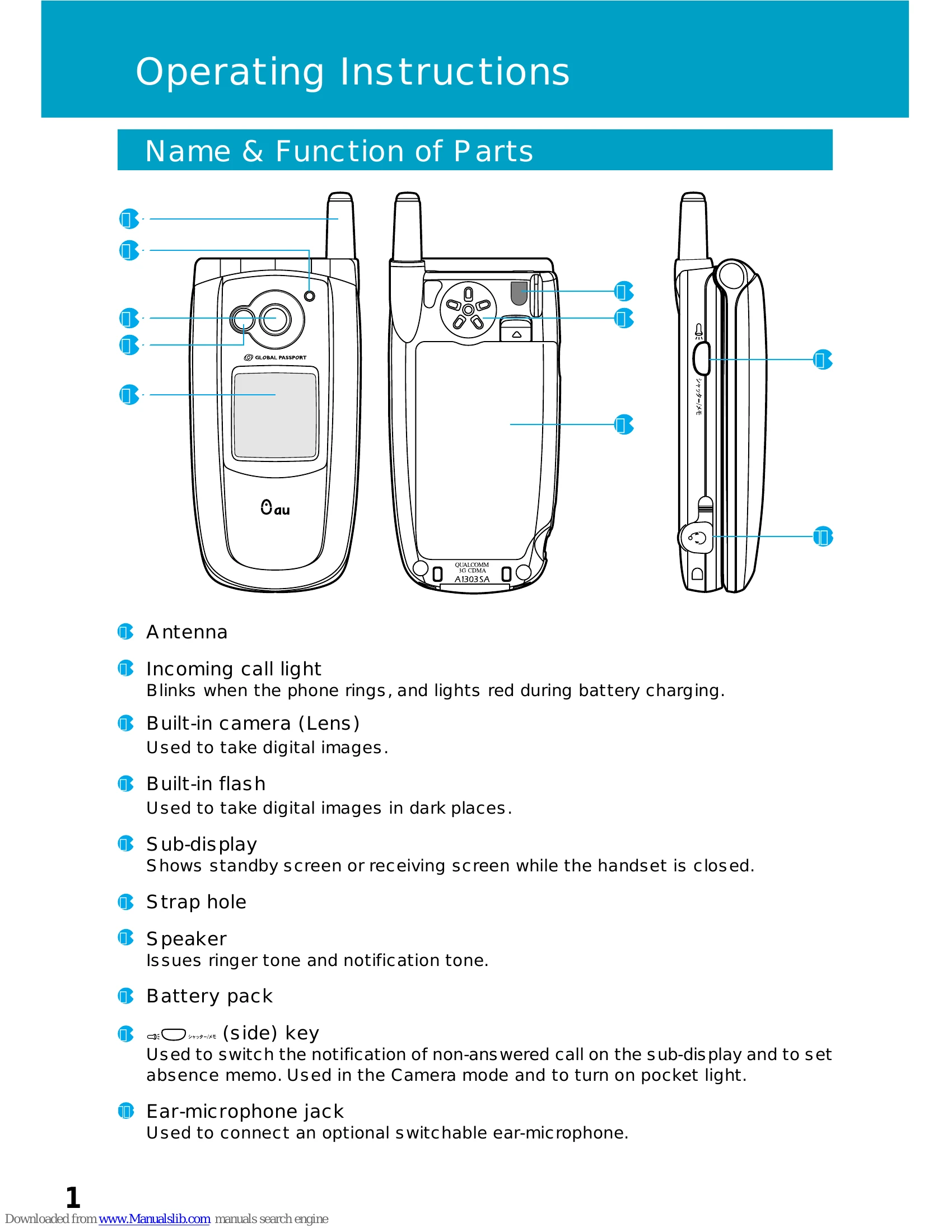
Extend the antenna by pulling it up until it clicks. Retract by pulling down gently.
Press and hold the power key (電源) for more than one second. The 'au' logo appears on startup and shutdown.
Enter the phone number and press the call key ( ).
Press the answer key ( ) when the phone rings.
Press the character key and select the desired entry mode (Kanji, Katakana, Alphanumeric, or Number).
Press and hold the key for more than one second. Select the item, enter the details, and press Save.
| Mode No. | Function | Description |
|---|---|---|
| M 31 | Main Display | Setting Main display |
| M 311 | Wall Paper | Setting wallpaper on standby screen |
| M 312 | Screen Saver | Setting screen saver |
| M 313 | Mail Connect | Setting E-mail, C-mail connection screen |
| M 314 | EZ Connect | Setting EZweb connection screen |
| M 315 | Power Saving | Setting Power save screen |
| M 32 | Sub Display | Setting Sub display |
| M 321 | Screen Setup | Setting wallpaper on Sub display's standby screen |
| M 322 | Caller Disp. | Displaying the caller when receiving voice call |
| M 323 | Notice Disp. | Setting notice screen of Sub display |
| M 324 | On Call Disp. | Setting Sub display during call |
| M 33 | Lighting | Setting lighting of display and keys |
| M 331 | Usual Screen | Setting lighting for Main display |
| M 332 | Mail Screen | Setting lighting for mail screen |
| M 333 | EZweb Screen | Setting lighting for EZweb screen |
| M 34 | Font Size | Setting character size |
| M 341 | Entry Size | Setting character size for input |
| M 342 | Mail Display | Setting character size for mail display |
| M 343 | EZweb Disp. | Setting character size for EZweb display |
| M 344 | Adrs. Bk. List | Setting character size for Address Book List |
| M 345 | Phone# Entry | Setting character size for phone number input |
| M 35 | Font Type | Setting character font |
| M 36 | Coloration | Setting the display's colors |
| M 37 | Call Illum. | Setting illumination during call |
| M 38 | KeyLight Save | Setting key illumination during power save |
| M 4 | Privacy | |
| M 41 | Change Lock No. | Changing Lock Number |
| M 42 | Number Notice | Announcing your number to the other party |
| M 43 | User Restrict | Restricted Setting |
| M 431 | Auto Lock | Setting Auto Lock |
| M 432 | Dial | Disabling dial-up calls |
| M 433 | Address Book | Restricting Address Book access |
| M 434 | Restricting mail access | |
| M 435 | EZweb | Restricting EZweb access |
| M 436 | Secret Mode | Setting Secret |
| M 44 | Incoming Rej. | Rejecting designated unwanted phone numbers |
| M 45 | One Call Reject | Rejecting nuisance calls |
| M 46 | Reset | Initializing the memory and functions |
| M 461 | Func. Reset | Initializing all functions |
| M 462 | Memory Reset | Initializing the memory |
| M 463 | All Reset | Initializing all functions and memories |