No warranty information is provided in this manual.
Getting Started
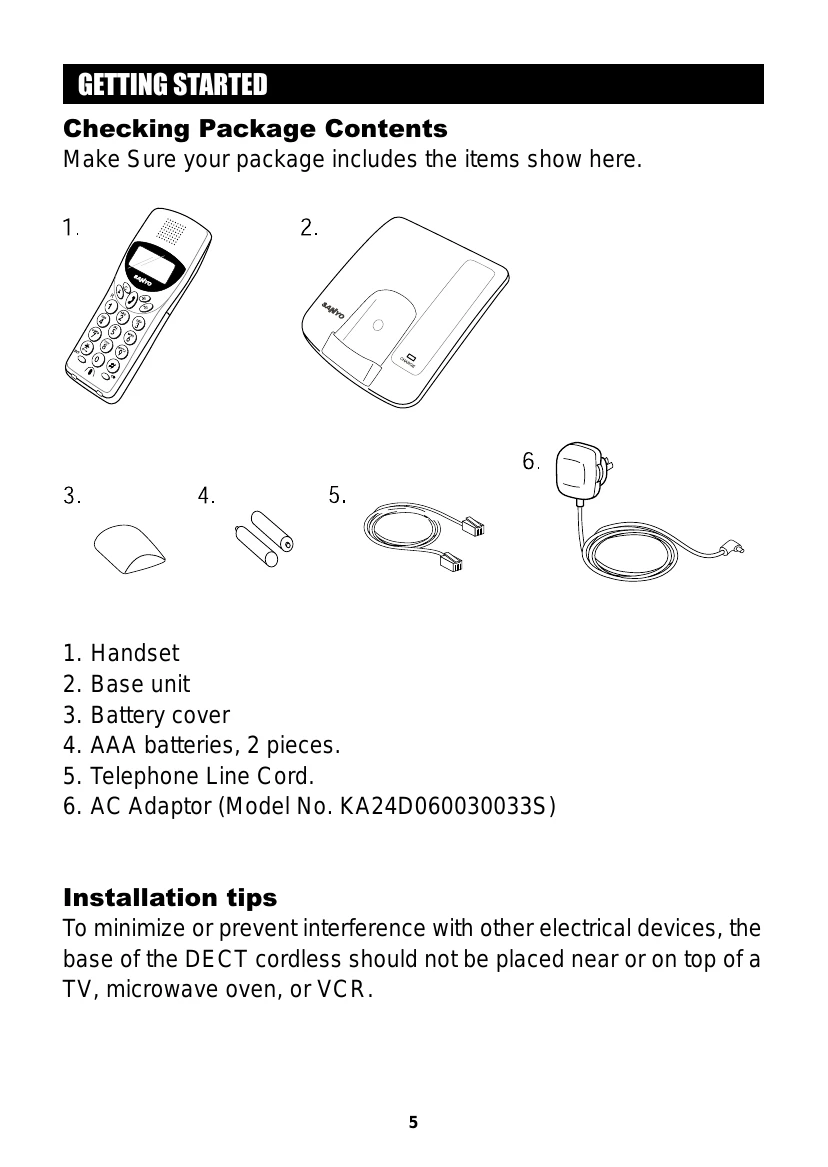
Check Package Contents: Ensure all items are present: Handset, Base unit, Battery cover, AAA batteries, Telephone Line Cord, AC Adaptor.
Battery Setup: Insert batteries into the handset, connect the AC adaptor to the base and an outlet, then place the handset in the base to charge for at least 16 hours.
Telephone Line Connection: Plug the telephone line cord into the base unit and the wall jack.
Basics
Receiving a Call: Press the key to answer.
Making a Call: Press the key, then dial the number.
Call Timer: Automatically times calls.
Adjust Volume: Press and then [4] to adjust receiver volume.
Mute: Press the key during a call to mute the microphone.
Pre-dialing: Enter number when phone is OFF, then press key to dial.
Redialing: Press key repeatedly or press key to redial.
Phone Book: Store up to 10 numbers using the Memory key.
Handset Locator: Press Page on base to find misplaced handset.
Caller ID Features
Subscription required from phone company. Display shows caller's number.
Reviewing Caller ID List: Press key at standby mode.
Dialing a Caller ID number: Select entry and press key.
Deleting entries: Select entry and long press key.
Baby Mode
Allows auto-dialing of a pre-programmed number when key or dial keys are pressed (must be ON).
Set Baby Mode ON/OFF using specific key sequences.
Handset Setting
Select Ringer Tones and Volume.
Key Lock Mode: Long press * key to lock/unlock keypad.
System PIN number: Default is 0000, can be changed.