Brand: SANYO
Category: Video
Document Type: Manual
Language: EN
Brand: SANYO
Category: Video
Document Type: Manual
Language: EN
Uploaded: Nov. 21, 2025, 7:14 p.m.
| Problems | Points to be checked | Measures (Remedy) |
|---|---|---|
| No power supply. | Is the power plug loosened or disconnected? | Firmly insert the power plug. |
| No picture with the power on. | Is the video signal output from the connected component? | Set the connected component correctly. |
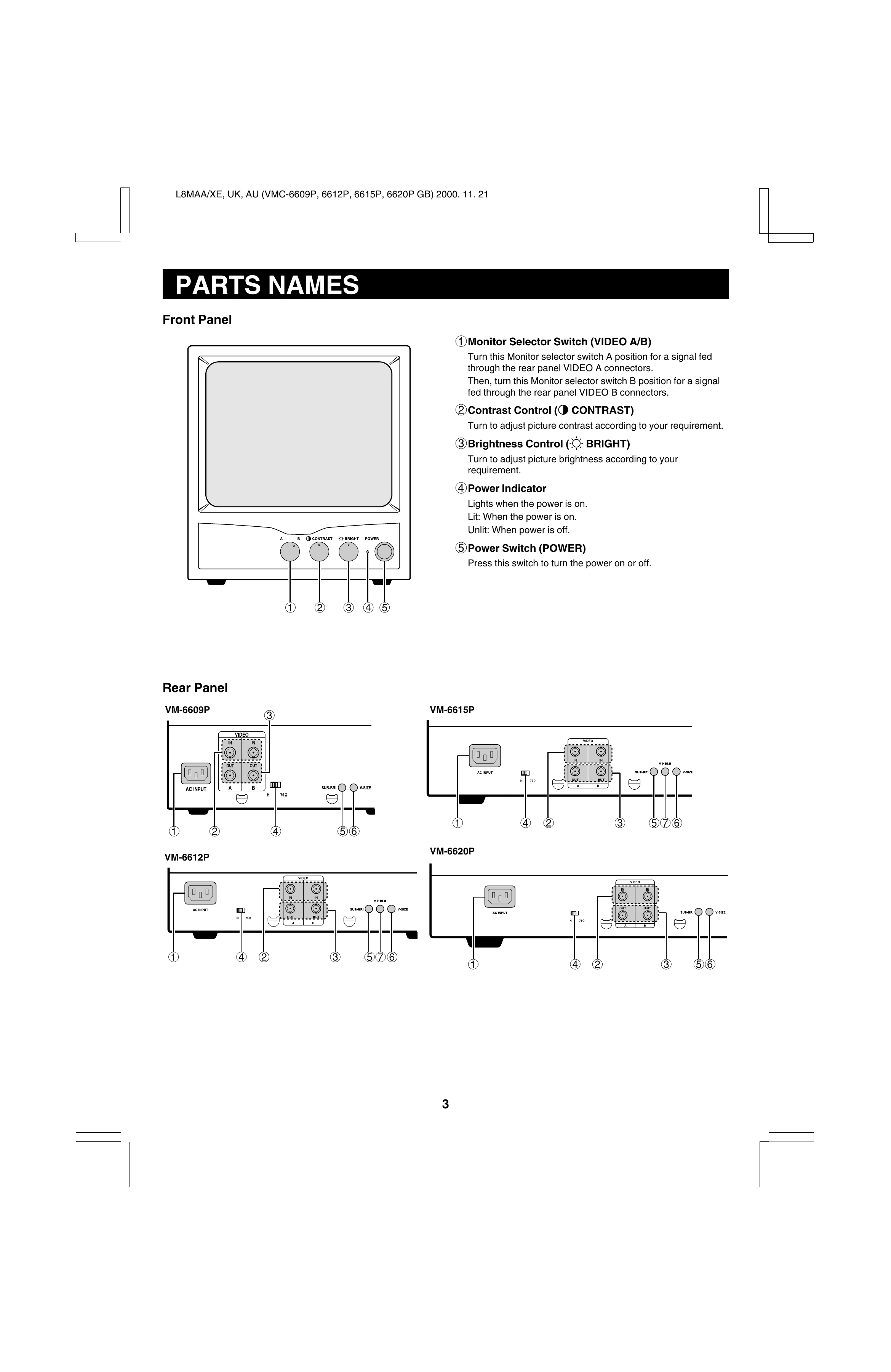
| Is the input signal selected properly? | Select the required video signal input with the Monitor selector switch. (See page 3.) | |
| Is the video cable disconnected? | Connect the video signal cable firmly. (See page 4 or 5.) | |
| Shaking picture. | Is the monitor close to a device generating a strong magnetic field? | Move the device away from the monitor until the picture stabilizes. |
| Picture is too bright and hard to view. | Has the termination switch been set correctly? | Move the termination switch to the correct setting. |