Brand: SANYO
Category: Video
Document Type: Manual
Language: EN
Brand: SANYO
Category: Video
Document Type: Manual
Language: EN
Uploaded: Nov. 21, 2025, 7:12 p.m.
None
| Problem | Points to be checked | Measures (Remedy) | Page |
|---|---|---|---|
| No picture with the power on | Is the video signal being output from the connected component? | Set the connected component correctly. | 4 |
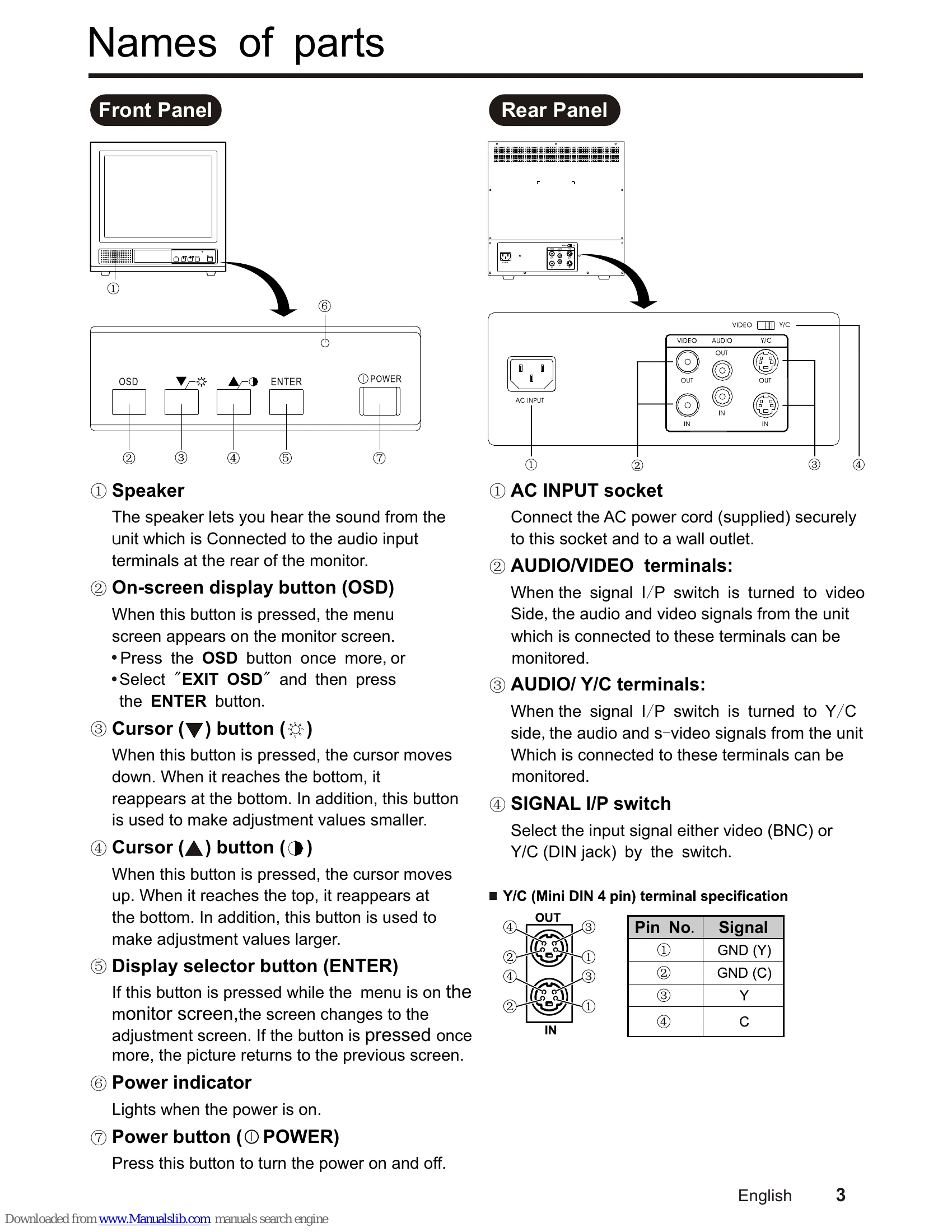
| Is the input signal selected properly? | Select the required video signal input with the monitor selector buttons. (VIDEO and Y/C) | 3 | |
| No sound. | Is the audio signal being output from the connected component? | Set the connected component correctly. | 4 |
| Is the volume set to the minimum level? | Adjust the volume using the VOLUME setting screen. | 6 | |
| Is the audio cable disconnected? | Securely connect the audio cable. | 4 | |
| Shaking picture | Is the monitor close to a device which is generating a strong magnetic field? | Move the device away from the monitor until the picture stabilizes. | — |
| No color, color is incorrect or picture is too dark | Have the picture control settings (CONTRAST, BRIGHTNESS, TINT) been changed? | Adjust the settings using the adjustment screens. | 6 |
| Uneven or mismatched color in parts of the picture | Are there any speakers or magnets nearby, or were they brought close to the monitor? | Move the speaker or magnet away from the monitor, and then turn the power off and wait at least 30 minutes before turning the power back on again. | — |