Brand: Scrib3D
Category: 3D Pen
Document Type: Manual
Language: EN
Brand: Scrib3D
Category: 3D Pen
Document Type: Manual
Language: EN
Uploaded: April 20, 2026, 8:08 p.m.
For more details on your limited warranty, please visit: scrib3dpen.com/warranty
| Problem | Reasons | Solution |
|---|---|---|
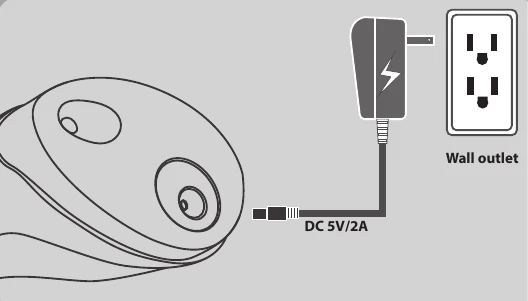
| Power indicator Light will not turn on | Issue with the AC adapter or plug | Replace the AC adapter with another: 5v, 2A, 3.8mm barrel center + adapter |
| Issue with the electronics of the pen | The pen's electronics need servicing please contact [email protected] if the pen is under warranty | |
| Issue with the power socket of the pen | ||
| Nothing is coming out of the nozzle | The temperature is not high enough or the wrong mode for plastic was selected | Check mode the pen is in is correct of the plastic you are using. You can also try adjusting the temp manually |
| Filament has stripped ie. a chunk has been taken out of the filament and the drive system can't push it anymore | Reverse the filament out of the pen. Cut off the damaged portion and throw it away and try again | |
| Filament won't go in | Make sure the filament has a flat surface on the end going into the pen | |
| No motor noise | Possible issue with the electronics or the motor. Please contact us at [email protected] | |
| Pen not heating up | Probem with the heating element/nozzle | Please contact customer service at [email protected] |
| Motor is struggling | Could be an issue with the filament inside | Reverse out the filament. Cut off any swollen or deformed parts and cut a new end before reinserting. |