Manual for RM329P

Manual for RM329P

Brand: SEIKO

Category: Projection Clock

Document Type: Manual

Language: EN

Available Languages: EN , ES
Uploaded: April 20, 2026, 7:32 p.m.

Manual Publish Date: 2004-08-16

Warranty Information

This unit is engineered to give you years of satisfactory service.

HOW TO USE THE PROJECTOR

The projection feature projects the current time on the ceiling, wall or other flat surface.

To project the time onto a flat surface:

In a darkened room, press [ SNOOZE ], the projection will activate for approximately 5-seconds.
The projection feature has many user-selectable adjustments.

HOW TO USE THE PROJECTOR POWER ADAPTER

The RM329P comes with an AC power adapter. Use of the AC power adapter is required for continuous time projection.

HOW TO USE THE BACKLIGHT

Press [SNOOZE ] once. The backlight will activate for five seconds. The projection will also be on for five seconds.

ABOUT RADIO RECEPTION

The RM329P is a radio frequency (RF) controlled clock. The current time and date will automatically synchronize with radio frequency signals generated from DCF77 Frankfurt, Germany. The benefit of a RF controlled clock is that highly-accurate time is maintained and manual adjustments to the time and date are not be required.

When the batteries are first installed, the RM329P will automatically search for a radio signal.
When in search mode, the antenna icon [] will blink. This process takes between two (2) and ten (10) minutes. After initial search, short periodic reception-signal scans will commence several times a day.

The antenna icon indicates the quality of reception.

Troubleshooting and error codes

Feature Effect Instructions
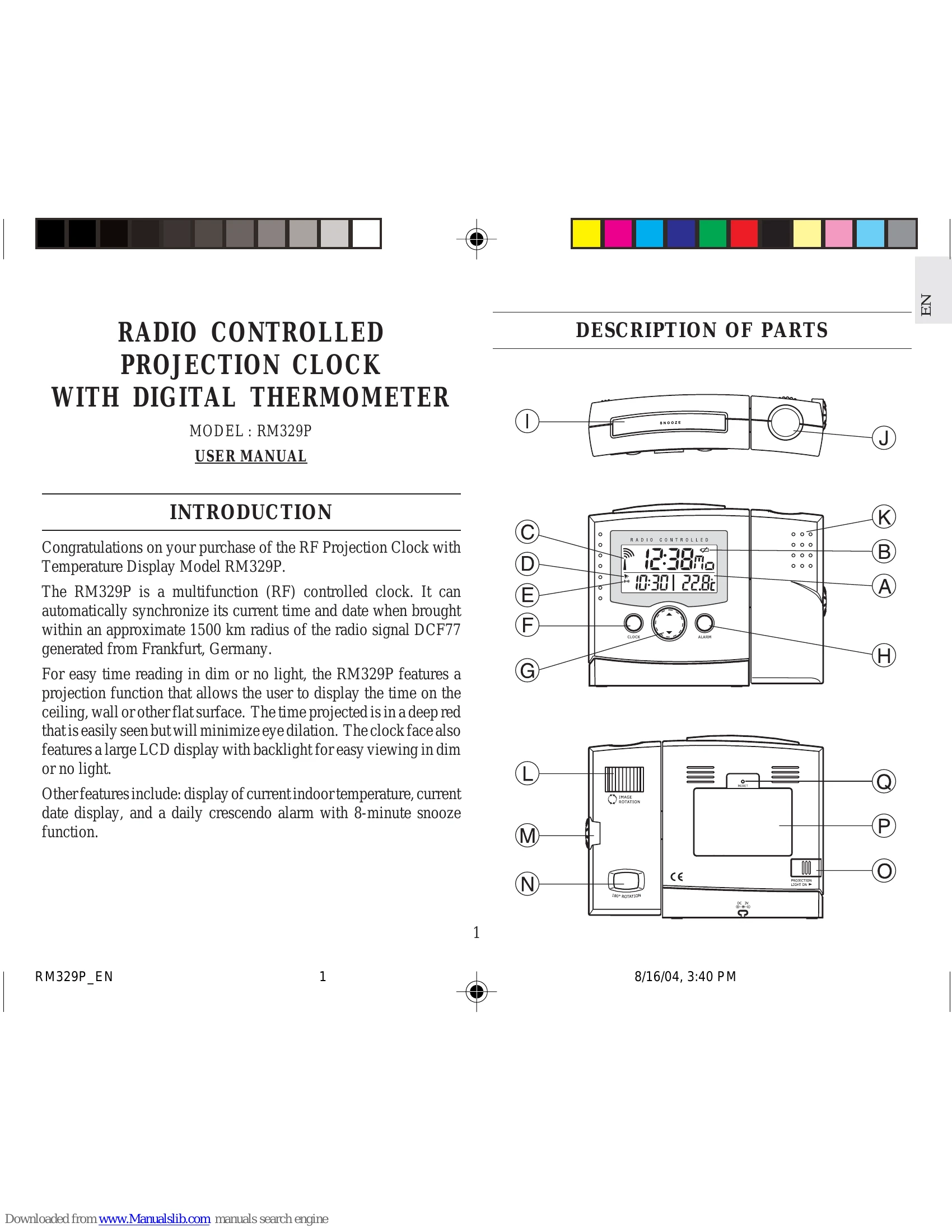
Adjustable Projection Rotates the projection 180° Tilt swivel projection housing K to alter the direction of projection
FOCUS Knob Focuses projection Rotate Dial M to focus projection
IMAGE ROTATION KNOB Dial L rotates projection Rotation of projection allows user to place clock in convenient
180° ROTATION BUTTON Button N horizontally flips the projection 180° Flips an image to maintain an upright position
Privacy Policy