Brand: SHARP
Category: Camcorders
Document Type: Manual
Language: EN
Brand: SHARP
Category: Camcorders
Document Type: Manual
Language: EN
Uploaded: Nov. 21, 2025, 7:13 p.m.
| SYMPTOM | POSSIBLE CAUSE | SUGGESTED SOLUTION | |
|---|---|---|---|
| Power | No power | Battery pack is not charged. Power source is not properly connected. | Charge battery pack sufficiently (p. 10). Connect power source properly (pp. 11, 12, 13). |
| Power goes off soon after coming on. | Depleted battery pack | Charge battery pack sufficiently (p. 10). | |
| Dew in VIEWCAM | Wait until dew dries (p. 5). | ||
| Cannot turn on the VIEWCAM and remove the cassette. | The protection circuit activates, because the cassette compartment door is closed improperly during the cassette holder is extending. | Remove the battery pack or disconnect the DC cable and leave the VIEWCAM for about one minute. After that, insert the battery pack or connect the DC cable while the Power switch is set to OFF, then slide the Power switch to CAMERA or VCR. | |
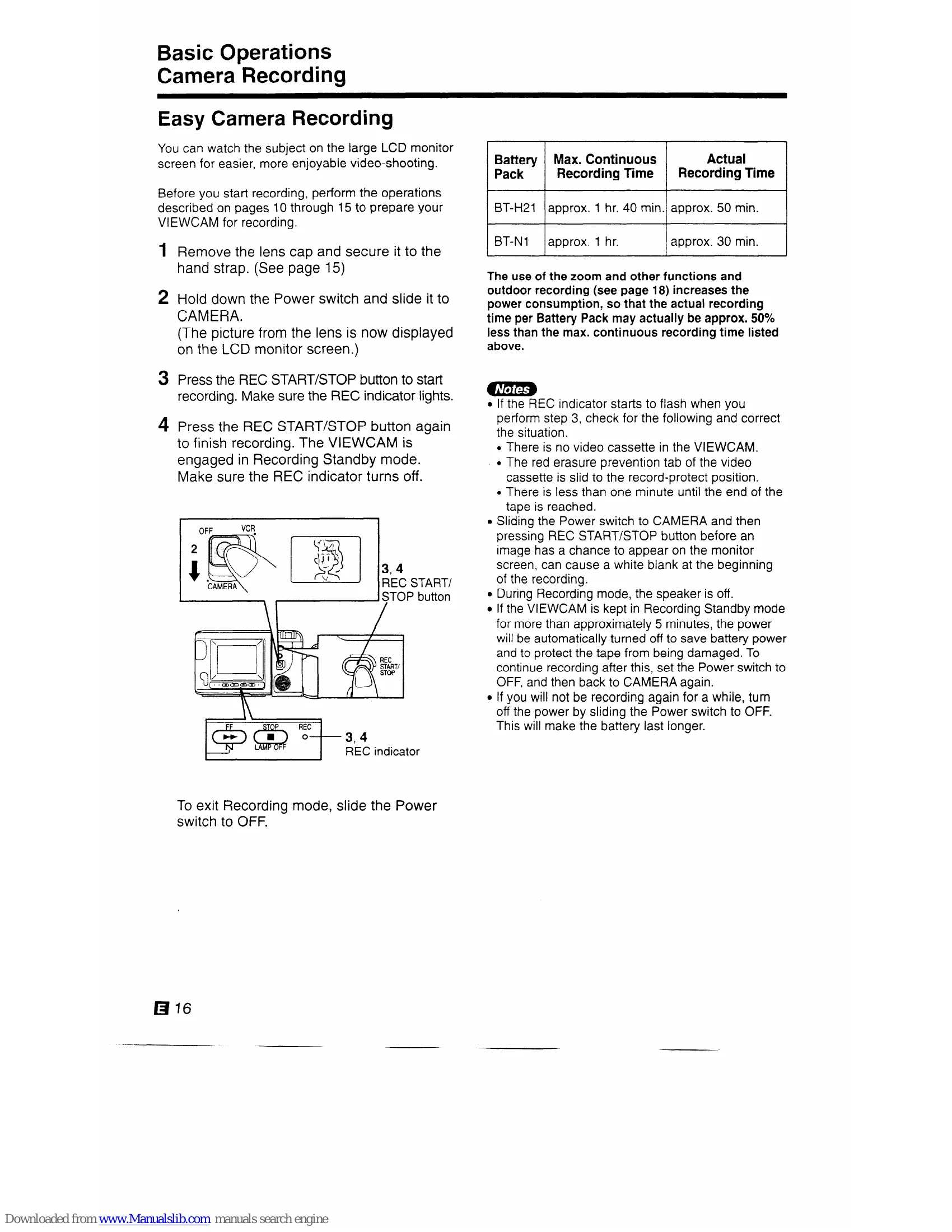
| Recording | Power on but no image on monitor. | VIEWCAM is in VCR mode. | Set Power switch to CAMERA (p. 16). |
| Cannot record. | Erasure protection hole is covered. | Slide red projection to open hole (p. 7). | |
| Fuzzy picture | Dust or other foreign matter on lens. | Clean lens. | |
| Not properly focused. | Adjust focus manually or set VIEWCAM to Auto Focus mode (p. 21). | ||
| Playback | No image appears on connected TV's screen. | Improperly connected to TV. TV's channel or TV/AV (VIDEO) switch not properly set. | Reconnect properly (p. 24). Set TV's TV/AV (VIDEO) switch to AV (VIDEO) if AV input is used (p. 24). |
| VIEWCAM does not playback in colour on connected TV. | Dirty video heads | Call for service. | |
| Worn video heads | Call for service. | ||
| Video noise in image. | Old or worn tape | Use a new tape cassette (p. 7). | |
| Cassette cannot be inserted. | Cassette is not right side up, or is backwards. | Check cassette positioning and reinsert (p. 14). | |
| Cassette won't eject. | VIEWCAM is in Recording mode. | Press REC START/STOP (or STOP) button to stop tape, and try again (pp. 16, 26). | |
| Battery pack cannot be ejected. | Battery pack inserted in an incorrect manner. | Call for service. | |
| No tape movement in Fast Forward mode. | Tape already completely wound. | Rewind tape to desired point (p. 19). | |
| No tape movement in Rewind mode. | Tape already completely rewound. | Fast forward tape to desired point (p. 19). | |
| BATTERY and DEW/CLOG indicators are flashing in sync. | Tape protection circuit is activated. | Eject the tape from the VIEWCAM and reload it. |