Manual for AH-XPC9RV / AH-XPC12RV

Manual for AH-XPC9RV / AH-XPC12RV

Brand: SHARP

Category: Home Appliances

Document Type: Manual

Language: EN
Uploaded: Nov. 21, 2025, 6:39 p.m.

BASIC OPERATION

  1. Press the MODE button to select the operation mode (AUTO, COOL, DRY).
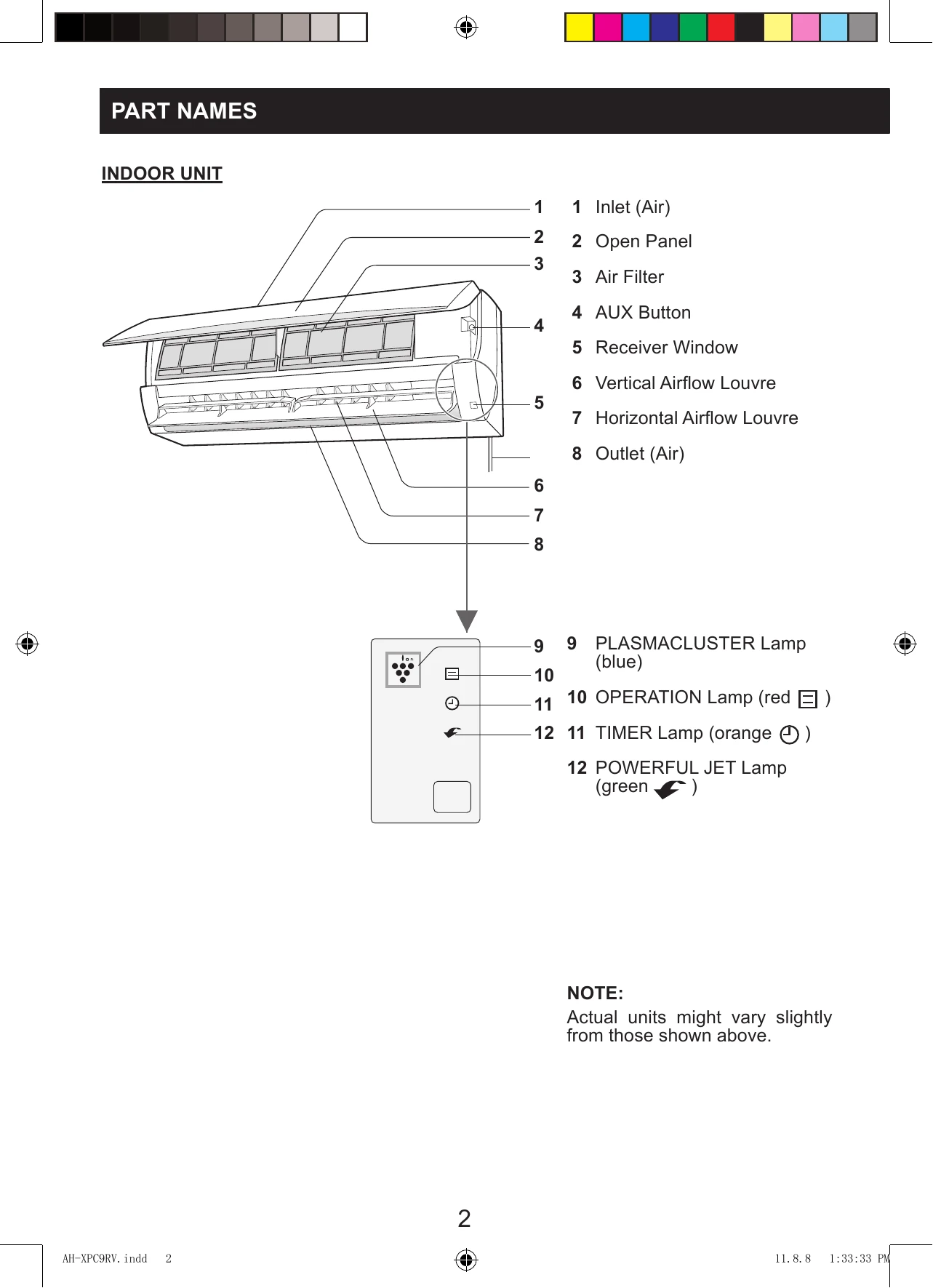
  2. Press the ON/OFF button to start operation. The red OPERATION lamp will light up. To turn off, press the ON/OFF button again.
  3. Press the THERMOSTAT button to set the desired temperature. In AUTO/DRY mode, temperature can be adjusted by ±2°C. In COOL mode, the range is 16-30°C.
  4. Press the FAN button to set the desired fan speed (AUTO, SOFT, LOW, HIGH).

NOTE: AUTO MODE automatically selects settings based on room temperature. DRY MODE has preset AUTO fan speed.

WHEN POWER FAILURE OCCURS: The unit has a memory function and will restart in the previous settings after power recovery (except for timer settings).

Troubleshooting and error codes

Condition Check Points
The unit does not operate Check if the circuit breaker has tripped or the fuse has blown.
The unit does not cool effectively
  • Check the filters. If dirty, clean them.
  • Check the outdoor unit to make sure nothing is blocking the air inlet or outlet.
  • Check the thermostat is properly set.
  • Make sure windows and doors are closed tightly.
The unit does not receive the remote control signal
  • Check whether the remote control batteries have become old and weak.
  • Try to send the signal again with the remote control pointed properly towards the unit's signal receiver window.
  • Check whether the remote control batteries are installed properly.
Privacy Policy