Brand: SHARP
Category: Televisions
Document Type: Manual
Language: EN
Brand: SHARP
Category: Televisions
Document Type: Manual
Language: EN
Uploaded: Nov. 21, 2025, 7:46 p.m.
| Problems | Remote control does not work | Bars on screen | Picture distorted | Picture rolls vertically | No colour | Poor reception on some channels | Picture weak | Picture lines or streaks | Picture ghosting | Picture blurred | Sound OK, picture poor | Picture OK, sound poor | No picture or sound |
|---|---|---|---|---|---|---|---|---|---|---|---|---|---|
| Possible Causes/Remedies | |||||||||||||
| Try a new channel to check for possible station trouble | ● | ● | ● | ● | ● | ● | ● | ● | ● | ● | |||
| TV not plugged in Outlet power OFF |
● | ||||||||||||
| POWER (①) switch of TV not ON | ● | ● | |||||||||||
| Antenna not connected to terminal at the rear of the TV set | ● | ● | ● | ● | ● | ● | ● | ● | ● | ||||
| If outside antenna is used, check for broken wires | ● | ● | ● | ● | ● | ● | ● | ● | ● | ||||
| Check for local interference | ● | ● | ● | ● | ● | ● | ● | ● | |||||
| Turn OFF using the POWER (①) switch, then turn ON again after a minute | ● | ||||||||||||
| Adjust COLOUR control | ● | ||||||||||||
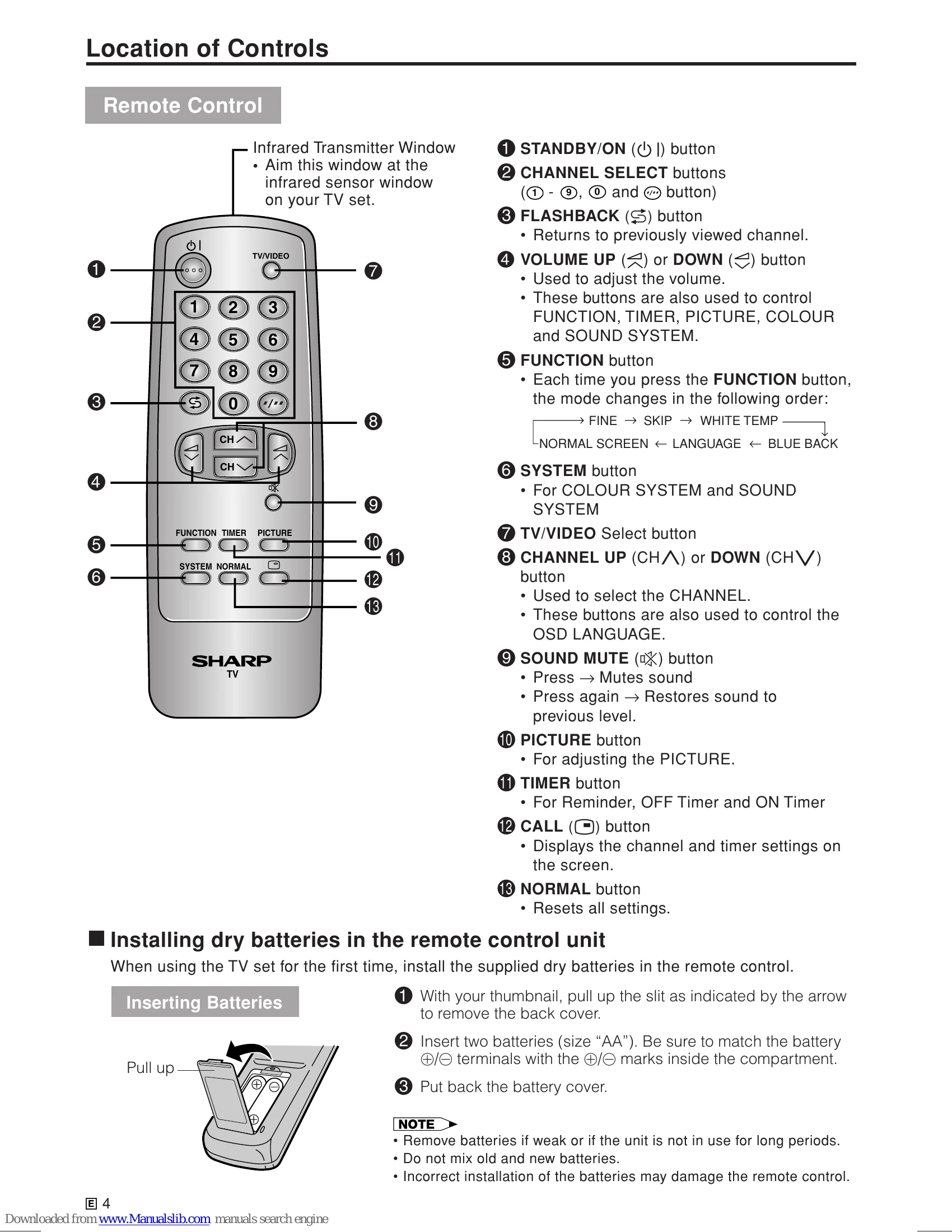
| Check batteries in the remote control | ● | ||||||||||||
| Try fine tuning to correct | ● | ● | ● | ||||||||||
| Contrast setting in picture mode might be all the way to the minus side. Press the NORMAL button on the remote control to correct | ● | ||||||||||||
| Increase the volume | ● | ||||||||||||
| Change the battery | ● |