Brand: SIEMENS
Category: Control Unit
Document Type: Manual
Language: EN
Brand: SIEMENS
Category: Control Unit
Document Type: Manual
Language: EN
Uploaded: Nov. 21, 2025, 9:10 p.m.
Manual Publish Date: 2015-06-01
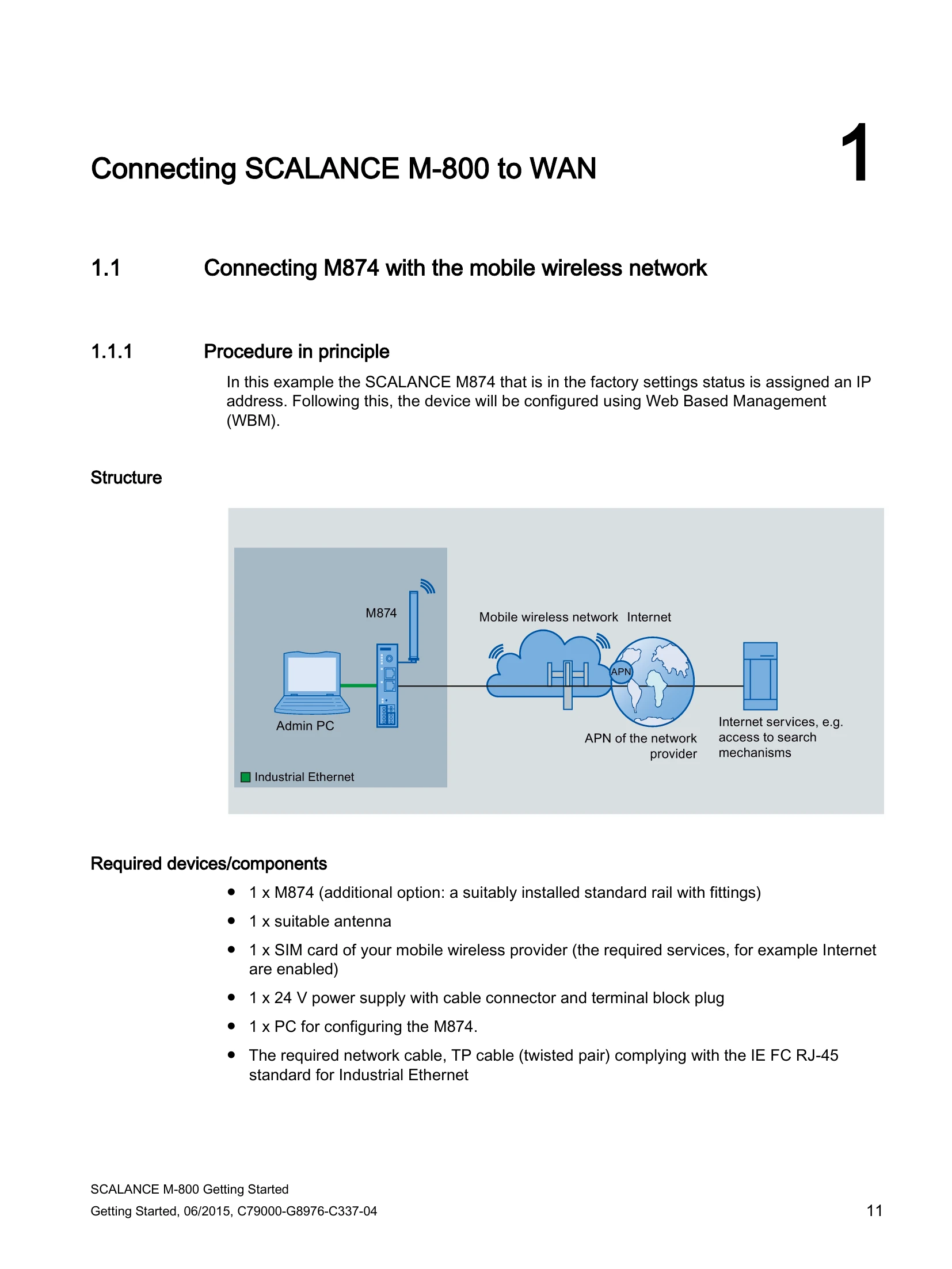
This section guides users through connecting the SCALANCE M874 device to a WAN using a mobile wireless network. It outlines the necessary components, procedure steps, and configuration details. Key steps include setting up the device and network, launching Web Based Management (WBM), logging in, changing IP settings, and configuring device information and access parameters.
This part of the manual details the configuration of the SCALANCE M-800 as a DHCP server, focusing on dynamic IP address assignment and specifying DHCP options.
This section provides instructions for establishing a secure VPN tunnel between the SCALANCE M-800 and an S612 device, covering both PSK and certificate-based methods. It includes steps for configuring the VPN tunnel using the SCT (Security Configuration Tool) and on the SCALANCE M-800 itself.
This part focuses on setting up secure VPN tunnels between the SCALANCE M-800 and security CPs (e.g., CP 343-1, CP 443-1). It covers configurations using PSK and certificates, utilizing the SCT for setup.
This section explains how to configure a VPN tunnel between SCALANCE M87x devices and the SINEMA RC Server, including access configuration, node group creation, device setup, and communication relations.
This extensive section covers the configuration of NETMAP for local, remote, and combined local/remote networks. It includes detailed steps for creating VPN connections and NETMAP rules on SCALANCE devices.