Brand: SIEMENS
Category: Microwave Oven
Document Type: Manual
Language: EN
Brand: SIEMENS
Category: Microwave Oven
Document Type: Manual
Language: EN
Uploaded: Nov. 21, 2025, 6:29 p.m.
Refer to the manual for detailed warranty information.
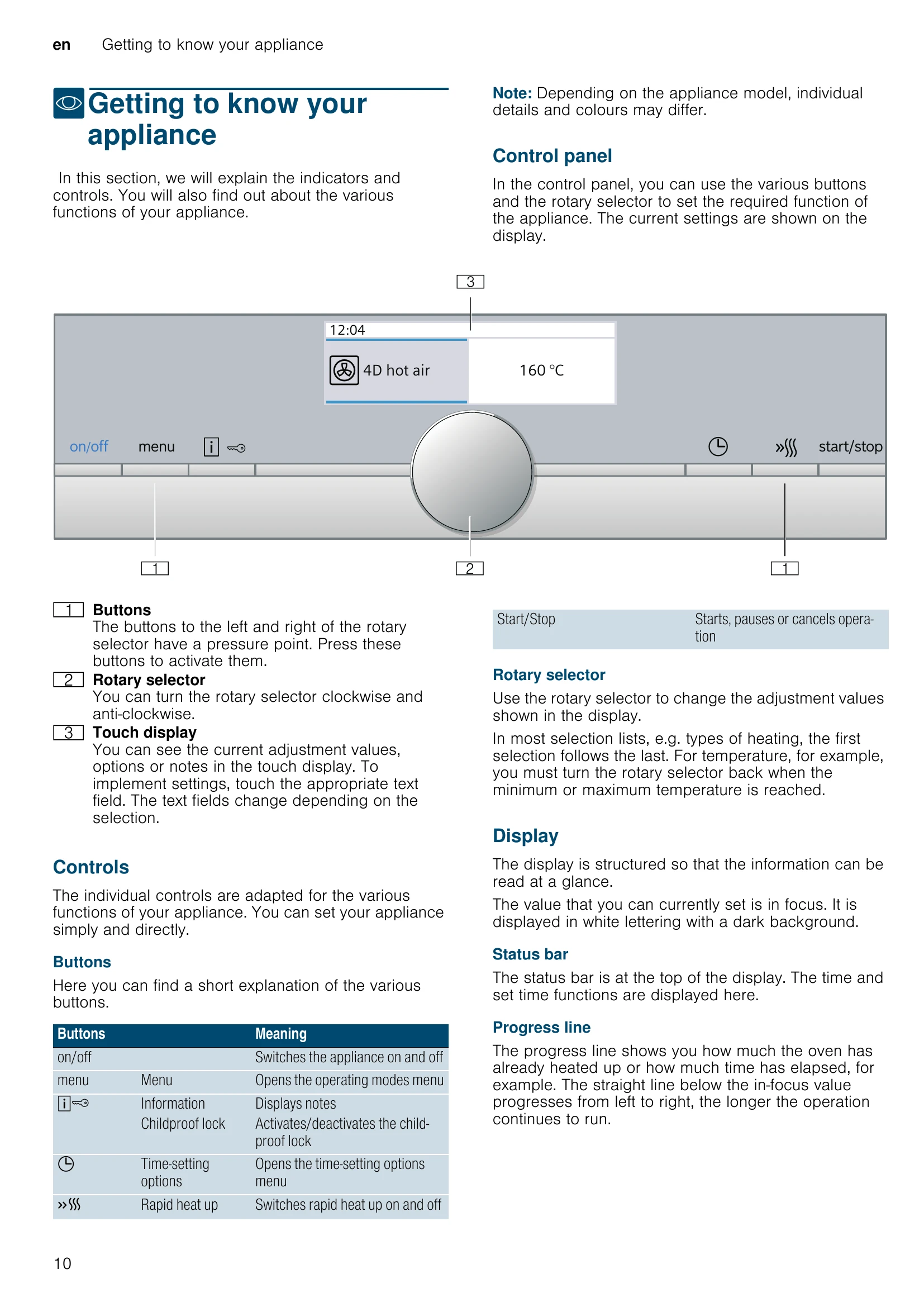
To operate the appliance, it must first be switched on using the On/Off button. The childproof lock and timer can be set even when the appliance is switched off. When switched off, the display may still show information such as the residual heat indicator. For energy saving, switch off the appliance when not in use, as it will automatically switch off after a period of inactivity.
With the appliance switched on, press the menu button to open the operating modes menu. Select the desired operating mode, then use the rotary selector to adjust settings. The start/stop button initiates the operation.
Upon switching on, a default heating type and temperature are suggested. These can be accepted or changed. Use the rotary selector to adjust values, and the start/stop button to begin. The rapid heat-up function is available for certain heating types to quickly preheat the cooking compartment.
Various time-setting options are available: a timer for audible signals, a cooking time that automatically stops operation, and an end time function. These can be accessed and set using the time-setting options menu.
The childproof lock prevents accidental changes or switching on. It can be activated and deactivated by pressing a button for approximately 4 seconds. A confirmation note and symbol appear in the display.
A range of basic settings can be adjusted to personalize the appliance's use, including language, time, date, and button tones. These settings are accessed via the menu button and the rotary selector.
| Fault | Possible Cause | Remedy |
|---|---|---|
| Maximum operating time exceeded | The appliance has automatically switched itself off. | Reset the operating time. |
| Cooking compartment bulbs not working | The bulb is defective. | Replace the bulb. See the "Trouble shooting" section for details on replacing the bulb. |
| Fault table: Possible faults and remedies for your appliance. | Refer to the fault table for further information. | Contact customer service if you cannot resolve the fault. |