Brand: SIEMENS
Category: Microwave Oven
Document Type: Manual
Language: EN
Brand: SIEMENS
Category: Microwave Oven
Document Type: Manual
Language: EN
Uploaded: Nov. 21, 2025, 7:12 p.m.
Refer to the customer service list for contact details and service information.
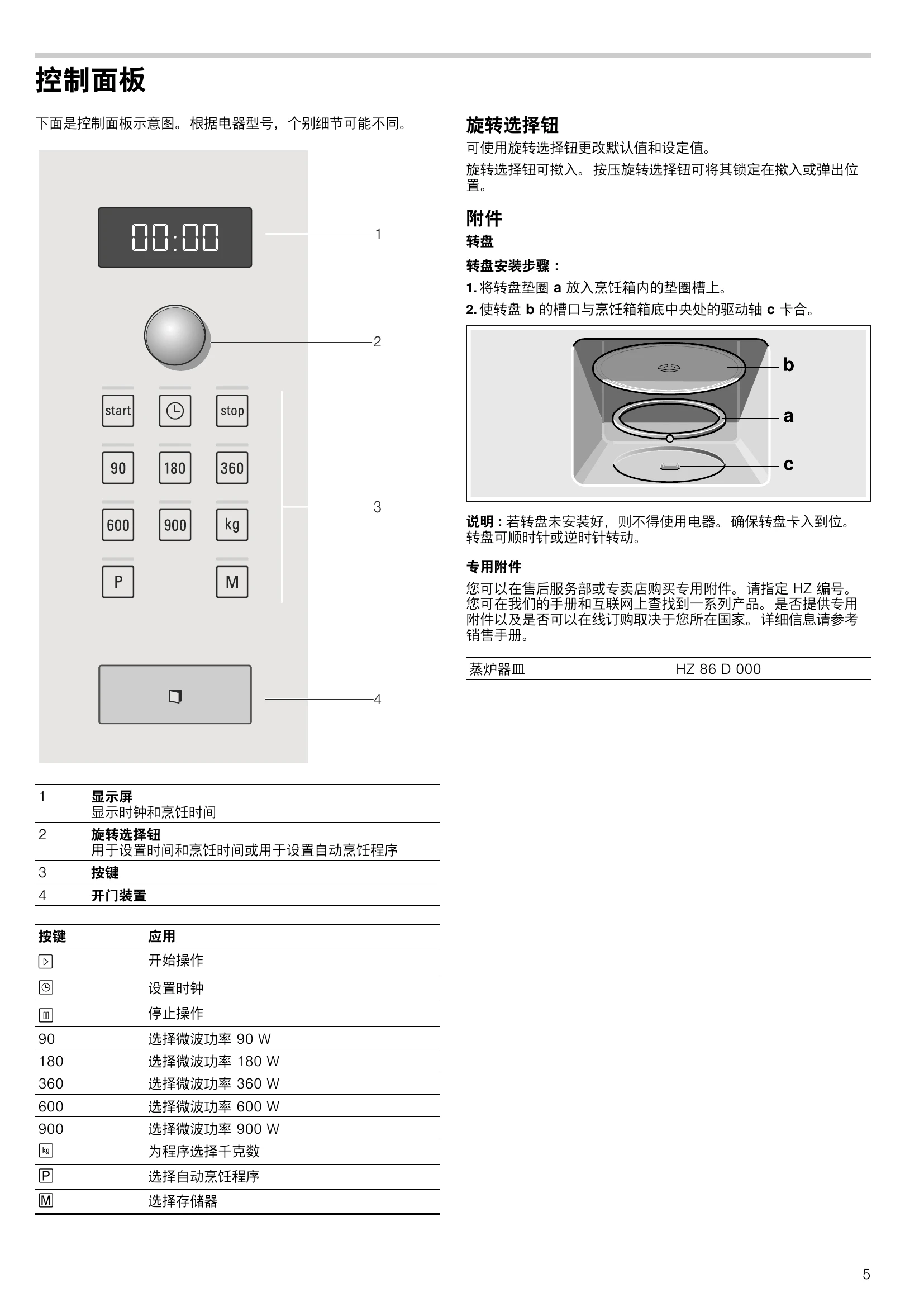
Setting the Clock: Press the clock button, then use the rotary selector to set the time, and press the clock button again to confirm.
Using the Microwave: Select the desired power level (e.g., 900 W) and set the cooking time using the rotary selector. Press the start button to begin.
Memory Function: Press the 'M' button to save settings. Press 'M' again to recall saved settings. Press the start button to initiate the saved programme.
Automatic Programmes: Press 'P' to select a programme, then 'kg' to input the weight. Adjust the weight using the rotary selector and press the start button.
Care and Cleaning: Unplug the appliance before cleaning. Clean the exterior and interior with a damp cloth and mild detergent. Dry thoroughly.
| Error message | Possible cause | Remedy/note |
|---|---|---|
| The appliance does not work. | The plug is not plugged in. | Plug the plug in. |
| The appliance does not work. | Power failure | Check whether the kitchen light works. |
| The appliance does not work. | Faulty circuit breaker | Look in the fuse box to make sure that the circuit breaker for the appliance is in working order. |
| The appliance does not work. | Faulty operation | Switch off the circuit breaker in the fuse box. Switch it back on after approx. 10 seconds. |
| Three zeros light up in the display. | Power failure | Reset the time. |
| The appliance is not in operation. A cooking time appears in the display. | The rotary selector was actuated accidentally. | Press the ▷ button. |
| The appliance is not in operation. A cooking time appears in the display. | The button was not pressed after setting. | Press the ▷ button or cancel the setting with the ↩ button. |
| The microwave does not work. | The door was not fully closed. | Check where food residue or debris is trapped in the door. |
| The microwave does not work. | The button was not pressed. | Press the ▷ button. |
| It takes longer than before for the food to heat up | The microwave power level setting was too low. | Select a higher microwave power setting. |
| It takes longer than before for the food to heat up | A larger amount of food than usual has been placed in the appliance. | Double the amount = double the time. |
| It takes longer than before for the food to heat up | The food was colder than usual. | Stir or turn the food during cooking. |
| The turntable makes a scratching or grinding noise. | Dirt or debris in the area around the turntable drive. | Clean the roller ring and the recess in the cooking compartment. |
| Microwave operation has been cancelled for no apparent reason. | The microwave has a fault. | If this fault occurs repeatedly, please call the after-sales service. |
| "M" appears in the display. | The appliance is in demo mode. | Press and hold the ▷ button and the ↩ button for approx. 7 seconds. Demo mode is deactivated. |