Brand: SIEMENS
Category: Mobile Phone
Document Type: Manual
Language: EN
Brand: SIEMENS
Category: Mobile Phone
Document Type: Manual
Language: EN
Uploaded: Nov. 21, 2025, 7:02 p.m.
24 months for manufacturing/material faults, 6 months for wear and tear parts.
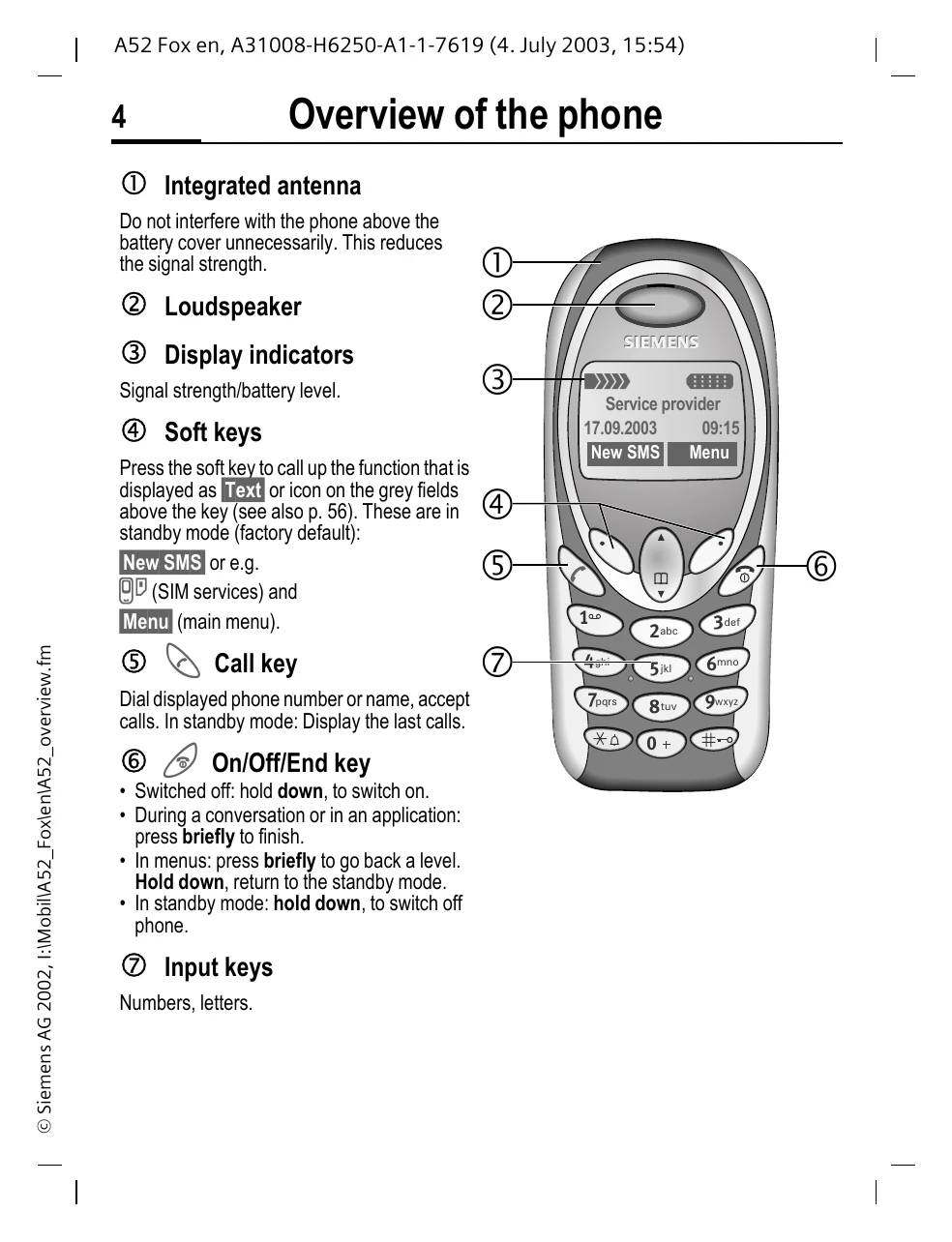
Switching On/Off: Press and hold the On/Off/End key.
Making a Call: Enter the number and press the Call key. To redial the last number, press the Call key twice. To redial previous numbers, press the Call key once and select from the list.
Ending a Call: Press the End key briefly.
Receiving Calls: Press the Call key (or Reply) to accept, or the End key (or Reject) to decline.
Navigation: Use the scroll key to navigate menus and lists. Soft keys perform functions indicated on the screen.
Phonebook: Store and retrieve contacts.
Messages: Read, compose, and send SMS messages.
| Problem | Possible Solution |
|---|---|
| Phone does not switch on | Ensure the battery is charged and correctly inserted. |
| Cannot make calls | Check signal strength. Ensure SIM card is inserted correctly and not barred. Check phone code. |
| No network access | Check if your SIM card is active. Move to an area with better reception. |
| Battery not charging | Ensure charger is connected correctly. Check power source. Use only the provided charger. |
| Display issues | Remove protective film. If discolouration persists, contact service. |
| SIM card error | Reinsert SIM card. Ensure it is the correct type (3-volt). Contact service provider if necessary. |