Manual for CL75

Manual for CL75

Brand: SIEMENS

Category: Mobile Phone

Document Type: Manual

Language: EN
Uploaded: Nov. 21, 2025, 6:12 p.m.

Warranty Information

The manufacturer's guarantee is valid for 24 months for new devices and components, with a 6-month period for wear-and-tear parts.

Phone Overview

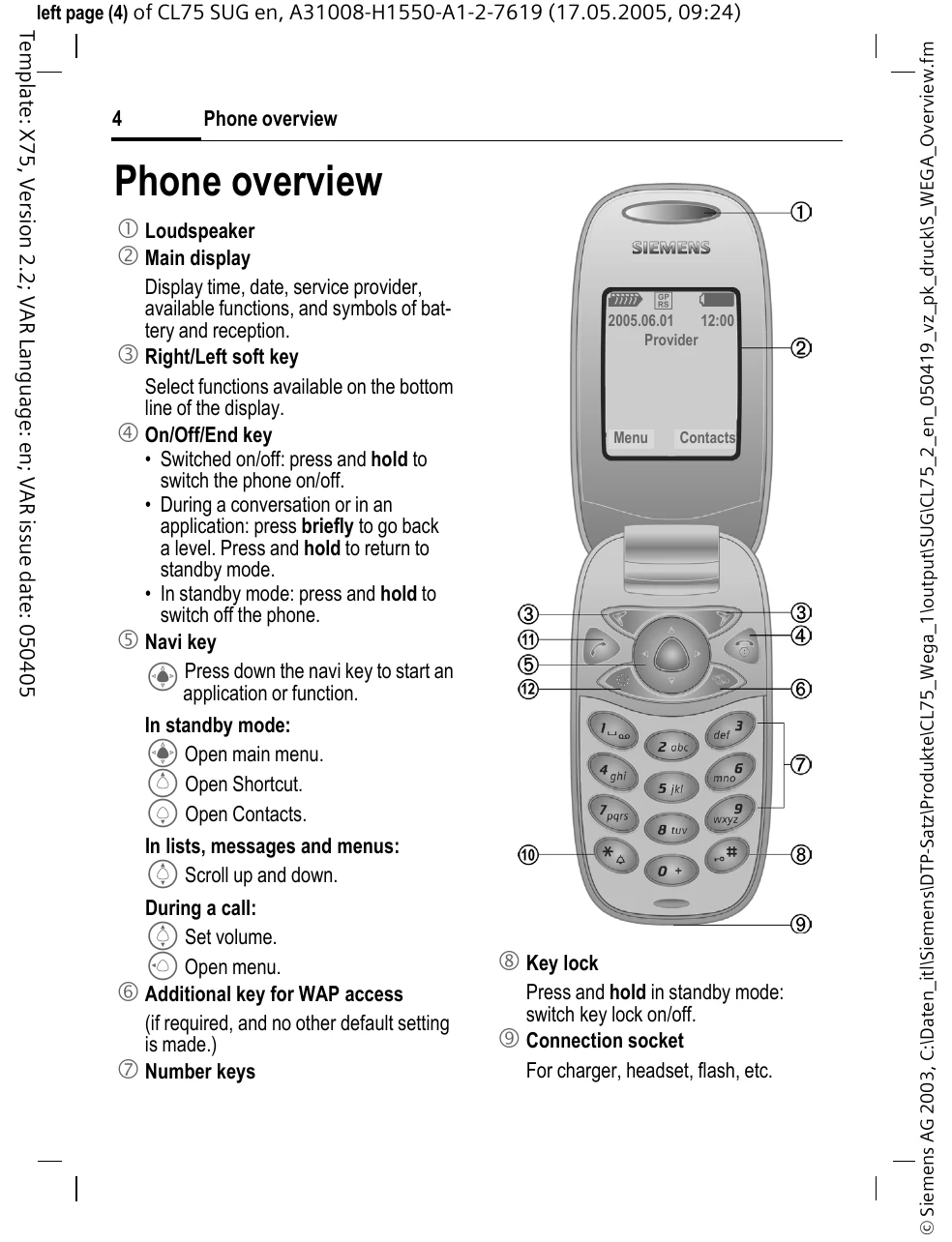
  • Loudspeaker: For audio output.
  • Main Display: Shows time, date, service provider, functions, and battery/reception symbols.
  • Right/Left Soft Key: Selects functions shown at the bottom of the display.
  • On/Off/End Key: Powers the phone on/off, returns to standby, or ends calls.
  • Navi Key: Starts applications, opens menus, or scrolls through lists.
  • Number Keys: For dialing numbers and text input.
  • Key Lock: Locks/unlocks the keypad.
  • Connection Socket: For charger, headset, etc.
  • Ringtone: Switches ringtones on/off or silences incoming calls.
  • Call Key: Dials numbers or answers calls.
  • Display Key: Toggles display on/off or uses it as a mirror.

Getting Started

  1. Insert SIM Card/Battery: Ensure correct orientation and secure the battery.
  2. Charge Battery: Connect the charger for at least three hours.
  3. Switching On/Off: Press and hold the On/Off/End key.
  4. Entering PIN: Enter your SIM card's PIN when prompted.
  5. Setting Time/Date: Set the correct time and date for first-time use.
Privacy Policy