Brand: SIEMENS
Category: Refrigeration
Document Type: Manual
Language: EN
Brand: SIEMENS
Category: Refrigeration
Document Type: Manual
Language: EN
Uploaded: Nov. 21, 2025, 6:53 p.m.
Manual Publish Date: null
null
| Fault | Possible cause | Remedial action |
|---|---|---|
| Temperature differs greatly from the set value. | In some cases it is adequate to switch off the appliance for 5 minutes. If the temperature is too high wait a few hours and check whether the temperature has approached the set value. If the temperature is too low check the temperature again the next day. |
|
| Displays do not illuminate. | Power failure; the fuse has been switched off; the mains plug has not been inserted properly. | Connect mains plug. Check whether the power is on, check the fuses. |
| Warning signal sounds, Alarm display lights up. The freezer compartment is too warm! Frozen food is at risk! | Appliance is open. Ventilation openings have been covered. Too much food was placed in the freezer compartment at once. |
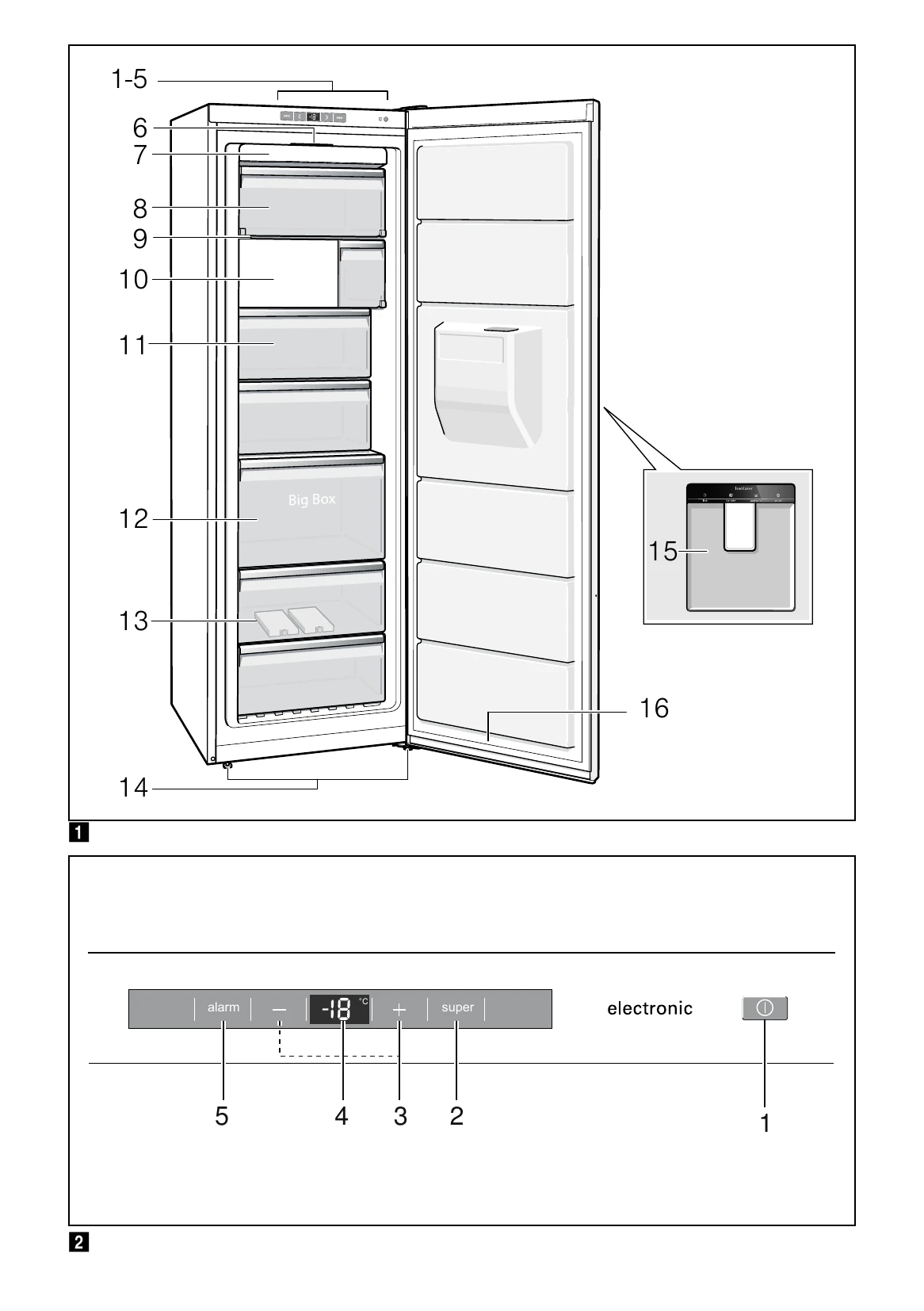
To switch off the warning signal, press the Alarm button. Fig. 2/5 Close the appliance. Ensure that there is adequate ventilation. Do not exceed max. freezing capacity. |
| Freezer compartment door was open for a long time; temperature is no longer reached. | The evaporator (refrigeration generator) in the NoFrost system is covered in thick ice and can no longer be defrosted fully automatically. | To defrost the evaporator, remove the frozen food with the compartments, insulate well and store in a cool location. Switch off the appliance and move it away from the wall. Leave the appliance door open. After approx. 20 min. the condensation begins to run into the evaporation pan, at the rear of the appliance. Fig. 7 To prevent the evaporation pan from overflowing in this case, mop up the condensation with a sponge. The evaporator is defrosted when the water stops running into the evaporation pan. Clean the interior. Switch the appliance back on again. |
| Appliance is not cooling, temperature display and light are lit. | Showroom mode is switched on. | Hold down alarm button, Fig 2/5, for 10 seconds until an acknowledgement signal sounds. After a short time check whether your appliance is cooling. |
| Automatic super freezing does not switch on. | The appliance decides independently whether automatic Super freezing is required and automatically switches it on or off. | |
| The ice maker doesn't work. | Ice maker is not connected to the power supply. The ice maker is switched off. Ice maker is not receiving any fresh water. The freezer compartment temperature is too warm. Supply hose is kinked or crushed. Fig. 8 The appliance or ice maker has only just been switched on. A lot of ice has been taken. Low water pressure. |
Call the customer service. Switch on the ice maker (see “Ice maker”). Ensure that the water has been connected properly. Check freezer compartment temperature and, if required, set slightly colder. Ensure that the supply hose is installed correctly. Approx. 24 hours is needed until ice production starts. Approx. 24 hours is needed until the ice cube container is filled again. Connect the appliance to the stipulated water pressure only (see chapter “Connecting the appliance", section “Water connection”). |
| The ice maker does not make enough ice or the ice is deformed. | The freezer compartment temperature is too warm. Screen on the water supply is dirty. |
Set temperature colder. Clean the screen. |
| Ice dispenser does not function. The "lock" and "on/off" buttons flash. | Water has escaped from the pipe system. The integrated AquaStop system has interrupted the water supply. |
Switch off the water supply and inform customer service (see chapter entitled Alarm function). |
| Ice dispenser does not function. No ice cubes are dispensed. | Ice maker is empty. All the ice cubes have been dispensed. | Wait for more ice cubes to be produced. |