Brand: SIEMENS
Category: Refrigeration
Document Type: Manual
Language: EN
Brand: SIEMENS
Category: Refrigeration
Document Type: Manual
Language: EN
Uploaded: Nov. 21, 2025, 8:05 p.m.
Refer to the customer service booklet for warranty information.
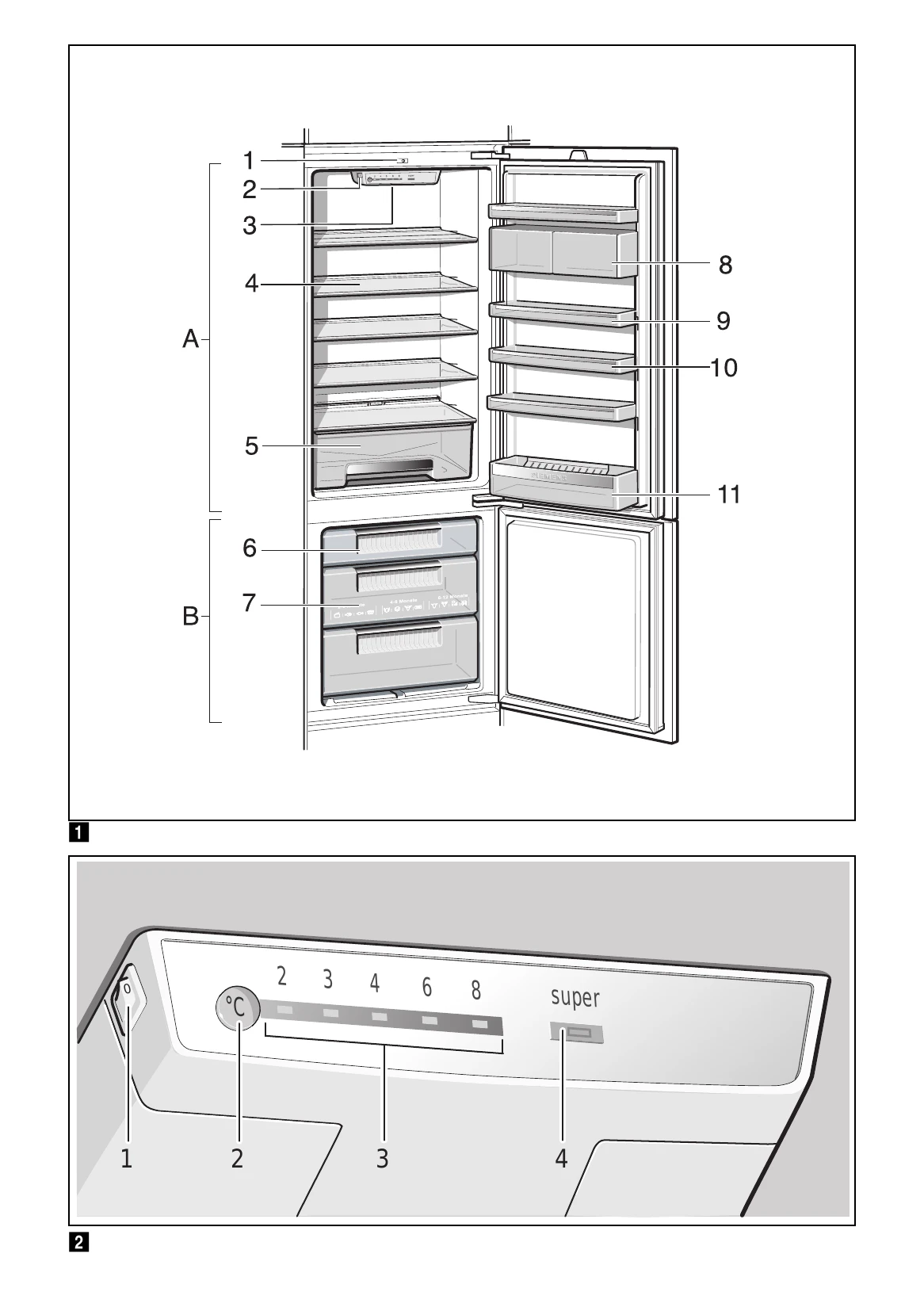
Switching the appliance on: Press the main On/Off switch. The temperature display will flash until the set temperature is reached. The appliance begins to cool, and the light switches on when the door is open. Recommended setting for the refrigerator compartment is +4 °C.
Setting the temperature: Use the "Temperature selection button" to set the desired temperature for the refrigerator compartment (+2 °C to +8 °C). The freezer compartment temperature depends on the refrigerator compartment temperature.
Super cooling/freezing: Press the "super" button to activate Super cooling (refrigerator) or Super freezing (freezer). This function automatically switches off after approximately 2.5 days.
Defrosting: The refrigerator compartment defrosts automatically. The freezer compartment needs manual defrosting to prevent excessive frost buildup.
Cleaning: Switch off the appliance, disconnect from power, remove food, and clean with a soft cloth, lukewarm water, and pH-neutral washing-up liquid. Rinse the door seal with clear water only.
| Fault | Possible cause | Remedial action |
|---|---|---|
| Temperature differs greatly from the set value. | In some cases it is adequate to switch off the appliance for 5 minutes. If the temperature is too high wait a few hours and check whether the temperature has approached the set value. If the temperature is too low check the temperature again the next day. | |
| The light does not work. | The bulb is defective. | Replace bulb. Fig. 16/B: 1. Switch off the appliance. 2. Pull out mains plug or switch off fuse. 3. Remove bulb cover from the rear. 4. Change the bulb. (Replacement bulb: 220-240 V a.c., E14 bulb holder, see defective bulb for wattage.) |
| Floor of the refrigerator compartment is wet. | Light switch is jammed. | Check whether it can be moved. Fig. 16/A |
| The condensation channels or drainage hole are blocked. | Clean the condensation channels and the drainage hole. See chapter Cleaning the appliance. Fig. 14 | |
| The refrigerating unit is switching on more frequently and for longer. | Appliance opened frequently. | Do not open the appliance unnecessarily. |
| The ventilation openings have been covered. | Remove obstacles. | |
| Large quantities of fresh food are being frozen. | Do not exceed max. freezing capacity. | |
| Appliance has no refrigeration capacity. | Appliance has been switched off. | Press main On/Off switch. Fig. 2/1 |
| Power failure. | Check whether the power is on. | |
| The fuse has been switched off. | Check the fuse. | |
| The mains plug has not been inserted properly. | Check whether the mains plug has been inserted properly. |