Brand: SIEMENS
Category: Telephone
Document Type: Manual
Language: EN
Brand: SIEMENS
Category: Telephone
Document Type: Manual
Language: EN
Uploaded: Nov. 21, 2025, 6:47 p.m.
Refer to your retailer or manufacturer for specific warranty information.
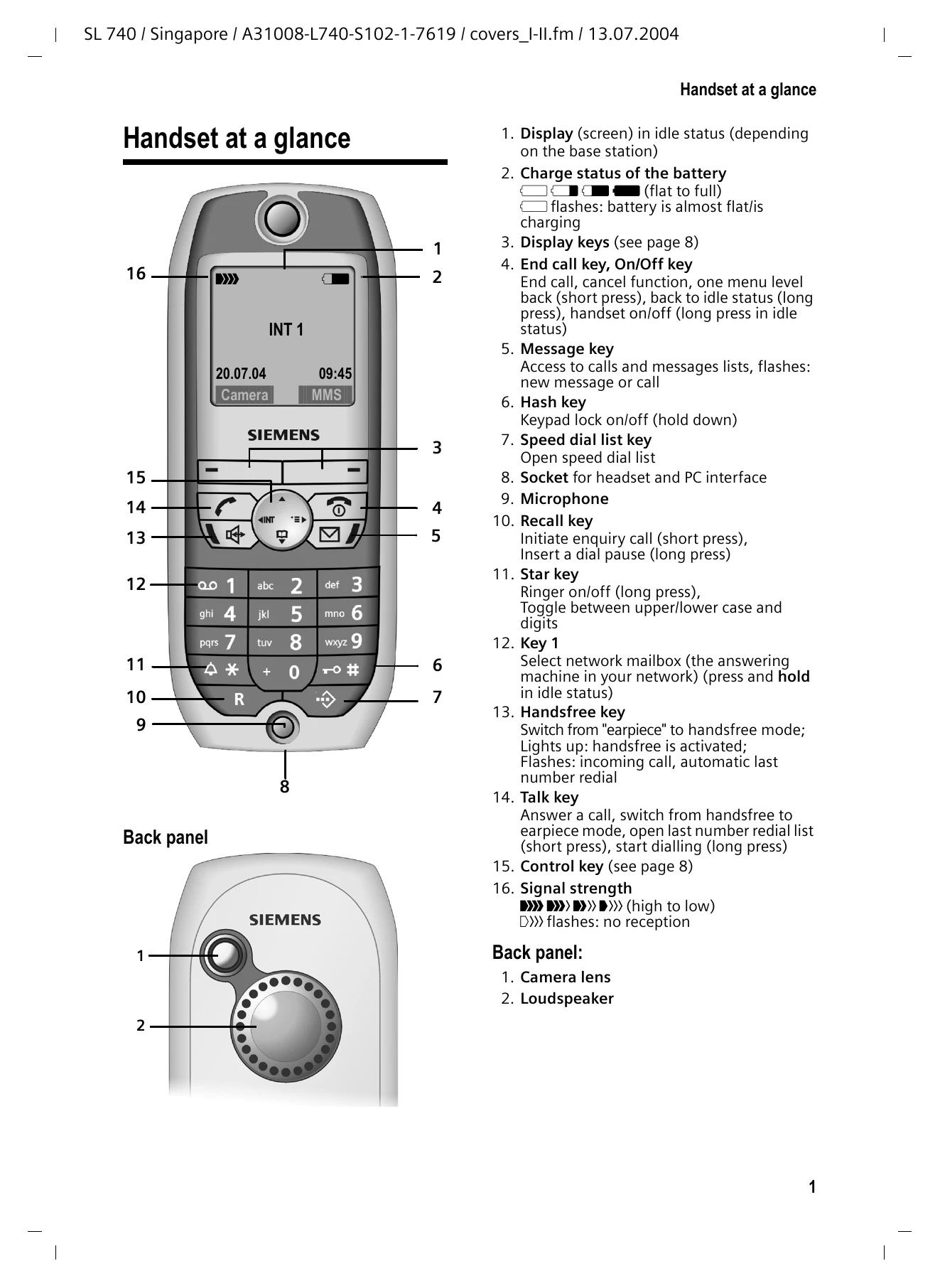
1. Display: Shows information in idle status.
2. Battery Status: Indicates charge level (full to empty) and charging status.
3. Display Keys: Functions vary by operating situation.
4. End Call Key/On/Off Key: Ends calls, cancels functions, returns to idle, or turns handset on/off.
5. Message Key: Accesses call and message lists; flashes for new messages/calls.
6. Hash Key: Locks/unlocks keypad.
7. Speed Dial List Key: Opens speed dial list.
8. Socket: For headset and PC interface.
9. Microphone: For voice input.
10. Recall Key: Initiates enquiry calls or inserts dial pauses.
11. Star Key: Toggles ringer on/off or changes case/digits.
12. Key 1: Selects network mailbox.
13. Handsfree Key: Switches to handsfree mode.
14. Talk Key: Answers calls, switches to earpiece, or redials.
15. Control Key: Navigates menus and input fields.
16. Signal Strength: Shows radio signal quality.
Installing the base station: Place in a dry, enclosed area away from heat sources. Connect power and phone cord.
Inserting the battery: Ensure correct polarity. Use only recommended rechargeable batteries.
Charging the battery: Place handset in charger. Initial charge recommended for five hours, then charge after each call.
Activating/Deactivating Handset: Hold End Call key. Automatically activates in charger.
Activating/Deactivating Keypad Protection: Hold Hash key.