Brand: SIEMENS
Category: Vacuum Cleaner
Document Type: Manual
Language: EN
Brand: SIEMENS
Category: Vacuum Cleaner
Document Type: Manual
Language: EN
Uploaded: Nov. 21, 2025, 7:38 p.m.
The appliance has a 24-month warranty covering material and manufacturing defects.
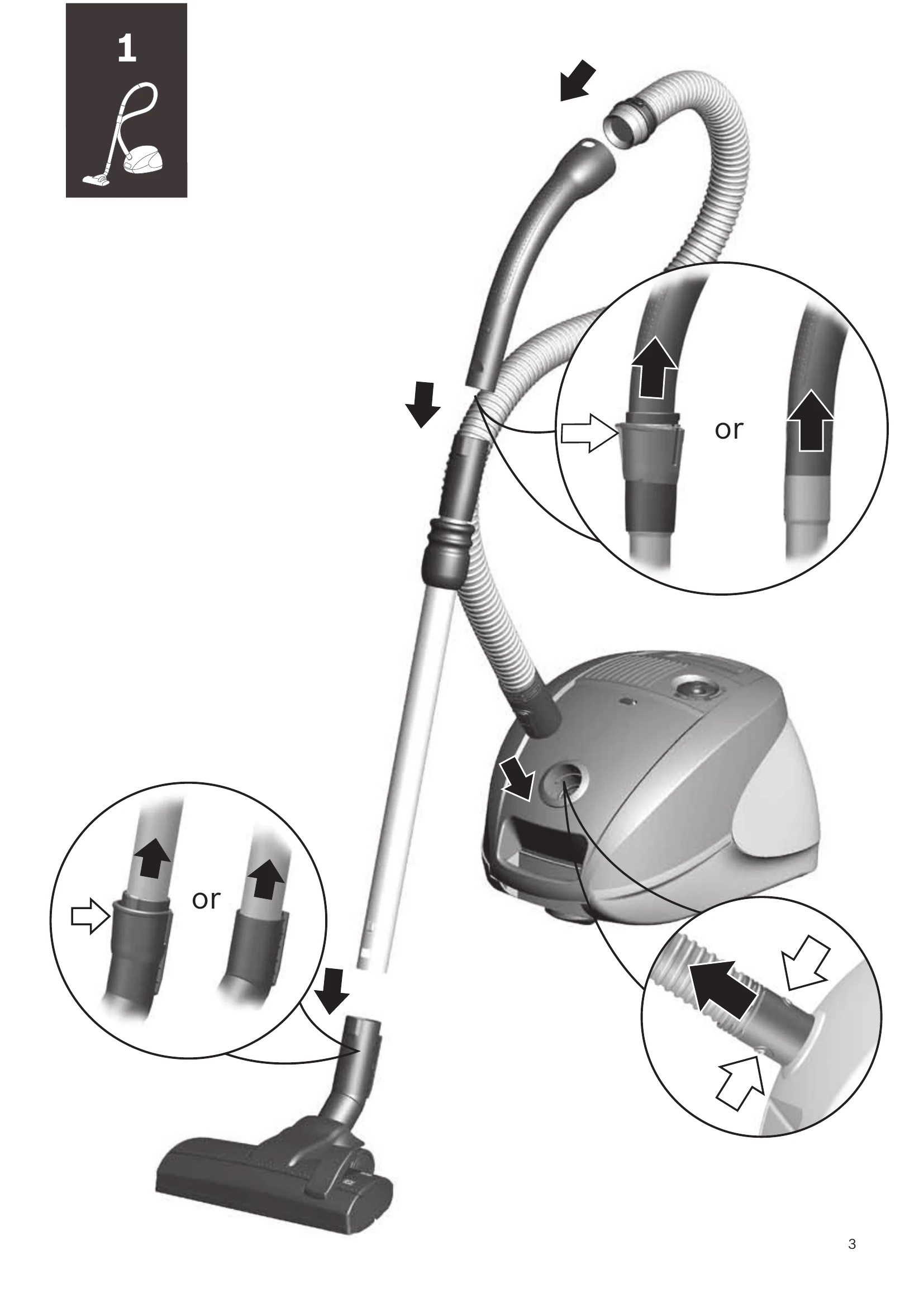
Step 1: Assembly
Step 2: Powering On and Operation
Step 3: Cleaning
Step 4: Maintenance
| Problem | Possible Cause | Solution |
|---|---|---|
| Appliance does not start | Power cord not plugged in | Plug in the power cord. |
| Appliance does not start | Power outlet faulty | Try another power outlet. |
| Appliance does not start | Appliance is damaged | Do not operate the appliance. Unplug and contact customer service. |
| No suction or weak suction | Dust bag full | Empty or replace the dust bag. |
| No suction or weak suction | Filters clogged | Clean or replace the filters. |
| No suction or weak suction | Blockage in hose or nozzle | Remove the blockage. |
| Appliance overheats | Filters clogged | Clean or replace the filters. |
| Appliance overheats | Dust bag full | Empty or replace the dust bag. |
| Appliance overheats | Motor protection filter needs cleaning/replacement | Clean or replace the motor protection filter. |
| Appliance overheats | Overheating protection activated | Switch off the appliance and allow it to cool down. |