Brand: SILVER CREST
Category: Audio
Document Type: Manual
Language: EN
Brand: SILVER CREST
Category: Audio
Document Type: Manual
Language: EN
Uploaded: Nov. 21, 2025, 6 p.m.
Manual Publish Date: 2016-07-01
The product comes with a 3-year warranty from the date of purchase for material or production faults.
| Fault | Possible cause | Remedy |
|---|---|---|
| The device will not switch on. | The mains adapter is not connected. | Connect the mains adapter correctly. |
| The socket is not supplying any power. | Check the house's mains fuse. | |
| No sound. | The volume on the device or the playback device is set to minimum. | Increase the volume on the device or on the playback device. |
| Playback has not been started on the playback device. | Start playback on the playback device. | |
| You have selected the incorrect operating mode. | Check whether the correct operating mode (AUX or Bluetooth®) has been set. | |
| The Bluetooth® connection cannot be established. | Bluetooth® is not activated on the playback device. | Switch on Bluetooth® on your playback device. Please refer to its operating instructions for more information. |
| It is possible that not all Bluetooth® devices are compatible. | Check the settings on your Bluetooth® device. | |
| The playback device is not paired with the device. | Pair the devices again (see chapter Pairing the device with a Bluetooth® playback device). | |
| The distance between the device and the playback device is too great. | Ensure that the device is no more than 10 metres away from the playback device. | |
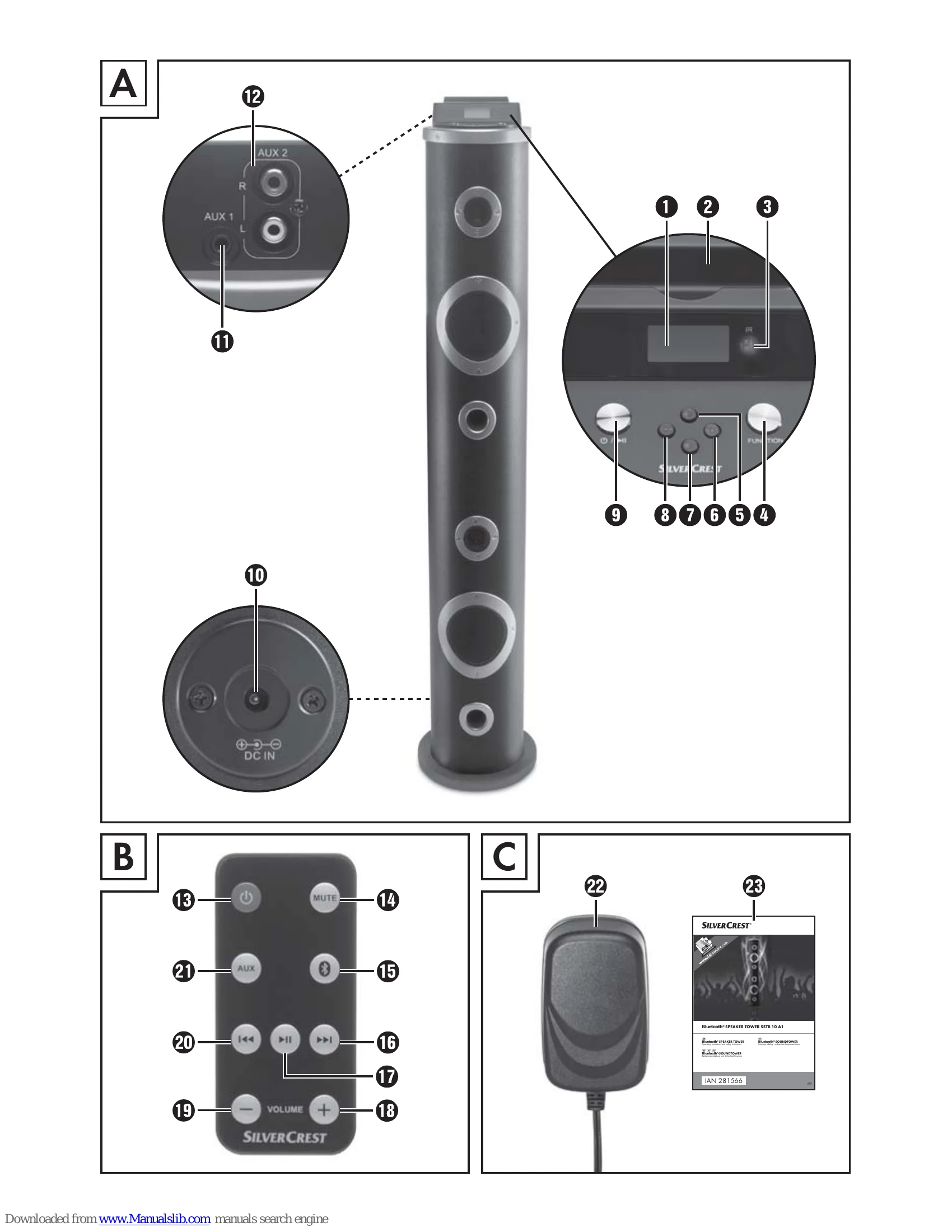
| Bluetooth® operation is deactivated on the speaker. | Press the ⑮ button on the remote control or press the FUNCTION ④ button on the device to switch on the Bluetooth® function. ④ | |
| The remote control does not work. | Falsche Ausrichtung der Fernbedienung. | Point the remote control towards the infrared sensor ③ on the front of the device. |
| The distance between the remote control and the device is too great. | Move the remote control closer to the device. | |
| The battery in the remote control is flat. | Replace the battery. |