Brand: SILVER CREST
Category: Audio
Document Type: Quick Start Guide
Language: EN
Brand: SILVER CREST
Category: Audio
Document Type: Quick Start Guide
Language: EN
Uploaded: Nov. 21, 2025, 6:49 p.m.
Refer to the operating instructions for detailed warranty information.
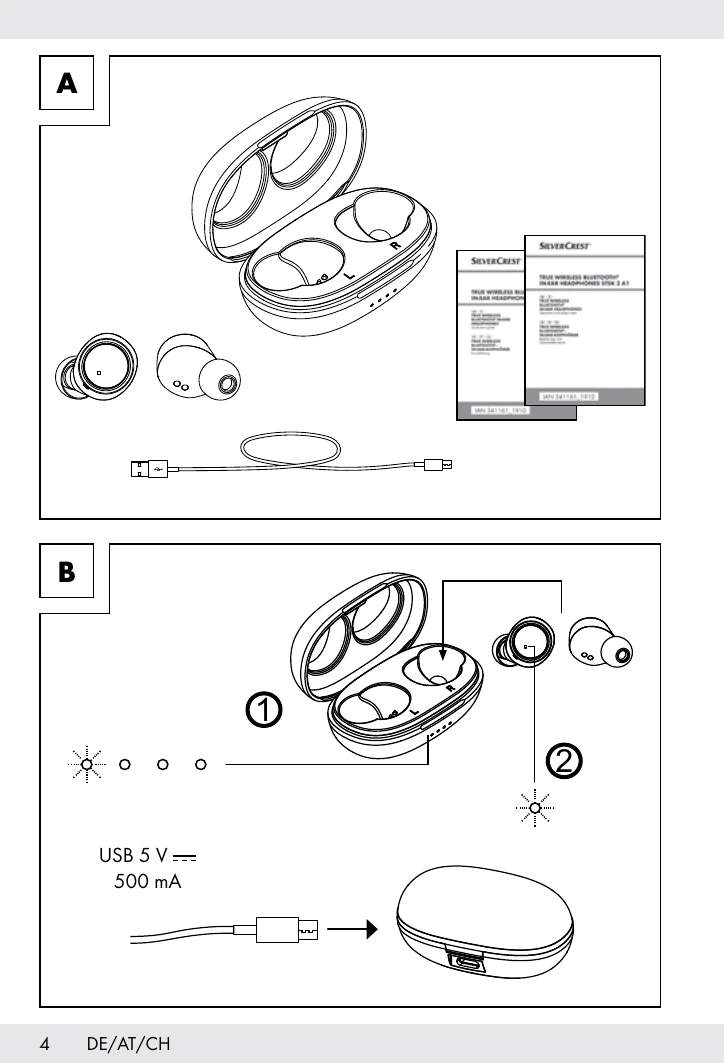
A: Product Check
After unpacking, verify all parts are present and in good condition.
B: Charging
1. LED Indicators (Battery Status):
2. LED Indicators (Charging Status):
C: Power On/Off
Place earbuds in the charging case to turn off; remove to turn on.
D: Bluetooth Pairing
On your Bluetooth device, search for "STSK 3 A1" and connect. Enter "0000" if prompted for a password.
E: Call Functions
F: Playback Functions