Brand: SILVER CREST
Category: Electronics
Document Type: Manual
Language: EN
Brand: SILVER CREST
Category: Electronics
Document Type: Manual
Language: EN
Uploaded: Nov. 21, 2025, 7:22 p.m.
Manual Publish Date: 2017-06-01
This appliance comes with a 3-year guarantee from the date of purchase.
Remote Control Operation:
Socket Operation:
| Problem | Remedy |
|---|---|
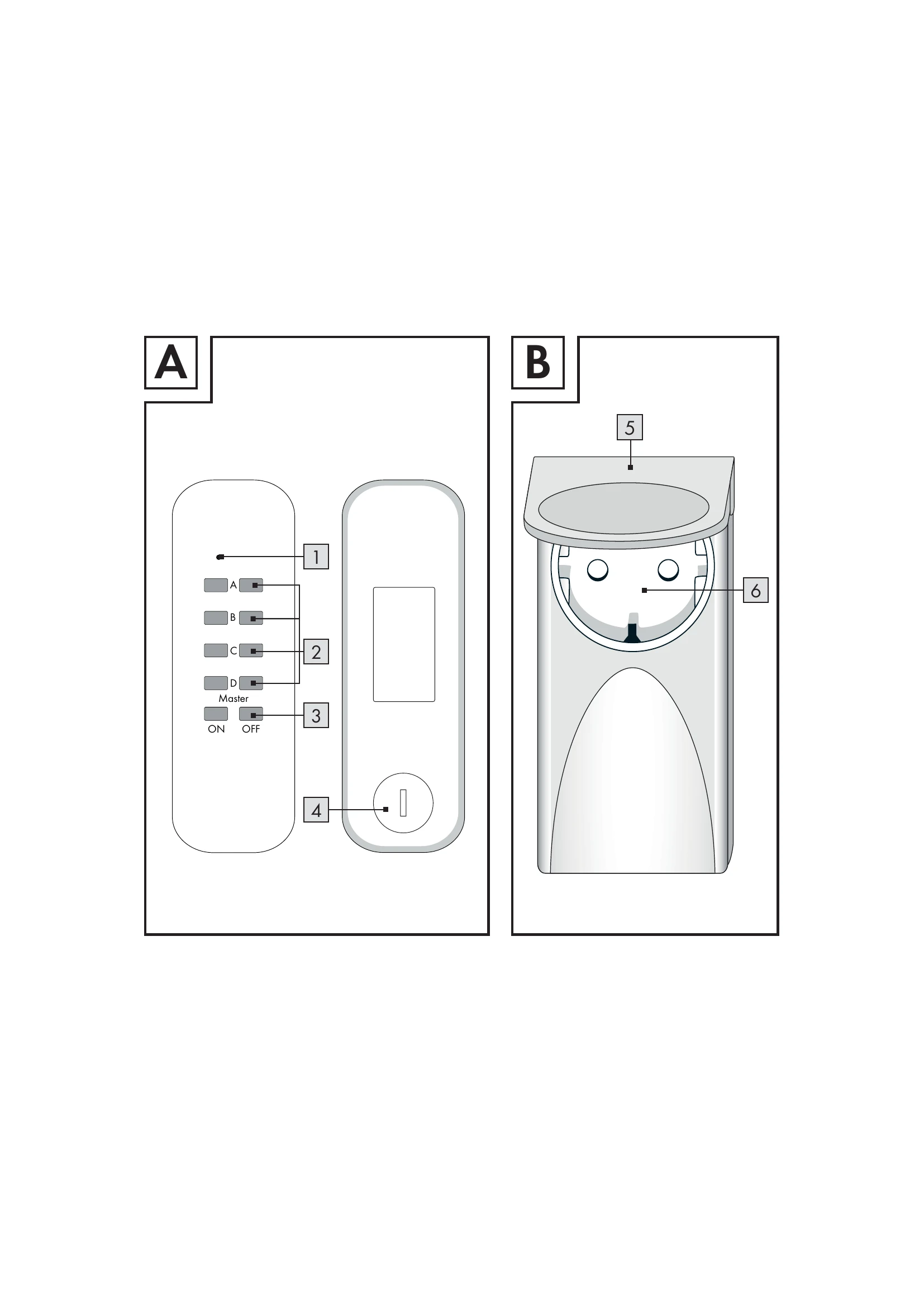
| The operating indicator 1 on the remote control device illuminates but there is no reaction | Check that the current output from the battery is adequate. If necessary insert a new battery. |
| No indicator light 1 on remote control when pressing "ON" or "OFF" | Check that the battery has been put in correctly. Check if the battery has good contact, if necessary press down. |
| No reaction from consumer | Check that the appliance is switched on. Assign a new code to the wireless socket. Check - by walking closer to it - that the range is correct for the desired location. |
| Range is too small | For the greatest range make sure that there are as few potential obstructions as possible (not only walls, furniture etc. but also trees, bushes etc.) between the remote controller and the remote-controlled socket. If the range is too small at times, the reason could be a remote control which works on a similar frequency. |