Brand: SILVER CREST
Category: Electronics
Document Type: Manual
Language: EN
Brand: SILVER CREST
Category: Electronics
Document Type: Manual
Language: EN
Uploaded: Nov. 21, 2025, 6:57 p.m.
This device comes with a 3-year warranty against material or manufacturing defects.
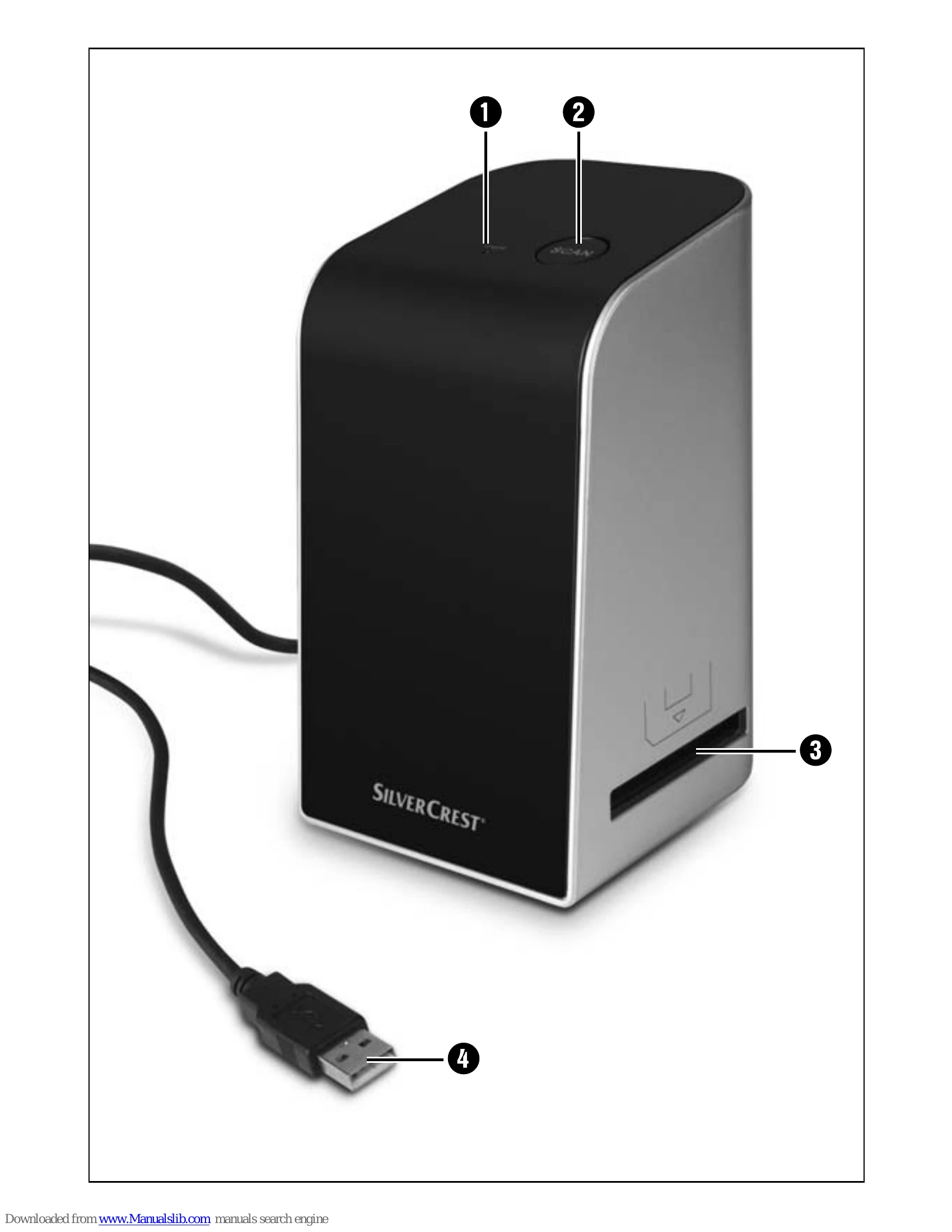
Getting Started: Unfold pages with illustrations and familiarize yourself with the device. Ensure the setup location is firm, flat, and level, away from heat, moisture, and direct sunlight.
Setup: Connect the scanner to your computer via USB. Install the ArcSoft MediaImpression 2 software from the provided CD by following the on-screen prompts. Choose your language and accept the license agreement. Enter your username and license key, select installation directory and program folders.
Operation: Insert film strips into the film holder or slides into the slide magazine and then into the scanner. Start the ArcSoft MediaImpression 2 program and select 'Capture'. Ensure the device is calibrated before scanning. Adjust settings like file format, quality, film type, color depth, and resolution as needed. Click 'Capture' to scan. Adjust image settings (balance, exposure, brightness, contrast, saturation) using the 'Adjust' button.
After Use: Remove film holders and slide magazines. Disconnect the USB cable.
Cleaning: Clean the casing with a slightly damp cloth and mild detergent. Clean the scanner lens with the provided brush.
Troubleshooting: Check connections if the LED PWR does not light up. Clean the scanner lens and film/slides if image quality is poor.
Storage/Disposal: Store the device in a dry environment. Dispose of the device according to WEEE regulations, not in household waste.
| Fault | Possible Cause | Remedy |
|---|---|---|
| LED PWR 1 does not light up | The device is not connected correctly. | Connect the device. |
| Poor image quality | Dust on the scanner lens. | Clean the scanner lens. |
| Dust on the film or slide. | Clean the film or slide. |